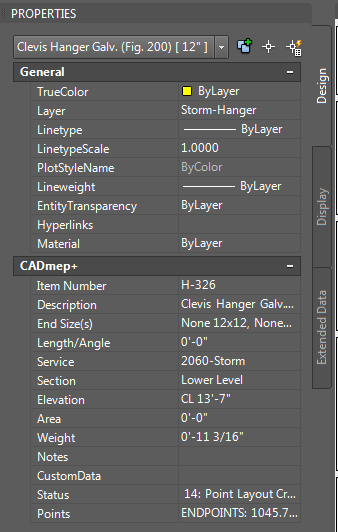
I am guessing that you are using the Automated points, Hangers Existing tab? If so you are correct that it will not work as you are hoping. If you set the point type to Sleeve, it will use them, but also attempt to add the sleeve sizing as well, which may have some unexpected results in the description.
The other place it will make use of the custom data fields is with the Selection points routine. Preselect the hangers you want to mark, then trigger the Selection points and choose Nodes and then Top. You should get the custom fields + the regular description (+optionally itemnumber and/or service).
I could look at adding the custom fields ability to Automated->Hangers Existing for Pipe/Duct hangers as well, just not sure of an elegant way to offer custom files OR regular description, or combined. Check if the selection function covers your needs and let me know.
Thanks,
Shayne
 Shayne Hamel
Manager, Principal Software Engineering