- Mark as New
- Bookmark
- Subscribe
- Mute
- Subscribe to RSS Feed
- Permalink
- Report
Hi All,
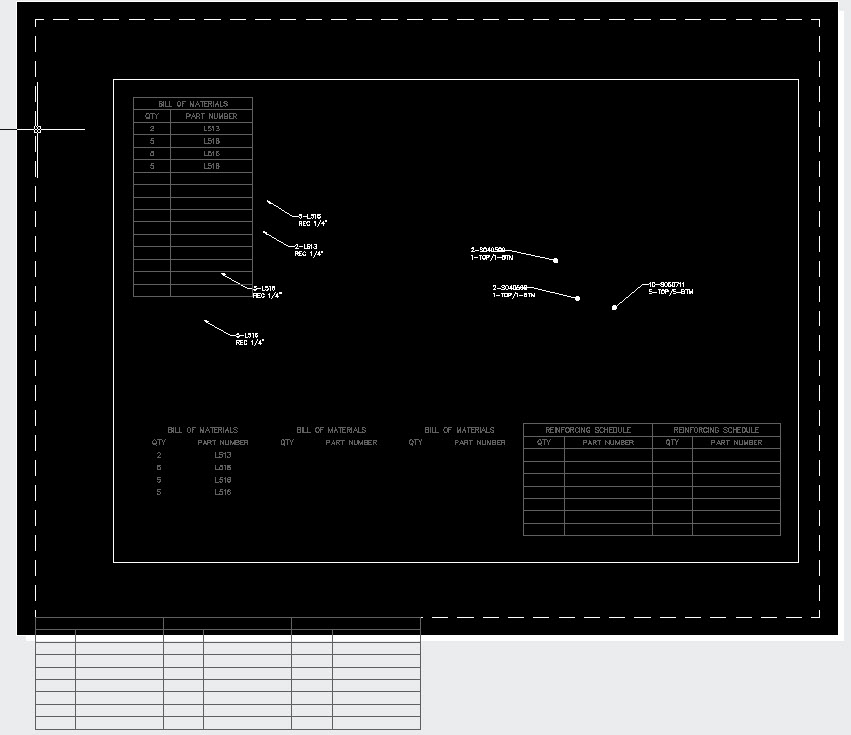
I am wondering if someone can help me figure out what I am doing wrong. I have code that reads mleader info from a drawing and inputs the data into a table. Before it does that, the code unlocks the layer that the table is on. After I am done editing the table, I relock the layer the table is on. For some reason, when I relock the layer, the boudary lines of the table all shift. The data stays in the proper location (see attached image).
I am still able to edit the table (after unlocking the layer) and if I close the drawing and reopen it, the table goes back to normal.
If I comment out the code that I have to lock the table, the problem does not occur.
Here is my code:
Dim acLayName As String = "ANO-TABLES"
            Dim acLyrTbl As LayerTable = TryCast(acTrans.GetObject(acCurDb.LayerTableId, OpenMode.ForWrite, False), LayerTable)
            If acLyrTbl Is Nothing Then
                Return
            End If

            Dim acLayTblRec As LayerTableRecord
            For Each objId As ObjectId In acLyrTbl
                acLayTblRec = objId.GetObject(OpenMode.ForRead)
                If acLyrTbl.Has(acLayName) Then
                    acLayTblRec.UpgradeOpen()
                    '' Unlock layer table record
                    If acLayTblRec.IsLocked = True Then
                        acLayTblRec.IsLocked = False
                    End If
                End If
            Next

'' Do stuff to table here

'' Relock layertable record
acLayTblRec.IsLocked = True
Any ideas???
Thanks
Solved! Go to Solution.


 I need all the advice I can get as I still have a TON to learn! Most of the code I write is loosley based on an examples I find in books, online or from the forums.