My guess is that no one really uses the Steering Wheel tool.
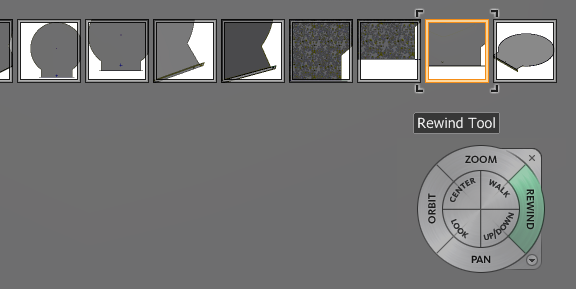
But it is there still, and it seems to consume some memory even if you never touch it. It has to do with it's Rewind function...
I would like to be able to turn that off.
More accurately I would like it be off by default on only turn if enabled via some checkbox option, likely tied to the Appearance settings:
Document settings:
http://help.autodesk.com/view/INVNTOR/2015/ENU/?guid=GUID-8B9A69E8-8068-4E81-B8B6-CB2B797F36B7
Application Options:
http://help.autodesk.com/view/INVNTOR/2015/ENU/?guid=GUID-30540DBF-999F-4514-9A21-DC7627059450
If you're curious, open your model and zoom in and out, orbit all around, pan here and there a few times, etc. Then open the Steering Wheel and click the Rewind button.
You'll notice it has a little snapshot of all of these view changes, and has been recording them all along.

Related link:
http://forums.autodesk.com/t5/inventor-general-discussion/inventor-loading-ram-when-zooming/td-p/585...