Surface to Solid

Surface to Solid

lhoggeth
Enthusiast Enthusiast
1,411 Views
9 Replies
Message 1 of 10

Surface to Solid

lhoggeth
Enthusiast
Enthusiast

Hi, hope you can help me.


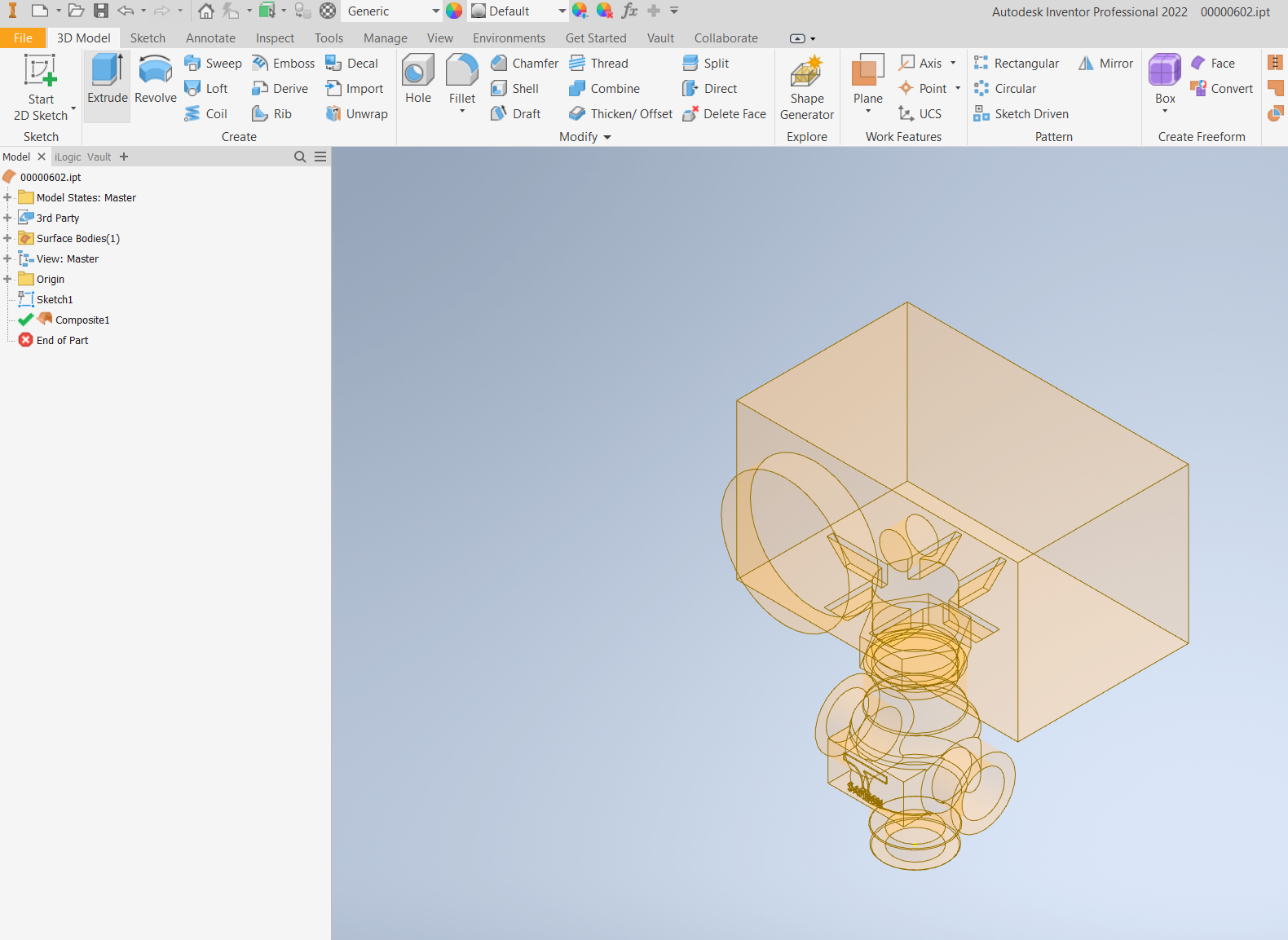
How do I convert the surface model to solid? I need to store this model into the library....


Attached step file.


Many thanks


201.PNG


0 Likes
Accepted solutions (2)
1,412 Views
9 Replies
Replies (9)
Message 2 of 10

CCarreiras
Mentor
Mentor

Hi!


Select all the surfaces, and use the STITCH tool.
If the model is correct, and there are no gaps in the surfaces, it will become solid.


CCarreiras_0-1686651007158.png


CCarreiras

EESignature

0 Likes
Message 3 of 10

JDMather
Consultant
Consultant

@lhoggeth 

I do not see a STEP file attached?


-----------------------------------------------------------------------------------------
Autodesk Inventor 2019 Certified Professional
Autodesk AutoCAD 2013 Certified Professional
Certified SolidWorks Professional


0 Likes
Message 4 of 10

lhoggeth
Enthusiast
Enthusiast

Hi, 


I'm not able to do this... please see below.  Any ideas? Thanks


It says - Create stitch failed


Stitch Surface1: could not build stitch surface


203.PNG

0 Likes
Message 5 of 10

lhoggeth
Enthusiast
Enthusiast

Trying again this time - attached.  Thanks.

0 Likes
Message 6 of 10

JDMather
Consultant
Consultant

There are quite a few missing surfaces in the geometry - does not form a "watertight" envelope.

Will require repair.

@lhoggeth 

What version of Inventor are you using?


-----------------------------------------------------------------------------------------
Autodesk Inventor 2019 Certified Professional
Autodesk AutoCAD 2013 Certified Professional
Certified SolidWorks Professional


0 Likes
Message 7 of 10

lhoggeth
Enthusiast
Enthusiast

Inventor 2022.


Many thanks

0 Likes
Message 8 of 10

JDMather
Consultant
Consultant
Accepted solution

I removed the text, logo and patched some holes.

See Attached...

JDMather_0-1686653626635.png


-----------------------------------------------------------------------------------------
Autodesk Inventor 2019 Certified Professional
Autodesk AutoCAD 2013 Certified Professional
Certified SolidWorks Professional


Message 9 of 10

lhoggeth
Enthusiast
Enthusiast

Many thanks 🙂

0 Likes
Message 10 of 10

CCarreiras
Mentor
Mentor
Accepted solution

The part has some gaps (lack of surfaces) in some places, here's an example:


CCarreiras_1-1686653755304.png


after close those gaps, it works.... check the attached file...

CCarreiras_2-1686654083442.png


CCarreiras

EESignature