Sculpt Command Issue

Sculpt Command Issue

ztdservices
Advocate Advocate
827 Views
8 Replies
Message 1 of 9

Sculpt Command Issue

ztdservices
Advocate
Advocate

Good Morning


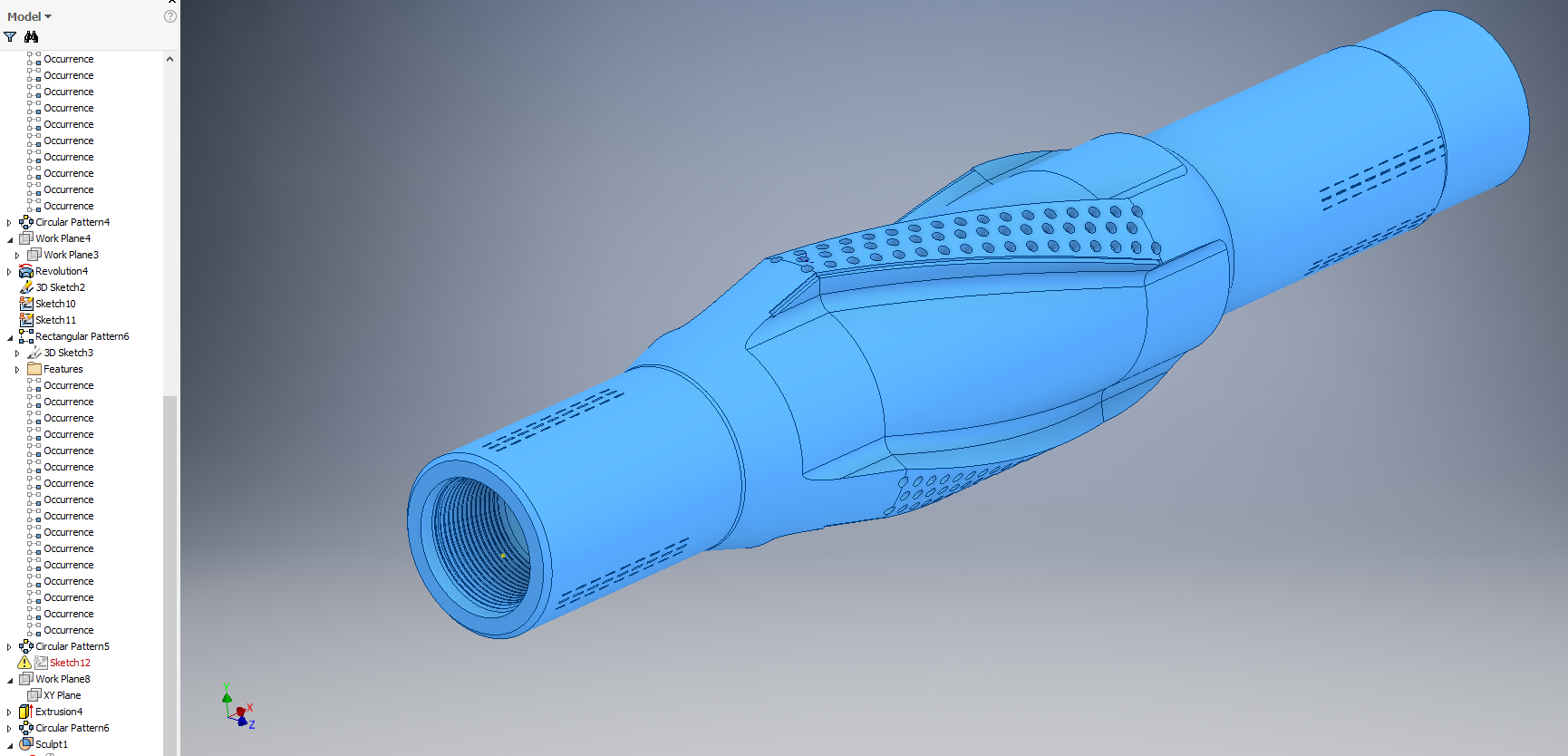
Having an issue with the sculpt command whereby it wont let accept my selection and the ok box remains greyed out.


Any ideas


All services packs and hotfixes have been installed.


Thanks in advance


Jason

0 Likes
Accepted solutions (1)
828 Views
8 Replies
Replies (8)
Message 2 of 9

admaiora
Mentor
Mentor

What do you want to obtain?

Admaiora
Did you find this post helpful? Feel free to Like this post.
Did your question get successfully answered? Then click on the ACCEPT SOLUTION button.

_____________________________________________________________________________
Facebook | Twitter | Youtube

0 Likes
Message 3 of 9

ztdservices
Advocate
Advocate

Hi

the highlighted part needs to be removed (sculpted from the body) so the main body appears to have a threaded profile.


Thanks


Jason


@admaiorawrote:

What do you want to obtain?


0 Likes
Message 4 of 9

admaiora
Mentor
Mentor

Not sure what do you mean.


Anyway Sculpt command doesn't work that way.


It create a solid from a closed surfaced space.


To remove feature you can suppres them.


ddd.gif

Admaiora
Did you find this post helpful? Feel free to Like this post.
Did your question get successfully answered? Then click on the ACCEPT SOLUTION button.

_____________________________________________________________________________
Facebook | Twitter | Youtube

Message 5 of 9

ztdservices
Advocate
Advocate

I started with the copy object command to add the threaded details to the main body, then selected the sculpt command to removed the selected option. I have done this before and it has worked in the past, hence the reason why I m scratching my head with this just now.


@admaiorawrote:

Not sure what do you mean.


Anyway Sculpt command doesn't work that way.


It create a solid from a closed surfaced space.


To remove feature you can suppres them.


ddd.gif


0 Likes
Message 6 of 9

Hochenauer
Autodesk
Autodesk

The OK button is not enabled because your selection does not enclose a volume. It looks like you selected a single planar face. The Sculpt command turns a set of arbitrary intersecting surfaces building a closed volume into a solid.

Does this make sense?

From your description I gather you want to create a shaft with an outside thread where the hole currently is?


regards,

Gerald


Gerald Hochenauer
Senior Principal Engineer, Inventor
Autodesk, Inc.

Message 7 of 9

ztdservices
Advocate
Advocate

the thread is internal (at one end)

0 Likes
Message 8 of 9

Hochenauer
Autodesk
Autodesk
Accepted solution

Ok, your input is a solid. I was able to use sculpt after deleting a face from it:

SculptSculpt


For Solids, you can use the Combine command:


combinecombine

I hope this helps.


Kind regards,

Gerald


Gerald Hochenauer
Senior Principal Engineer, Inventor
Autodesk, Inc.

Message 9 of 9

ztdservices
Advocate
Advocate

Thank you very much Gerald 🙂


Kind Regards


Jason


@Hochenauerwrote:

Ok, your input is a solid. I was able to use sculpt after deleting a face from it:

SculptSculpt


For Solids, you can use the Combine command:


combinecombine

I hope this helps.


Kind regards,

Gerald