Announcements

Announcement: We’re aware of an issue affecting starting a new topic from category pages and creating new blog posts. New topics can still be started directly from the relevant board. Learn more here.

Pipe & Tube add in

Pipe & Tube add in

stephenwilco
Participant Participant
455 Views
2 Replies
Message 1 of 3

Pipe & Tube add in

stephenwilco
Participant
Participant

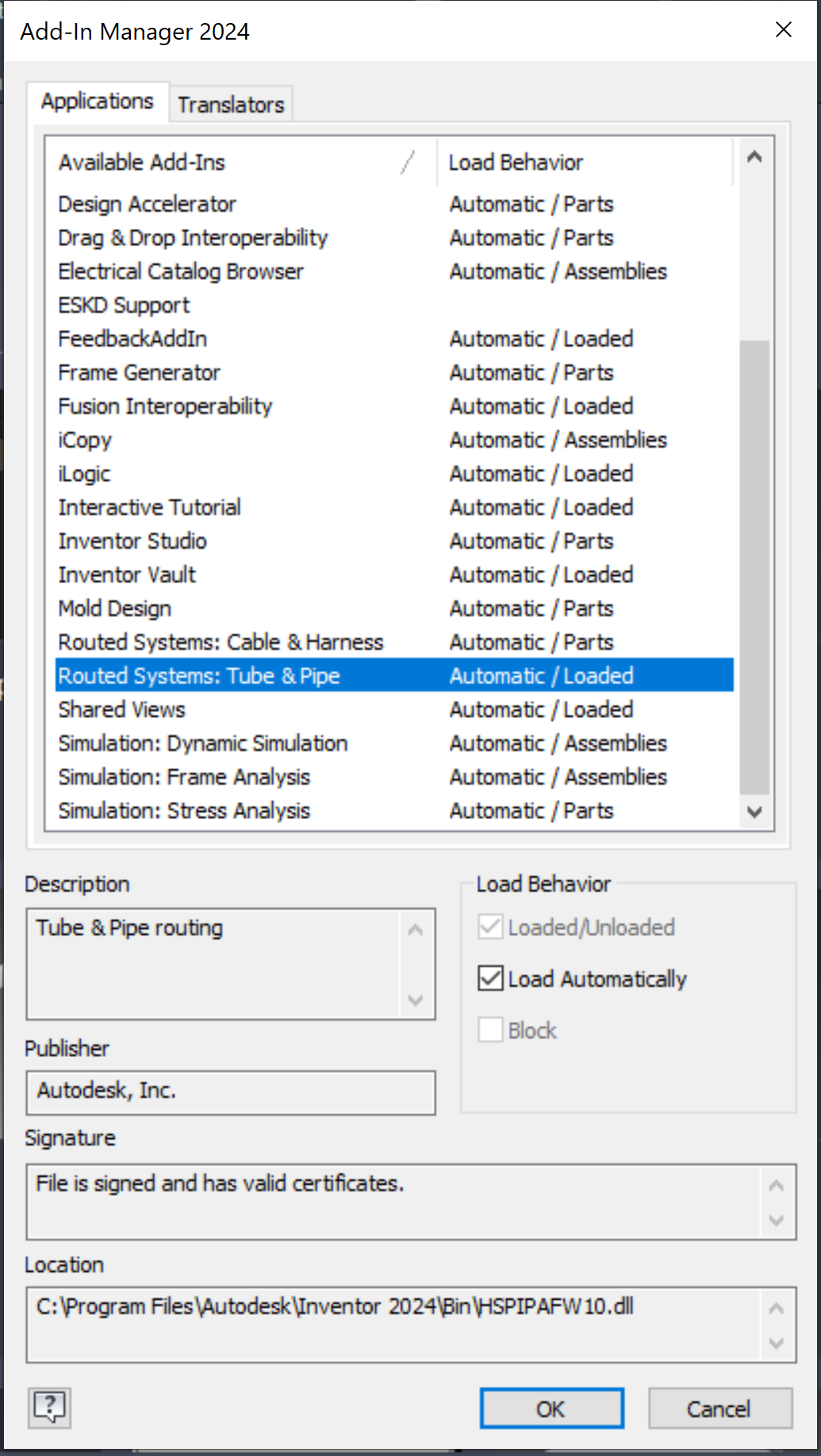
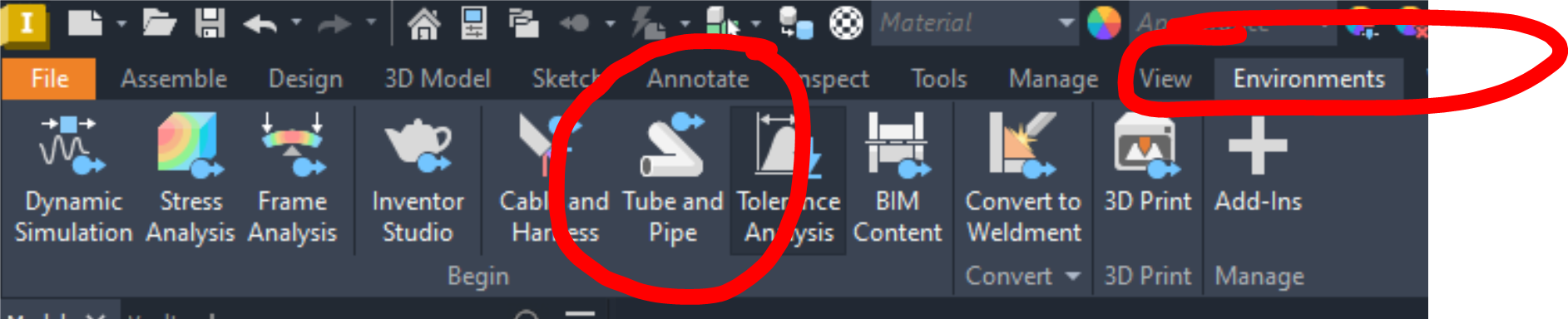
I have Inventor 2025 Professional. I'm assuming (yeah, I know "assuming") the pipe & tube add in comes with (at least that's what I think I read) BUT, I don't know how to "turn it on". The button does not show up on the frame generator panel.

0 Likes
Accepted solutions (1)
456 Views
2 Replies
Replies (2)
Message 2 of 3

CGBenner
Community Manager
Community Manager
Accepted solution

@stephenwilco 

Hello!  You came to the right place.... here is everything you need to know to get started with Tube & Pipe. (it's old but still valid today)

Take a look at the Handout with this class and then we can look at any specific questions you have.  Also, check to make sure that the Add In is loaded so that the T&P Menus show up under Environments when you are in an assembly.


Did you find a post helpful? Then feel free to give likes to these posts!
Did your question get successfully answered? Then just click on the 'Accept solution' button.  Thanks and Enjoy!


Chris Benner

Community Manager - NAMER / D&M


Message 3 of 3

CGBenner
Community Manager
Community Manager

@stephenwilco Did the information provided answer your question? If so, please use Accept Solution so that others may find this in the future. Thank you very much!

Did you find a post helpful? Then feel free to give likes to these posts!
Did your question get successfully answered? Then just click on the 'Accept solution' button.  Thanks and Enjoy!


Chris Benner

Community Manager - NAMER / D&M


0 Likes