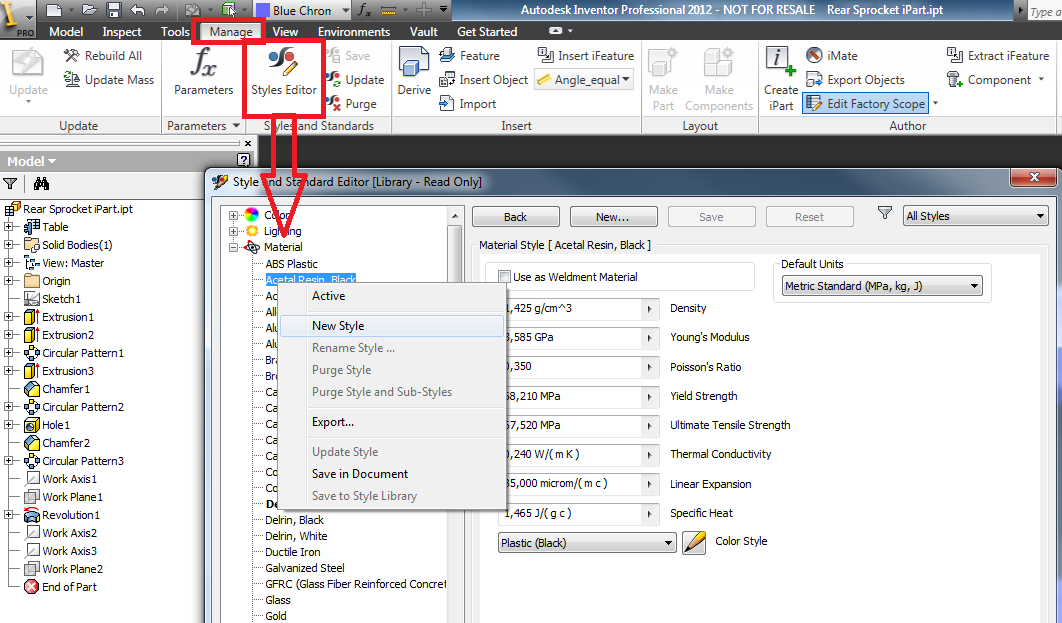
Is it just me or is this "new improved"** materials editor hard work?
All I want to do is create some new materials, migrate my old ones and change a few of the colour styles.
I've got most of it done, but assigning appearances is flakier than a Gregg's Sausage Roll (ask a Brit if you're unsure about that reference).
Some of my materials work fine, but others let me change the appearance, and then lose the setting as soon as I click OK.
I'm using this workflow:
Click the "Add material to document and display in editor"
Change the Appearance
Click OK - And hope it has worked.
At this point, sometimes it's apparent that the appearance hasn't changed to the one I selected because the thumbnail doesn't update. As an example, trying to change the appearance to one from the Autodesk library called "Clear - Reflective" doesn't work, but the one called "Clear" does.
Once I've managed to update a material, I then RMB on the material and go Add To > My Library / Relevant category
It all seems a bit hit and miss, sometimes it works, sometimes it doesn't. It's also pretty long winded, having to copy the material to the document so you can change it and copy it back.
Another issue is that it seems to get slower and slower the more materials you copy to the document. I had to copy a few at a time, edit them and then put them back for it to be useable. We have approx 30 materials so I hate to think how bad it would be for anyone who uses more.
I can understand the need for a central materials library for all products in the suite, but compared to the previous materials/colour creation tools in Inventor, this is a retrograde step. The people responsible for this should be forced to create material libraries for a month as punishment.
Apologies for the whinge, but my producitivity for the day just took a massive dive. Let's hope the migration to 2014 is a bit easier....
Rory
** The term "new improved" is used loosely and can be interpreted however you like.