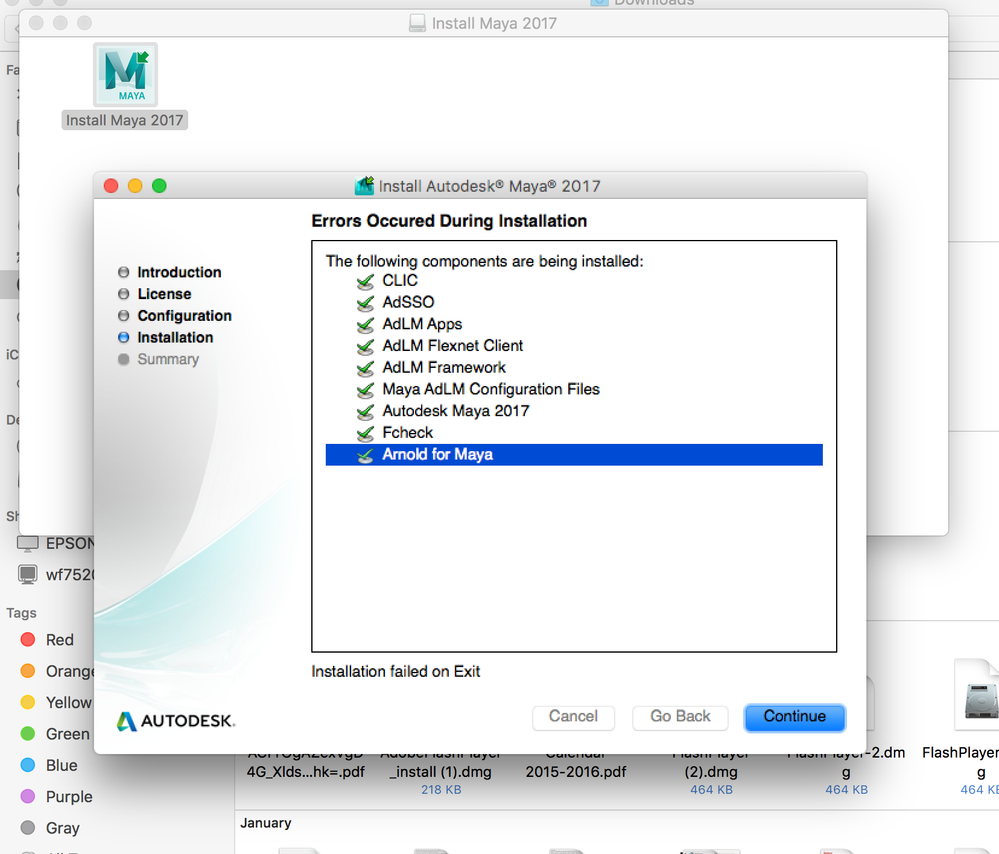
The directions for installing suck. I went through their directions for installing, activating, etc. I finally got to the right screen, but only through poking around. Their directions for Download and Install lead you all over the place. I ended up in that area and clicked on the sidebar navigation for Online Activation and Registration (https://knowledge.autodesk.com/customer-service/download-install/activate/online-activation-registra...). It shows you a screen that says that you have a choice between two boxes, one says Enter a Serial Number, and one says Use a Network License. This is really stupid because they do not tell you how to get to that screen.
As a Mac User, I was thinking the same as you, if they need a serial number and it's supposed to be during installation, surely they would ask during the install wizard as they also ask you to agree to their terms. The directions actually say to launch the product which they refer to as an exe file. And then it will give you that screen to activate. But no, this is not the case. They do not even bother with Mac users. (I think it is rather insulting that someone says we don't know how to install mac software, not cool!)
Here is what you do: Once you see the failed screen just turn that off. Go to your Applications folder and you should see the folder for Autodesk. I opened it and opened the the Maya folder. Double click on the Maya app. This should take you to the screen that I was talking about before that they said would open with installation. You are faced with two the two boxes. Click on the one that says Enter a Serial Number. You will then go to a screen that tells you that you have a free trial until you activate. There are two buttons at the bottom. One says Run, the other says Activate. Click on the Activate and you will get to the screen where you can actually enter the Serial Number and Product Key. Click on Next and it should tell you it is activated. I have an instructor license to learn from and to instruct with. I can put it on two machines.
If you do not have the Serial Number and Product Key handy (I had taken a screen shot of mine when I first got the product installer), then go to the Autodesk Knowledge Network: https://knowledge.autodesk.com/. Log into your account. Then, go to the top navigation to the right and under your name, click on it for the drop-down menu and select Manage Products & Downloads. Look for the product (Maya in this case) and you'll see that it will tell you what license you have. I should say More Actions, and you can open that up. Your Serial Number and Product Key should be there.