FLEXnet Licensing error:-97,121

FLEXnet Licensing error:-97,121

Anonymous
Not applicable
153,006 Views
24 Replies
Message 1 of 25

FLEXnet Licensing error:-97,121

Anonymous
Not applicable


Flexible License Manager status on Tue 3/13/2012 11:05

[Detecting lmgrd processes...]
License server status: 27000@Crown-Server
License file(s) on Crown-Server: C:\Program Files\Autodesk\Autodesk Network License Manager\License\CrownSys_Combined.lic:

Crown-Server: license server UP (MASTER) v11.9


We have problem connecting to the license server.
Here's from the Perform Status Enquiry


Vendor daemon status (on Crown-Server):

adskflex: The desired vendor daemon is down.
Check the lmgrd log file, or try lmreread.
Vendor:Host: Crown-Server
License path: 27000@Crown-Server;
FLEXnet Licensing error:-97,121


Things that were done:
1. Firewalls are all disabled
2. created an exception rule (inbound and outbound) to port 2080
3. created ADSKFLEX_LICENSE_FILE in the system variable with value @203.92.109.98
4. reinstalled LMtools and created new Service to re Configure Service


Attached is the debug log for more reference. here were the last status

10:49:12 (adskflex) Vendor daemon can't talk to lmgrd (License server machine is down or not responding. (-96,491))
10:49:12 (adskflex) EXITING DUE TO SIGNAL 28 Exit reason 5
10:49:16 (lmgrd) adskflex exited with status 28 (Communications error)
10:49:16 (lmgrd) Please correct problem and restart daemons


thanks a lot,

Jerome


0 Likes
Accepted solutions (1)
153,007 Views
24 Replies
Replies (24)
Message 21 of 25

Mark.Lancaster
Consultant
Consultant

@Anonymous


Welcome to the Autodesk User's Community..


Thanks for providing the log file but you also need to provide details of what you're experiencing..


Anyhow I see the following


There's a license manager already using port 27000.  Autodesk uses this as well.  So either change the other license manager to use a different port or review this article.


Next I notice you are using version 11.6 which is a old version.  What version of Autodesk products are you even using?

Mark Lancaster


  &  Autodesk Services MarketPlace Provider


Autodesk Inventor Certified Professional & not an Autodesk Employee


Likes is much appreciated if the information I have shared is helpful to you and/or others


Did this resolve your issue? Please accept it "As a Solution" so others may benefit from it.

0 Likes
Message 22 of 25

Anonymous
Not applicable

My solution to this specific issue


adskflex: The desired vendor daemon is down.


Re-register license file with update Mac address.


This happened recently when moving around VMs to updated host servers.

0 Likes
Message 23 of 25

Anonymous
Not applicable

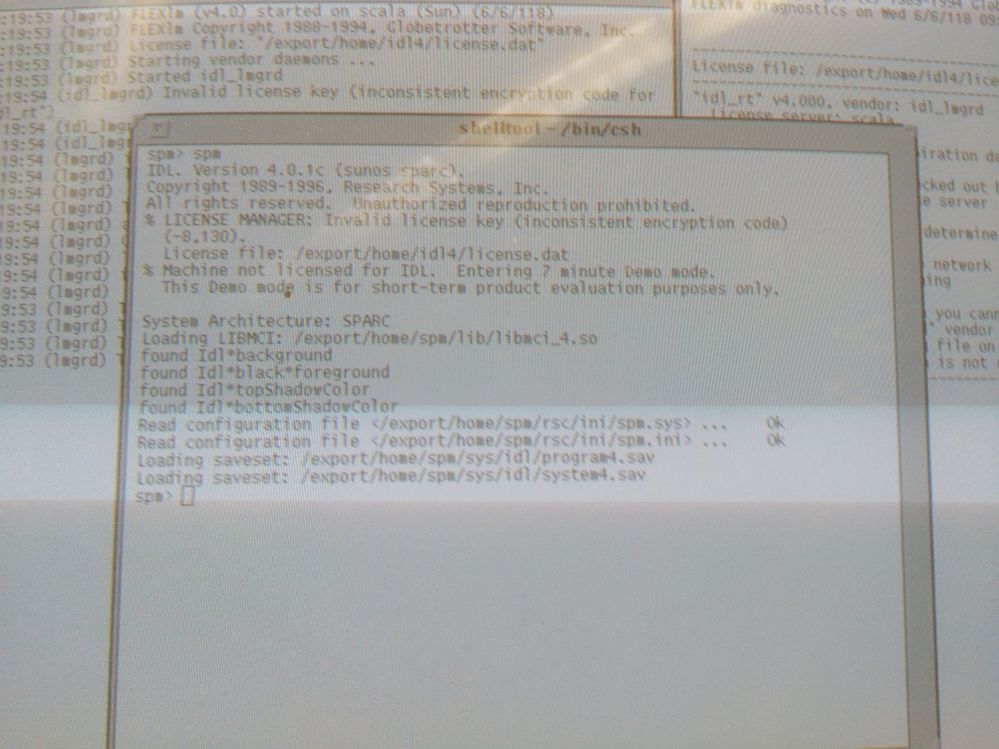
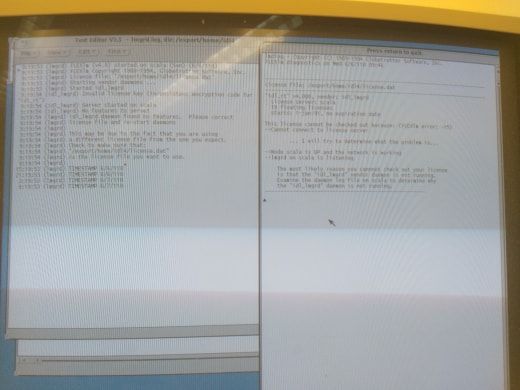
I am a gradute student trying to get an old lab up an runing and one of the programs we use is having idl issues34598136_1493948580734139_1537312637988110336_n.jpg34631400_1493948554067475_4932716166465454080_n.jpg34815538_1493948574067473_1344278502555254784_n.jpg , keeping me from having the full access that it used to have. I'm having a very similar issue to the ones brought up in this forum. Any help would be much appreciated. 

0 Likes
Message 24 of 25

turttledove
Explorer
Explorer

Hello,
If I remember correctly, it was a weird setting on our server that they (PPI- https://theppigroup.com/ our autocad supplier) had to fix, I ended up having 2 guys remote in and work on our situation and after about 3 hours they fixed it. They ended up having to force our server to read the Flexnet files. I wish I could remember all the details, cause it was frustrating for all involve.


0 Likes
Message 25 of 25

natasha.l
Alumni
Alumni

Hello @Anonymous, 


What Autodesk application & what operating system are you running? 


0 Likes