Simulation Error: Meshing Error during Solid Meshing

Simulation Error: Meshing Error during Solid Meshing

Anonymous
Not applicable
2,853 Views
7 Replies
Message 1 of 8

Simulation Error: Meshing Error during Solid Meshing

Anonymous
Not applicable

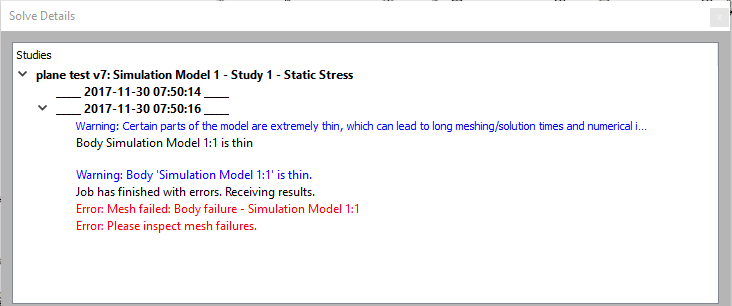
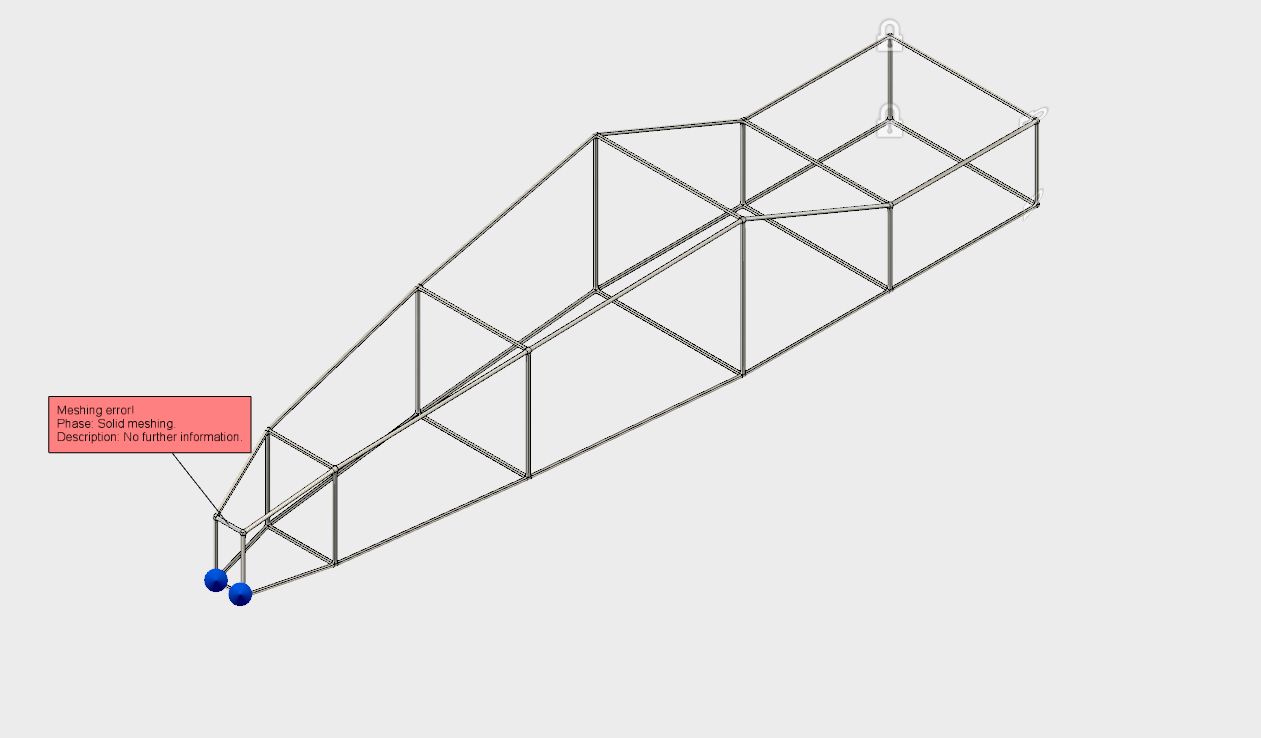
I've created several simple wireframes and used the pipe tools (solid and form with thicken) to create a tubular component to stress test. I'm using 1.125" OD, 1" ID pipe for both methods. Small bodies work great, but when I expand the size of the model I get meshing errors using both methods. I've tried many variations of contraints and loads but they all result in the same error in various locations along the frame. I used to use the frame generator and frame analysis in Inventor to accomplish this, but can't seem to successfully replicate the process using Fusion. All help is much appreciated!



0 Likes
2,854 Views
7 Replies
Replies (7)
Message 2 of 8

James.Youmatz
Autodesk Support
Autodesk Support

Hi @Anonymous,


Welcome to the Fusion 360 Community!


I can certainly take a peek at your file and see why it might be failing to mesh. Do you mind sharing the Fusion file with me so I can test around? I did notice the thin member warning in the screenshot - have you tried refining the mesh or using local mesh refinement in particularly thin areas to ensure there are enough elements across it?


Thanks,


James Youmatz
Product Insights Specialist for Fusion 360, Simulation, Generative Design
0 Likes
Message 3 of 8

Anonymous
Not applicable

Thanks!


I'm happy to share - what's your email address?. Its a simple component I'm using to test creating pipe over various angles and shapes. The thin bodies warning is created when I use a form and then thicken it, but I still get the meshing error when I use the solid pipe tool and create hollow pipes. I'm guessing the issue has a simple fix but its kicking my butt. I've used the project for several years in my Aerospace Engineering course and never had issues with Inventor but we switched the lab over to Fusion and my students are having an awful time and I can't seem to find a solution.

0 Likes
Message 4 of 8

James.Youmatz
Autodesk Support
Autodesk Support

Hi @Anonymous,


You can share it to james.youmatz@autodesk.com. Can you expand a bit on the difficulties you are having in Fusion? Are you referring to the Sim environment or in creating the frame?


Thanks,


James Youmatz
Product Insights Specialist for Fusion 360, Simulation, Generative Design
0 Likes
Message 5 of 8

Anonymous
Not applicable

Using the form pipe option in Fusion is super simple and intuitive. Using the pipe tool in the solid menu is a bit clunky and doesn't have a miter option like I'm used to in Inventor. Generating the frame is going smoothly its, the simulations that are causing problems. I have about a dozen different designs from my students that are all throwing meshing errors. I originally thought they weren't creating coincident constraints, but that doesn't seem to be the issue. I've shared my test project with you. Thanks so much for your help!


Tom


0 Likes
Message 6 of 8

James.Youmatz
Autodesk Support
Autodesk Support

Hi @Anonymous,


I just solved the model if you want to re-open the version I just saved in your project. Pretty much - I believe your original mesh settings were a bit coarse since the frame was a bit thin. What I did was edit the mesh settings and refined some of the settings to generate a finer mesh. Now, this took about 30 minutes to solve which is a bit long since I made such a fine mesh. You may want to play around with the mesh settings and make them a bit coarser to improve solve performance, but with the current settings it will solve. Also, one tip would be to right-click the mesh folder in the browser and generate the mesh before solving. This way, if it fails or has issues, you will know immediately and won't have to waste time sending it to the solver. You will want a few elements through the thickness of the pipe. 


Hope that helps!


Thanks,


James Youmatz
Product Insights Specialist for Fusion 360, Simulation, Generative Design
0 Likes
Message 7 of 8

Anonymous
Not applicable

Awesome! Do you have some guidelines or baseline mesh settings that I should recommend for my students? 

0 Likes
Message 8 of 8

James.Youmatz
Autodesk Support
Autodesk Support

Hi @Anonymous,


Honestly, part of meshing is trial and error and just learning over time what might succeed and what might not. Also, depending on your mesh, your results may differ. Our learning material does a pretty good job of laying down a baseline, but part of it is just experience as well. You can access the learning here


Thanks,


James Youmatz
Product Insights Specialist for Fusion 360, Simulation, Generative Design
0 Likes