Rotary Undercut/Back Chamfer

Rotary Undercut/Back Chamfer

acoleDDB79
Participant Participant
1,250 Views
5 Replies
Message 1 of 6

Rotary Undercut/Back Chamfer

acoleDDB79
Participant
Participant

Hey all,

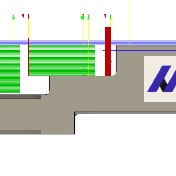
Rotary Undercut.png

I am pretty new to fusion, so maybe there is something obvious I am missing. I need to do a back chamfer on the following surface. The only way to approach this is with the tool path you can see in the attached screenshot, but with an undercutting tool similar to: http://www.harveytool.com/ToolTechInfo.aspx?ToolNumber=16202-C3


Swarf will not let me use an undercutting tool, so is it possible to create the path using a standard end mill, then switch the tool to the undercutting tool and lock the toolpath?


Thanks!

0 Likes
Accepted solutions (1)
1,251 Views
5 Replies
Replies (5)
Message 2 of 6

kamil.malec94
Advocate
Advocate

You can use 2D contour and utilize Chamfer command. The key here is to correctly define your tool. Upload your model so we can do it for you 

0 Likes
Message 3 of 6

Steinwerks
Mentor
Mentor

No he can't use Chamfer on an undercut (at least not unless there's been some crazy improvement in that toolpath recently).

The only thing I can think of to do this properly is using a full radius t-slot cutter and a 3D Contour operation but it's going to be tricky as the chamfer follows the inside radius of the part.

I would highly recommend sharing the part, or a dummy with the necessary geometry.

Neal Stein

New to Fusion 360 CAM? Click here for an introduction to 2D Milling, here for 2D Turning.

Find me on:
Instagram and YouTube
0 Likes
Message 4 of 6

acoleDDB79
Participant
Participant

Dummy is attached.


Thanks for taking a look!

0 Likes
Message 5 of 6

Steinwerks
Mentor
Mentor
Accepted solution

Well I have two potential solutions, neither of which are terribly hard, but neither of which are completely perfect.


The first would be a Blend operation with Tool Orientation and a pattern. This will get you quite close to modeled geometry but requires full 5-axis. This is how I would do it personally.


image.pngimage.png


The second is using the Harvey double chamfer mill you have in the file, although I'd change to a 90° tool if you can. I almost forgot about 2D Contour and its wrapping feature:

image.png


This will follow this curve pretty well and should be doable on a 4th axis or mill-turn machine. Sort of a poor-man's Swarf in this instance 😉


File attached.

Neal Stein

New to Fusion 360 CAM? Click here for an introduction to 2D Milling, here for 2D Turning.

Find me on:
Instagram and YouTube
Message 6 of 6

acoleDDB79
Participant
Participant

@SteinwerksThanks! The 2d wrap is exactly what I was looking for, I don't know how I missed it.


@kamil.malec94Thank you also! It looks like you were right all along 😄

0 Likes