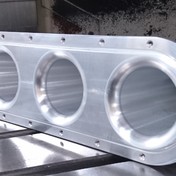
Material already appears to be removed from stock in simulation.

Material already appears to be removed from stock in simulation.

Bryan45jones
Contributor Contributor
757 Views
5 Replies
Message 1 of 6

Material already appears to be removed from stock in simulation.

Bryan45jones
Contributor
Contributor

I can't figure this one out.  Just did an update and this happened.  In simulation, cavities already have material removed but still mills out area.  Also a couple machining boundaries select correctly but once OK is selected the boundary changes and milling does not clear as it should.  You will see what I talking about pretty quick.  It the 2nd and 3rd operations.  Any help would be much appreciated.

Thanks

Bryan   

0 Likes
Accepted solutions (2)
758 Views
5 Replies
Replies (5)
Message 2 of 6

david.lundbergC7AM5
Advocate
Advocate
Accepted solution

Noticed that your stock is the same body as your model, that is the reason material already is removed.

/David

0 Likes
Message 3 of 6

HughesTooling
Consultant
Consultant

I'm a bit confused about what you're trying to do. You have the same body selected for you stock and part, so no material to remove!


You need to enable rest machining if you want the stock taken into account and as your stock and model are the same no toolpaths will be created.

This is what I get if I enable rest from previous operations.

HughesTooling_0-1633076873927.png


Mark Hughes
Owner, Hughes Tooling
Did you find this post helpful? Feel free to Like this post.
Did your question get successfully answered? Then click on the ACCEPT SOLUTION button.

EESignature


0 Likes
Message 4 of 6

HughesTooling
Consultant
Consultant
Accepted solution

I see the problem with the boundary changing, selecting like this

HughesTooling_0-1633077124225.png

But getting this after OK. Quickest workaround would be to create a sketch to use instead.

HughesTooling_1-1633077172752.png


Mark Hughes
Owner, Hughes Tooling
Did you find this post helpful? Feel free to Like this post.
Did your question get successfully answered? Then click on the ACCEPT SOLUTION button.

EESignature


Message 5 of 6

Bryan45jones
Contributor
Contributor

I have always been able to keep the stock like this and it has worked for me.  Just something I saw on a Youtube video so I tried it and have gotten the results I was needing.  I changed the stock and that fixed it.  I guess with the update I will have to change the way I have been doing it.  Not a problem.  I had gotten tunnel vision and did not think this would be the problem.  Thanks for your help.   

0 Likes
Message 6 of 6

Bryan45jones
Contributor
Contributor

Well I can make it work by adding a sketch but why won't it work like it used to.  At any rate thanks for reminding me to do this so at least I can get this thing going.  Thanks for your help

0 Likes