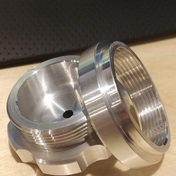
I have my 1993 HAAS running all the 2d / 3d adaptive / 3d surfacing toolpaths, even on my (up from 16k) 1mb of memory, I have not tried drip feeding as I've always been able to get the code down in size enough or post in segments resulting in several hours of running no issues
Within toolpath settings
Tolerance = default
Smoothing = default but on
Minimum retracts, and depending on toolpath "always use high feed" (has as much to do with shitty old rapid speed that's not even much faster than cutting speed)
Post settings
Radius Arcs
G187 Automatic
Use Subroutines for any patterning / additional WCS for additional parts
only post N value on tool change line (saves useless code space also allows fast[er] finding of the next tool change)
My machine control does NOT have 'High Speed Machining' option from HAAS either, this all works without jerky movement
Try going back to default settings, click 3 dots and reset to system defaults on your Tolerance / Smoothing and look into getting G187 working (just enable from post properties is all i had to do), I use the latest post from Autodesk, INSPECT SURFACE for the Classic control
Yesterday I was doing a Steep & Shallow toolpath with an 1/8 ball endmill and accidentally checked "evenly spaced points" resulting in a 6mb toolpath I got back down to 187kb with "fit arcs" on the Smoothing setting instead, all just for a few minutes of surfacing
Also adding my HRT7 4th axis back into the mix very soon as I just finally had the servo repaired after 20 years being down

I'm running at the following settings, for file transfers this is pretty fast maybe you need to increase these for your drip feed as it's choking out on code? You can increase your baud rate settings to max on the machine, then match on the computer you're using to drip feed
I'm using a USB to RS232 cable along with Serial to CNC (Fusion 360 plugin, one of the VERY best)

Now to get that Renishaw and all the Fusion 360 probing routines including inspect surface working.. 🙂