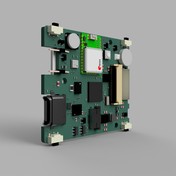
When creating 3D PCB, board is rotated 180 degrees

When creating 3D PCB, board is rotated 180 degrees

eric.n.tech
Enthusiast Enthusiast
2,859 Views
9 Replies
Message 1 of 10

When creating 3D PCB, board is rotated 180 degrees

eric.n.tech
Enthusiast
Enthusiast

Hi all

Here's what i'm trying to do in Fusion Electronics:


I want to make a 2D PCB board outline from a profile in fusion 360.

To do that, I click on the profile in the fusion design file, and click "Create 3D PCB". 

In the new window that opens, the PCB is shown, but the issue is it is flipped 180 degrees for some strange reason.

When I then link that 3D PCB to a 2D PCB, the 2D one is also rotated 180 degrees, and there is no way to rotate it to the correct orientation. In the screenshots below you can see what I mean by the positions of the mounting holes (they are all flipped 180 degrees).


Also, when I create the 3D PCB, if I select the flip option it doesn't  seem to make any difference to this 180 degree rotation issue.


The profile i'm using to create the 3D PCB. Selecting "Flip" doesn't make any differenceThe profile i'm using to create the 3D PCB. Selecting "Flip" doesn't make any difference


This is the PCB that is created, notic the mounting holes are not the same as the profile I selected. The 2D PCB shows like this as well, and it can't be rotatedThis is the PCB that is created, notic the mounting holes are not the same as the profile I selected. The 2D PCB shows like this as well, and it can't be rotated


0 Likes
2,860 Views
9 Replies
Replies (9)
Message 2 of 10

eric.n.tech
Enthusiast
Enthusiast

Just thought I would bump this post since I still have the problem, and would like to get this working. 


Also thought I would add, I have created a new test project, and created a 3D PCB from a simple sketch. That PCB is fine and in the correct orientation, unlike my actual PCB project.

0 Likes
Message 3 of 10

panpan_fan
Autodesk
Autodesk

Hi @eric.n.tech 

I hope you are doing well. I check your description and I think it is an issue that need to be fixed.

I have reported this issue to our Develop Team and we will fix this issue ASAP.

A workaround here for you is that you can Mirror the sketch in 3D PCB to avoid it affects your later work.

Workaround Steps:

1. In 3D PCB -> Double click the outline in the timeline -> Mirror the sketch -> Finish 

2. In 3D PCB -> Double click the Extrude icon in the timeline -> Deselect the previous profile and choose the new mirror sketch as the profile.


I hope it will be a workaround to solved your issue and will not affect your later work. Sorry for the inconvenience


Best Regards

Panpan Fan

0 Likes
Message 4 of 10

eric.n.tech
Enthusiast
Enthusiast

Hi Panpan Fan


Thanks for your reply, I think you're right, looks like it's a bug. 

That workaround works pretty well, the only downside is the origin of the board is moved which is a bit annoying, but not a big deal.

Hopefully the bug can be fixed soon

Many thanks!

0 Likes
Message 5 of 10

panpan_fan
Autodesk
Autodesk

Hi @eric.n.tech 

I am so happy the workaround works. We will try our best to fix it. 

Thanks again for reporting this issue to us. If you have any problems during using Fusion 360, please let us know. And we will address them ASAP. 


Best Regards

Panpan Fan

0 Likes
Message 6 of 10

scottmoyse
Mentor
Mentor

@panpan_fan when is this fix due to be released? I've worked hard to create a detailed and fully parametric engineering design with plans of having a linked parametric PCB. However, the PCB is being flipped when using the Create Derived PCB from Sketch command. I could use the Mirror command mentioned above if the sketch wasn't derived. But it is. I've also noticed the commands in the 3D PCB environment are very limited (No MOVE command in the sketch environment!?!).

It's been a while since the last reply here, so hopefully you have some good news.


Scott Moyse
Did you find this post helpful? Feel free to Like this post.
Did your question get successfully answered? Then click on the ACCEPT SOLUTION button.


EESignature


RevOps Strategy Manager at Toolpath. New Zealand based.

Co-founder of the Grumpy Sloth full aluminium billet mechanical keyboard project

Message 7 of 10

panpan_fan
Autodesk
Autodesk

Hi @eric.n.tech @scottmoyse 

I hope you are doing well!

Today we release Fusion 360 V2.0.12157.

Now we can select the Origin and X Axis when create PCB.

In this way, you can correct the PCB you want more easily.

Please have a try, thanks!

Screen Shot 2022-01-19 at 10.56.15 AM.png

Regards,

Panpan Fan

0 Likes
Message 8 of 10

scottmoyse
Mentor
Mentor
Hi Panpan,
Thanks for letting us know. I saw that in one of the preview videos, but I got the impression it wasn't supported for Parametric 3D PCBs? Was I mistaken?

Scott Moyse
Did you find this post helpful? Feel free to Like this post.
Did your question get successfully answered? Then click on the ACCEPT SOLUTION button.


EESignature


RevOps Strategy Manager at Toolpath. New Zealand based.

Co-founder of the Grumpy Sloth full aluminium billet mechanical keyboard project

0 Likes
Message 9 of 10

panpan_fan
Autodesk
Autodesk

Hi @scottmoyse 

Thanks for your comment! 

Sorry that I am not sure which video is the one you mentioned. 

And I will invite other colleague to answer your quesion.

@yqliu Richard, would you mind sharing more information about this topic, thanks!


Regards,

Panpan Fan

0 Likes
Message 10 of 10

yqliu
Alumni
Alumni

Hi @scottmoyse , we do try to maintain the coordinate system in the 3D PCB workflow. But as you might understand, if you change the sketch significantly, it's easy to break the parametric association, and in this case, you will need to re-define the coordinate system.


If later you see any issues, please let us know.