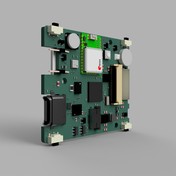


When creating 3D PCB, board is rotated 180 degrees

- Mark as New
- Bookmark
- Subscribe
- Mute
- Subscribe to RSS Feed
- Permalink
- Report
Hi all
Here's what i'm trying to do in Fusion Electronics:
I want to make a 2D PCB board outline from a profile in fusion 360.
To do that, I click on the profile in the fusion design file, and click "Create 3D PCB".
In the new window that opens, the PCB is shown, but the issue is it is flipped 180 degrees for some strange reason.
When I then link that 3D PCB to a 2D PCB, the 2D one is also rotated 180 degrees, and there is no way to rotate it to the correct orientation. In the screenshots below you can see what I mean by the positions of the mounting holes (they are all flipped 180 degrees).
Also, when I create the 3D PCB, if I select the flip option it doesn't seem to make any difference to this 180 degree rotation issue.