Move 3D PCB Board component without break link

Move 3D PCB Board component without break link

Anonymous
Not applicable
1,420 Views
6 Replies
Message 1 of 7

Move 3D PCB Board component without break link

Anonymous
Not applicable

Hi everyone,


I'm so excited with the new integration of PCB electronics within Fusion 360, but due to time I need to finish one board which I was designing and using the Fusion 360 integration with Eagle.


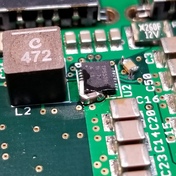
What I'm trying to do is to move one component in one assemble design without "breaking the link", because it's very difficult move it separately in each file, and if I break the link to move it, I don't know how to make again the link connection with the changed that I made.


I attached an image to better understanding.


I hope you can understand what I'm trying to do, and sorry for my English, it's not my native language. 


Thanks guys!


0 Likes
Accepted solutions (2)
1,421 Views
6 Replies
Replies (6)
Message 2 of 7

TrippyLighting
Consultant
Consultant

Please embed images using the large Camera button.

Screen Shot 2020-01-28 at 7.31.01 PM.png

Don't attach images.


EESignature

0 Likes
Message 3 of 7

engineeringNCMXB
Collaborator
Collaborator

@TrippyLightingin fairness....I have been having trouble with the image button not working 🙂


Carlos Acosta
Factory400 - YouTube|Instagram
0 Likes
Message 4 of 7

Anonymous
Not applicable

Screen Shot 2020-01-28 at 18.04.23.pngScreen Shot 2020-01-28 at 18.16.06.png

0 Likes
Message 5 of 7

jorge_garcia
Autodesk
Autodesk
Accepted solution
Hello @Anonymous,

I think that you have to move the component in the original PCB file. You can't move it in the assembly without breaking the link.

Let me know if there's anything else I can do for you.

Best Regards,


Jorge Garcia
​Product Support Specialist for Fusion 360 and EAGLE

Kudos are much appreciated if the information I have shared is helpful to you and/or others.

Did this resolve your issue? Please accept it "As a Solution" so others may benefit from it.
0 Likes
Message 6 of 7

engineeringNCMXB
Collaborator
Collaborator
Accepted solution

I agree with @jorge_garcia 
I make all the component moves in the PCB layout and push them to the MCAD models.

I learned to use the measure tool to figure out the adjustment in X/Y and apply that to the feature on the PCB.

Carlos Acosta
Factory400 - YouTube|Instagram
Message 7 of 7

Anonymous
Not applicable

Thank you,


I was thinking in solving this issue with the measure tool, but I was wondering if there was other way more easy, but thank I'm gonna use the tool.

0 Likes