Hi,
I would strongly recommend that you read the Docs and do the embedded Tutorials and then have a look at the Self
Paced learning. Time spent doing this is NEVER wasted.
Things that jump straight out.
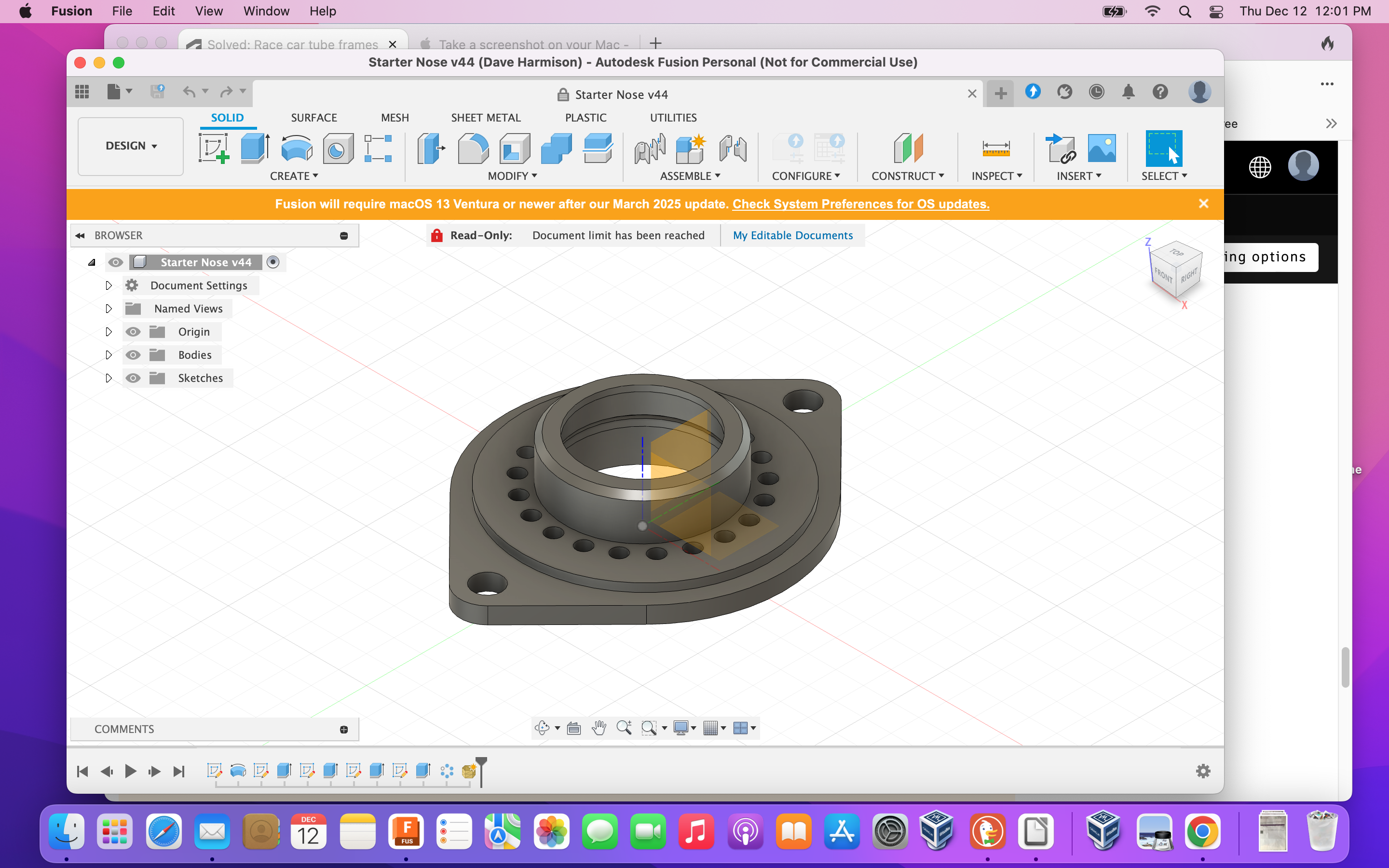
You don't have any components, only bodies. In it's present form this design will not work or certainly not work the
way you think it will. In fusion you need to connect Components together with Joints, Bodies just hang in space
and are not joined unless you tell fusion to join them and then they become a single body.
Your very first sketch is not fully constrained. There is a good reason you should always constrain and define your
sketches. Sketches are meant to be aids to creating your model and in general should be simple and only do one
or two things at a time. Complicated sketches break easily. Use simple sketches and then use the tools to create
your Model. Always look for symmetry to save time. It is much easier to fully constrain half of a sketch and then use
the Mirror command to make the other half.
Do NOT move things around unless it is absolutely necessary. The Move command forces fusion to do a full
recalculation for EVERY instance of move, even if the very last thing you did was a move it will recalculate
everything from the beginning again. With a simple model you will not notice, with a complicated model it will
hammer performance.
There are two common reasons that users will use the Move command - to move something out of the way because
they cannot see, or to place it somewhere else. Both of these workflows are incorrect. You should be using the
visibility icons in the browser tree to aid with seeing around things. You should be using Joints to move things
around to where they should be OR create the Component in place.
You did use Remove Body which is good. Deleting the body makes it unrecoverable if you made a mistake, Remove
lets you get it back if you need it for some reason.
I am not sure why you have used the Pipe command when you could have used Extrude to achieve the same thing
without all of the Split Body and Removes. I am also not sure what your issue is with the Pipe command. You are
simply creating square or round pipes, what do you need? A simple sketch and extrude does the same thing in any
shape you want.
There are two basic methods of design often used in fusion. The first is Design at the Origin where you make each
different Component in reference to the actual Origin and then use Joints to move them and connect them to other
Components. The second is Design in Place where you create the Component at the actual position you want it and
use a Relative Origin based on other Components already in the correct place. You then use an As-Built Joint to
connect the Components together. You should NOT need to use the Align function using either of these methods.
You didn't need to use the Offset Faces command, you could have simply used the Extrude command in two
directions. Also remember that Extrude not only creates something, it can also Cut, so you could have done that
instead of all of the Splitting and removing.
I will post this so that you can read it and quickly put together something closer to what you actually need here.
Cheers
Andrew