How to match perspective to a photo

How to match perspective to a photo

3Dpcb
Advocate Advocate
5,298 Views
14 Replies
Message 1 of 15

How to match perspective to a photo

3Dpcb
Advocate
Advocate

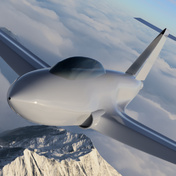
I have designed an object, that I want to superimpose into a photo. My client want to use this image as big poster, so it should look perfect. How can I do this in Fusion, any suggestions? 

It would be nice if it was possible to insert a photo so it is fixed. Then I could easily mach the perspective, render and add ground shadows in photoshop.

0 Likes
5,299 Views
14 Replies
Replies (14)
Message 2 of 15

n.ebner
Enthusiast
Enthusiast

Hello!

As I am having a similar problem, is there any solution on this topic yet?

Thanks!

0 Likes
Message 3 of 15

TrippyLighting
Consultant
Consultant

Can you provide more detail, maybe a screenshot, or a screencast ?


In general I don't think this is easy to do in Fusion 360.

In order to get a good photo match you need to be able to determine at least the focal length an image was taken with and the location/orientation of the camera in the scene. There is really no way to precisely define a camera orientation in Fusion 360 as the viewport IS the camera. 


If the image has geometry with known dimensions, you can try to model that geometry in Fusion 360 and guesstimate the focal length and orientation by manually adjusting those until the modeled geometry somewhat closely matches the  geometry in the image.


EESignature

0 Likes
Message 4 of 15

cekuhnen
Mentor
Mentor

@3Dpcb 


One can do this in Fusion Render but it requires some manual work since Fusion internal render is not made for this type of work.


1. rebuild a basic geometry of what you see in the photo

2. position camera and play with lens value till what you see in the rendering matches the photo (you an use the photo as a backdrop)

3. add lights similar to what you see in the photo (HDRI + flat surfaces emitting light)

4. render your objects with transparent background

5. photoshop the drop shadow in

Claas Kuhnen

Faculty Industrial Design – Wayne State Universit

Chair Interior Design – Wayne State University

Owner studioKuhnen – product : interface : design

Message 5 of 15

n.ebner
Enthusiast
Enthusiast

Thank you very much for your ideas!


I once did exactly the same thing with SketchUp. It was really a pleasure to allign the perspective of the 3D workspace to the photo by using parallel lines on the picture.


Would be a nice feature to have in fusion360, when it comes to render stuff for customer.

Message 6 of 15

joncolinleonard
Contributor
Contributor

Yes, it's a completely "by eye" affair, after all, why would anyone want to place an object in the context for which it is intended. I get that "this isn't what Fusion was designed to do" argument, but this is not because users don't want or need it, rather because it would cannibalize revenue from other applications that Autodesk produces, such as 3DS and Maya. For me, however, it's a miss. The only real alternative to manual adjustment seems to be an external renderer.

Message 7 of 15

TrippyLighting
Consultant
Consultant

@joncolinleonard wrote:

 I get that "this isn't what Fusion was designed to do" argument, 


I don't recall making that argument, so who are you arguing with ?


@joncolinleonard wrote:

... but this is not because users don't want or need it ..


Hmm ... I have over 13000 posts over the last 6 years so I spend a lot of time on this forum. This is only the second time I recall for this to come up. If you feel so strongly about it, post it in the idea station.


@joncolinleonard wrote:

.., rather because it would cannibalize revenue from other applications that Autodesk produces, such as 3DS and Maya. ..


That is a bit of long shot!. Fusion 360 aims clearly at the mechanical design and mechanical engineering market. At least that's what I've been told by Fusion 360 product management. I've worked professionally in that realm for long enough to know that this feature plays no role in that market.

Maya and 3DSmax are Sub-D modelers thus use a completely different non-CAD 3D modeling paradigm. 3DSmax is the de-facto standard for Arcviz and and this is clearly a feature that people expect in that area.


Fusion 360 has a pretty powerful C++ and Python API and a number of users have contributed very powerful plugins. If you hv the skills and desire, the stage is yours.


EESignature

0 Likes
Message 8 of 15

colbycramden
Contributor
Contributor

I just paid for a 1 yr subscription to Fusion 360 and apart from my immense appreciation (after 2 yrs on a startup trial) for nearly everything it does (and does well) am very disappointed to learn there does not appear to be a way to integrate the output from https://fspy.io/


While we're at it, here's someone pointing out that Autodesk's 3DS utility – meant to do just what https://fspy.io/ does so effortlessly – does not even cut the mustard:

https://forums.autodesk.com/t5/3ds-max-forum/perspective-match-3ds-max-2020-it-never-works/m-p/89713...

I expect this to be dealt with properly. Our company's designs need to be seen in a variety of environments, up to and including (most importantly) nestled realistically into photos of the clients' own environments, facades, rooms, spaces etc.

0 Likes
Message 9 of 15

TrippyLighting
Consultant
Consultant

@colbycramden wrote:


I expect this to be dealt with properly. Our company's designs need to be seen in a variety of environments, up to and including (most importantly) nestled realistically into photos of the clients' own environments, facades, rooms, spaces etc.


Good luck with that 😉


EESignature

0 Likes
Message 10 of 15

colbycramden
Contributor
Contributor

Thanks!

I'm thinking this is my time to watch a few more Blender how-tos. I can bring our work in from Fusion 360 and then go to it with the fspy import. I'm just not looking forward to the new learning curve (I was born in the 50s, and until 2 yrs ago had only used CorelDraw, which as you know is dimensionally challenged when it comes to the Z axis).

0 Likes
Message 11 of 15

TrippyLighting
Consultant
Consultant

Don't get me wrong, I'd love to have better camera and environmental controls in Fusion 360. I just don't see that happening any time soon. I've asked for some seemingly simple tool enhancements in the T-Spline environment similar to Blender functionality  4 years ago.


The workflow from Fusion 360 to Blender and other external tools can also be pretty fraught with problems. You'll have to export to .stl or .obj and both of those create triangulated meshes.


Blender is very powerful and Blenders render engine is also a step or two up. But it also really only makes sense for a final product shot. If you change the prociuct you'll have to re-export, re-apply textures and  materials.


If money is tight, this is probably an option, but Keyshot has a plugin for Fusion 360 and is very widely used in connection with many CAD tools and has many options. Not sure it has a camera perspective matching functions.


EESignature

0 Likes
Message 12 of 15

colbycramden
Contributor
Contributor

thanks for the tip: "Keyshot has a plugin for Fusion 360 and is very widely used in connection with many CAD tools and has many options. Not sure it has a camera perspective matching functions."

Looked interesting until saw price tag, but thanks

and thanks for pointing out how the trips back to Fusion to update the part may wear my patience thin with Blender.


0 Likes
Message 13 of 15

Johnc911
Advocate
Advocate

I do this a lot since I often model from photos that are not orthographic.


The following tips apply to any 3D program, not just fusion.

1. There is a free program called fspy that will do camera matching. So you can estimate the focal length of the camera used in the photo.

2. I use a program called Overlay (http://www.colinthomas.com/overlay/) to float my reference image over my 3D modeling app, and I can "work through" the overlay when modeling in perspective.

3. Matching focal length in the viewport to the camera is pretty important. In Design mode, Fusion does not give you the ability to set focal length. But you can in the Scene setup in Render mode. But, here is a trick. You can set your scene parameters in Render view, then flip to Design mode and "flick" your mouse up to activate "last command" in Fusion - which is the scene settings. So you can set the camera focal length in design! Pretty cool. Should be a normal part of Fusion tho.

None of the above are pretty, they are hacks. But they work with practice. It's not precise, but it gives you some tools to model from reference that is in perspective.

I hope this helps.

Message 14 of 15

bpjrpugh
Contributor
Contributor

Can I suggest you use SketchUp that has this function then import in Fusion 360, or use SketchUp for your project 

0 Likes
Message 15 of 15

colbycramden
Contributor
Contributor

That's probably what Autodesk wants. But once you've paid one annual subscription, jumping to another package from another maker makes less sense financially.


We need to put more pressure on the design-team of Fusion 360 to get on the bandwagon and make room for an add-on that accepts perspective/camera/lens info from FSPY, which I now use in Blender regularly.