Hi @SlawsonEngineering
Sorry for the delay. I had to collaborate with our solver team on this, as I encountered some issues along the way with the setup. Rubber contact problems like this are tricky.
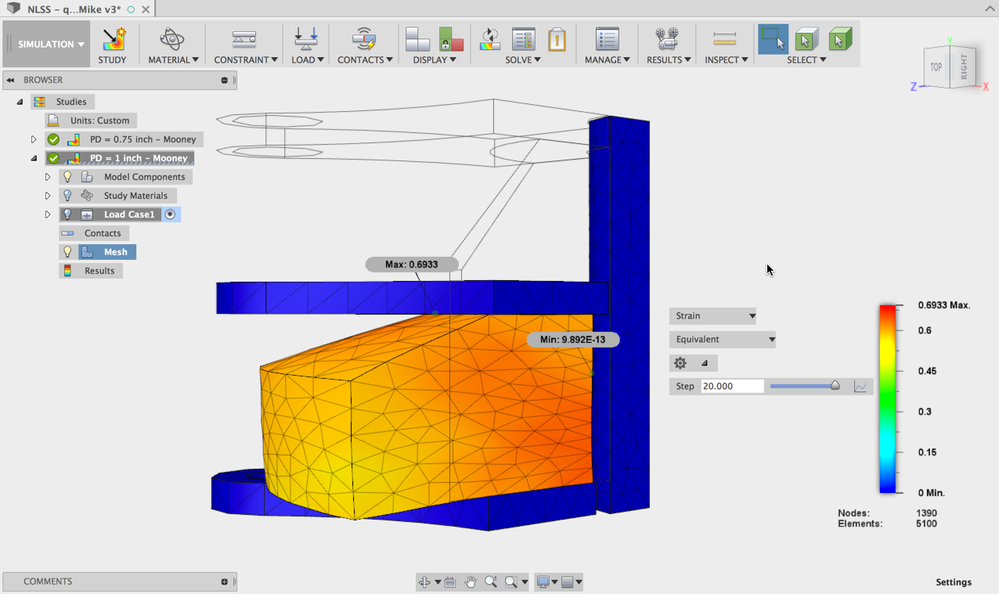
As I had mentioned in a previous post, based on the amount of compression you were looking for, applying the load just to the top surface was not going to give the proper behavior, so this needed to be modeled as an assembly with the top and bottom plates and the center shaft. See the following image. As you test other shapes, you will likely want to use a similar approach where you model all of the parts that will drive the contact and leverage symmetry where possible to simplify the solution.
If you recall, I mentioned that I had some Mooney Rivlin data from an old training manual. I am using that for this exercise, you will be able to see the material data in the Fusion Material library for this file. Use the Manage Physical Materials option under the Material drop down, select the Mooney Rivlin Example model and look at the properties on the Advanced tab. I will point out that this material looks to be about twice as stiff as what your material is, as the force required to compress the bushing higher than what your measurements. This material is probably fine as you start to compare this shape to other shapes and are looking at the performance of the shapes against each other, however, if you are looking to get detailed stress and strain results for the bushing, you will need to provide more accurate material data.
In addition to using the Mooney Rivlin material, and the quarter symmetric version of the assembly, I needed to make a few other tweaks to the setup.
1. Before meshing the model, select Manage>Settings and go to the Mesh heading. Expand Advanced settings and switch the Element Order to Linear. This is a trick the solver team suggested for working with Mooney Rivlin materials.
2. After running the Automatic Contact tool, you will want to modify the contacts from Bonded to Separation. This will allow the bushing to slide as it is compressed. You may want to consider adding friction to this for a more realistic simulation. The attached file has the contacts defined as frictionless.
3. Once you have changed your Contacts to Separation, click on the pencil icon next to each and define the following values; Max activation distance - 0.4" and Stiffness Factor = 0.01
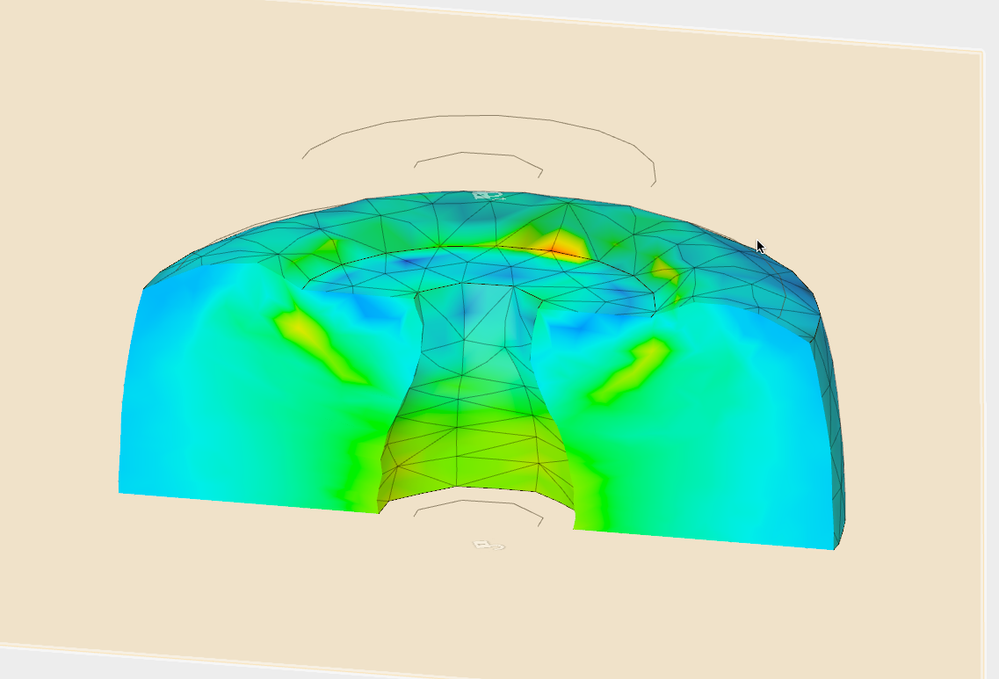
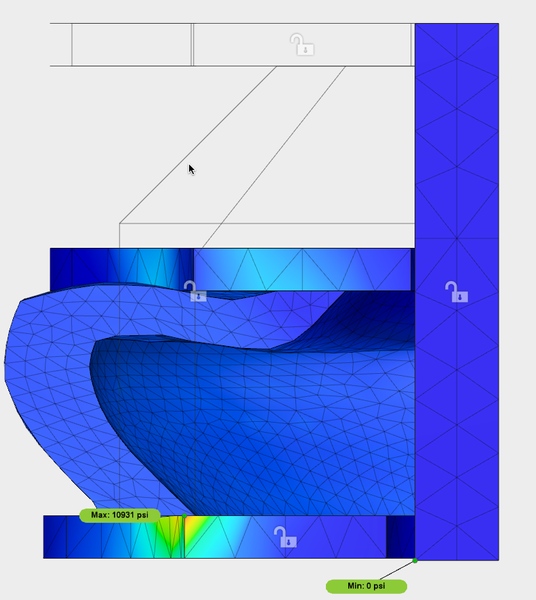
The attached model is setup per this email and ready to run at both 0.75" and 1" of displacement. Please review the setup on each of these models and solved them to see the results as shown in the image below.
If you have any other questions, let me know.
Thanks for your patience.
Mike