ACTION REQUIRED: We have identified an issue that could impact your data

ACTION REQUIRED: We have identified an issue that could impact your data

keqingsong
Community Manager Community Manager
13,959 Views
51 Replies
Message 1 of 52

ACTION REQUIRED: We have identified an issue that could impact your data

keqingsong
Community Manager
Community Manager

May 24, 2021 update:
 

We released a new product update (v 2.0.10244) includes important fixes to the recent data issues where some design documents exhibited missing thumbnails and/or failed to open due to “unresolved components”. If you haven’t updated Fusion 360 yet, we urge you to go through the following 3 steps:  

  1. Save your existing work. 
  2. Restart Fusion 360 to get the latest update. 
  3. After update is successful, follow the steps outlined in the Support Article.  

If you are still experiencing the issues described, please contact us using the details provided in the support article. 


___


Since mid-April, we’ve received a few reports from the community regarding an “unresolved component” error message. This means you were not able to open design documents containing externally referenced parts or derived parts, and the design documents themselves were stuck in an “unavailable” state.  


We are currently seeing a very small percentage of the community hitting this issue, but due the potential impact on your ability to access your design documents and potential data corruption , we want to make you aware and provide mitigation steps. To help reduce potential data corruption, we advise that you immediately follow the steps outlined in the support article below.  


>>Support Article<< 


Our team is actively working on fixing this issue as quickly as possible, and this effort is our highest priority. We are also conducting a deeper investigation into the root cause of the issue so we can prevent it from happening again in the future. We understand that data access is paramount to you, as it is also paramount to us. We sincerely apologize for the inconvenience this is causing to your work, and we will keep you posted on our progress. Thank you for your support and understanding. 


Keqing Song
Autodesk Fusion Community Manager
Portland, Oregon, USA

Become an Autodesk Fusion Insider


13,960 Views
51 Replies
Replies (51)
Message 41 of 52

macleesj2
Explorer
Explorer

macleesj2_0-1622556389805.png

after clicking "OK" i get the above

0 Likes
Message 42 of 52

brianrepp
Community Manager
Community Manager

@macleesj2 to help make sure we get this sorted out quickly, could you please reach out to our support team as referenced towards the bottom of this article?

Message 43 of 52

macleesj2
Explorer
Explorer
I have been having issues with large assemblies and their drawings. the
assembly issues most often have required me to rework an older version and
then save as newest - the drawing issues can sometimes be resolved by
reopening, or should i say reissuing the open command - except when the
session crashes

however if none of that works i have needed to make a new drawing from the
assembly - all in all a very time consuming process

john
Message 44 of 52

thomaskittredge
Explorer
Explorer

Crazy, isn't it. 

Message 45 of 52

TPD_Andy
Collaborator
Collaborator

@keqingsong @brianrepp 

The problems have existed for about two weeks,

are any solutions in the works?

0 Likes
Message 46 of 52

RajkumarIlanchelian
Autodesk
Autodesk

@TPD_Andy @We have already patched this issue and created an update that will prevent the issue from happening. This was done over a week ago. 

As for impacted designs, we emailed the customers that were impacted and links to articles on how to fix the problem on your local machine. 

we have also put up a Yellow banner within the product for any one on older clients to update to the new client. 

We have been helping out customers that could not find a solution as long as you have been following the article and emailing us. 

Lastly we will be doing one final update early this week to fix any remaining designs with this issue. 

We believe we have been updating our article and constantly notifying customers on actions all along the way. 

if you believe you have designs in this bad state and have not had success to resolve the issue, please contact us per the article and we will look at it as our highest priority. 

https://knowledge.autodesk.com/support/fusion-360/troubleshooting/caas/sfdcarticles/sfdcarticles/Unr...


Rajkumar Ilanchelian
Autodesk Fusion

Join Fusion Insider

Message 47 of 52

TPD_Andy
Collaborator
Collaborator

@RajkumarIlanchelianThank you for the fast  response.

0 Likes
Message 48 of 52

spooner777
Contributor
Contributor

This whole ordeal is pretty bad. It doesn´t lend trust to the software if projects can become unusuable even so that local backups don´t work. I export my important projects as local files, but at the moment I cannot even upload them. It really affects my work during this time. All my problems seem to originate from a tiny rivet. I cannot delete it, because it is refferenced, but in the refference it is only present in a historic version that I also cannot delete. So I am stuck. 

0 Likes
Message 49 of 52

RajkumarIlanchelian
Autodesk
Autodesk

@spooner777 The issue you are facing may be related or unrelated to this data issue but have you had a chance to reach out to us on the email alias provided in the article? If you have not, please do reach out with the specifics and as I mentioned it is our highest priority to help out in this regard. 

Rajkumar Ilanchelian
Autodesk Fusion

Join Fusion Insider

Message 50 of 52

spooner777
Contributor
Contributor

That is fair enough. I opened a claim a few hours ago. 

0 Likes
Message 51 of 52

david.debreczeni
Explorer
Explorer

Hi,

Sorry for the late reply. I had to migrate to windows to able to work on the project. The HiDPI support also kept me there 🙂 Anyway, here is the screenshot. I have completely uninstalled the app and reinstalled it, and since it doesn't even start, there are no log files either, only the webdeploy log, which has no errors and nothing spectacular in there.

Attached the screenshots of the segfault I receive constantly when trying to open the app. The lowest level error message is "no mapping for user data write", but I am guessing this just signals an issue higher up the stack. I don't even get the splash screen, it crashes stright away when trying to open the app, and only get the segfault error report.

Cheers,

David


0 Likes
Message 52 of 52

david.debreczeni
Explorer
Explorer

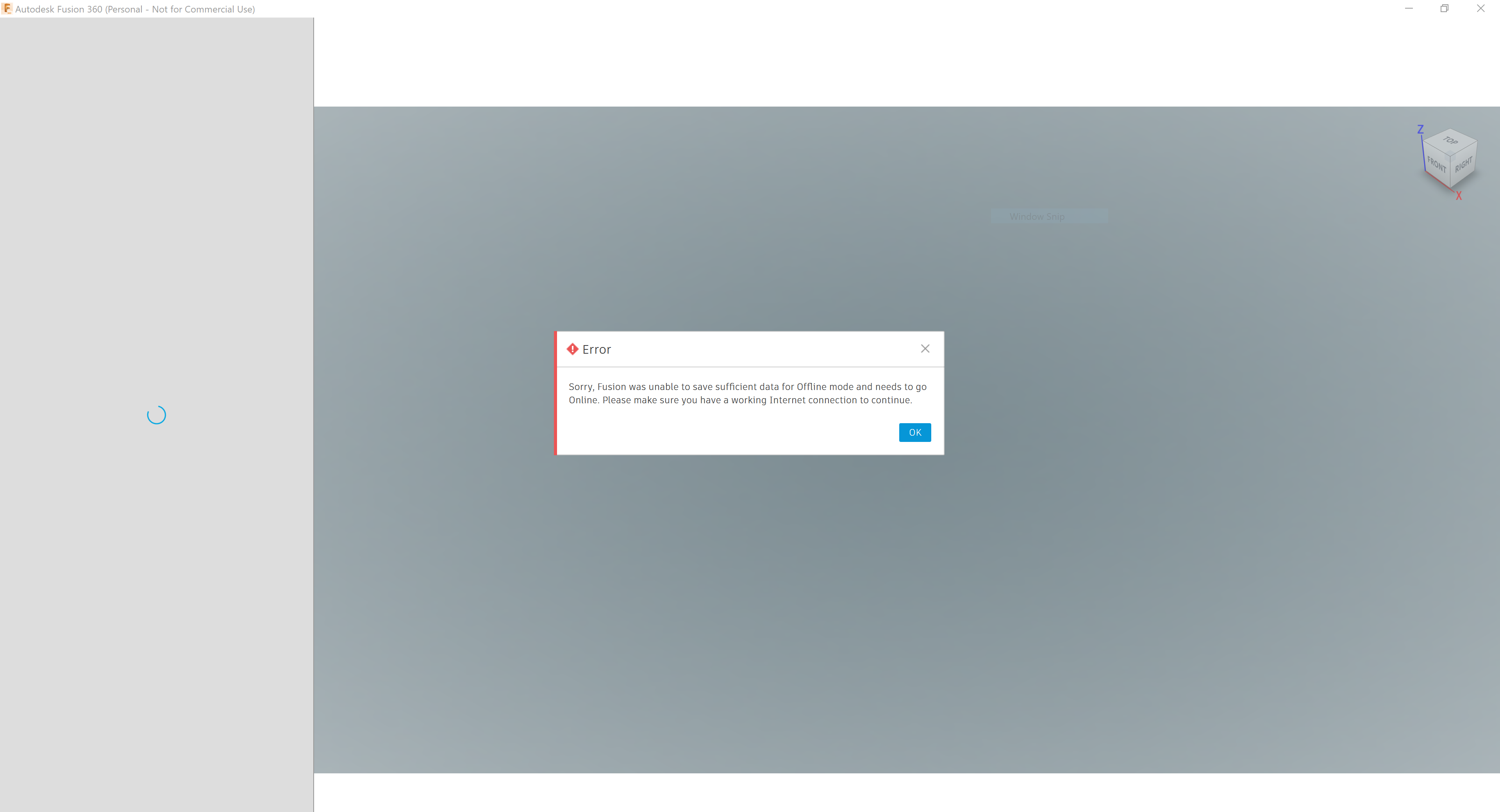
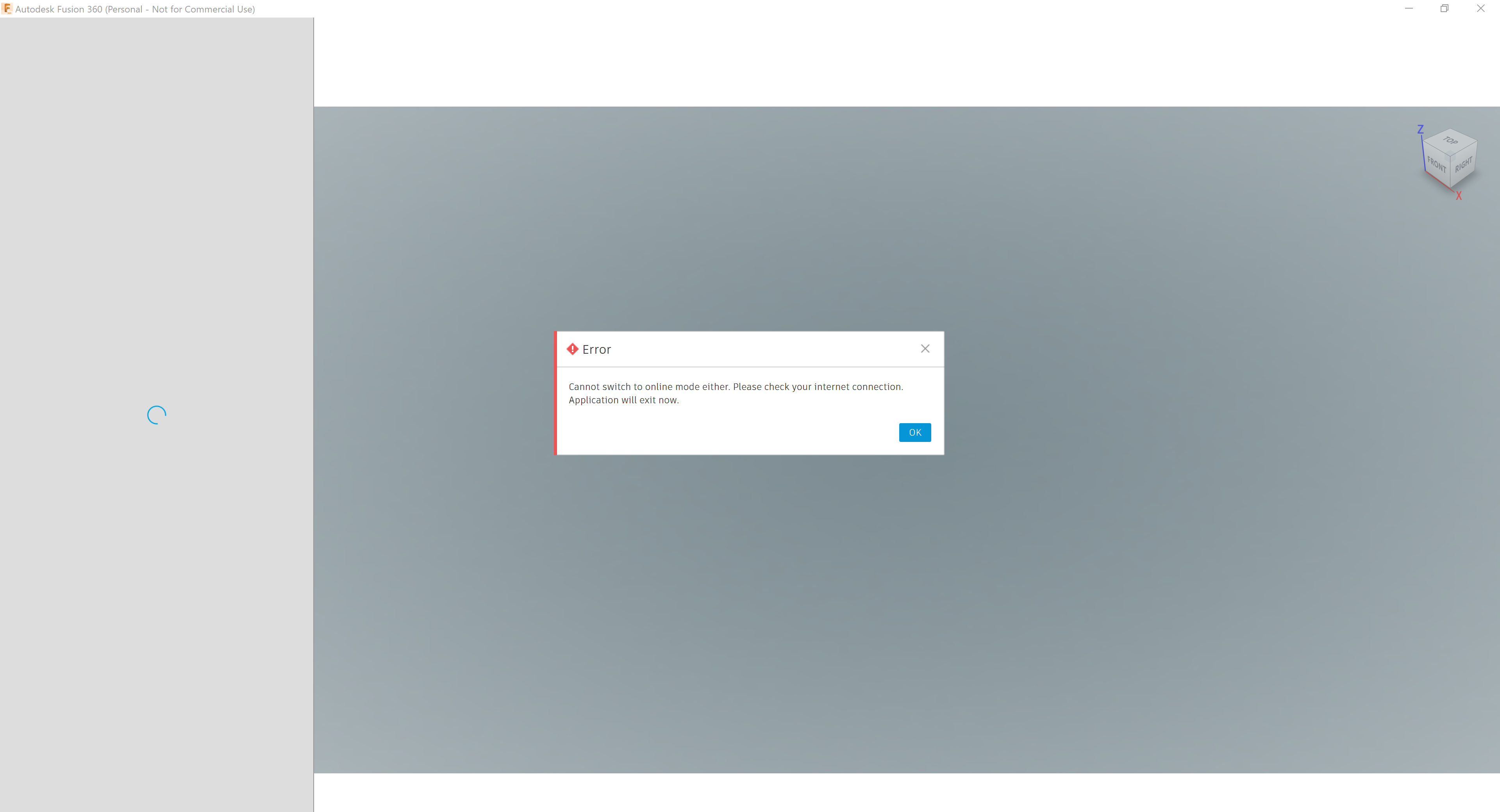
Ok, so today this is what I got when starting up windows again. The error message doesn't make any sense, and I have no problem with the internet connection. I am posting this message from the same machine. What is going on here? Was that it for Fusion 360 and all the work I put in my projects? This is just so frustrating. Is this normal behaviour? What should I do to troubleshoot?

0 Likes