ACTION REQUIRED: We have identified an issue that could impact your data

ACTION REQUIRED: We have identified an issue that could impact your data

keqingsong
Community Manager Community Manager
13,842 Views
51 Replies
Message 1 of 52

ACTION REQUIRED: We have identified an issue that could impact your data

keqingsong
Community Manager
Community Manager

May 24, 2021 update:
 

We released a new product update (v 2.0.10244) includes important fixes to the recent data issues where some design documents exhibited missing thumbnails and/or failed to open due to “unresolved components”. If you haven’t updated Fusion 360 yet, we urge you to go through the following 3 steps:  

  1. Save your existing work. 
  2. Restart Fusion 360 to get the latest update. 
  3. After update is successful, follow the steps outlined in the Support Article.  

If you are still experiencing the issues described, please contact us using the details provided in the support article


___


Since mid-April, we’ve received a few reports from the community regarding an “unresolved component” error message. This means you were not able to open design documents containing externally referenced parts or derived parts, and the design documents themselves were stuck in an “unavailable” state.  


We are currently seeing a very small percentage of the community hitting this issue, but due the potential impact on your ability to access your design documents and potential data corruption , we want to make you aware and provide mitigation steps. To help reduce potential data corruption, we advise that you immediately follow the steps outlined in the support article below 


>>Support Article<< 


Our team is actively working on fixing this issue as quickly as possible, and this effort is our highest priority. We are also conducting a deeper investigation into the root cause of the issue so we can prevent it from happening again in the future. We understand that data access is paramount to you, as it is also paramount to us. We sincerely apologize for the inconvenience this is causing to your work, and we will keep you posted on our progress. Thank you for your support and understanding. 


Keqing Song
Autodesk Fusion Community Manager
Portland, Oregon, USA

Become an Autodesk Fusion Insider


13,843 Views
51 Replies
Replies (51)
Message 2 of 52

Anonymous
Not applicable

I received tha messag "issue impacting access to your data and data integrity" in the top of the Fusion 360 screen.Schermata 2021-05-21 alle 14.16.44.png

0 Likes
Message 3 of 52

Anonymous
Not applicable

I have received this error as well.

0 Likes
Message 4 of 52

agustin.saldias
Observer
Observer
I've just received the same message as soon as I opened up Fusion360, no specific design, nothing, just the application. Yesterday everything seemed ok.

Doesn't make sense to 'cache' all my projects 'just because' though, how can we tell wich ones may be affected?
0 Likes
Message 5 of 52

d.heihsel
Observer
Observer

Since today I've got the same problem. - I did nothing special. Just import some samples from fusion and work on it.


Your work around makes no sense. Why should caching solve this problem.
Also the warning. I want to know where's the problem.
I don't wanna lose some data. 

Please  let us know what we can do and wheres the real problem.
Thanks

0 Likes
Message 6 of 52

Anonymous
Not applicable

Could this be related to Windows Ransomware Protection > Controlled Folder Access setting? I recently turned this setting on after learning about it and then got this warning banner the first time opening F360 after. At first I also couldn't save a local archive file in the folder I wanted. I went back to the Windows setting Ransomware Protection > 'Allow an app through Controlled folder access' and added F360 to the list. Then I was able to save a local archive file anywhere. 

0 Likes
Message 7 of 52

veso58S5W
Advocate
Advocate

This is so funny.
Just yesterday, after I came home late, my younger son who is solving/preventing problems like this said:
We should backup all the data we have (he is doing that with his work on two separate locations, on high storage boxes) our private files/memories, but what about your work with design? You are sure that AD wouldn't in one moment lose all your stuff? I know how messy programmers are (he knows 100%) somebody might leave "the back door open" and pooffffffff, your data are gone. Why don't you save them on my boxes everytime?
Being a "smart" father, I said:
There is no way AD will get in trouble like that. Never.
WELL, I'LL DOWNLOAD ALL MY FUKN WORK RIGHT NOW. (if I still can)

Message 8 of 52

Anonymous
Not applicable

fusion360 error.PNG

I also lost files to the cloud and a red notification window popped up like a picture.

Message 9 of 52

Anonymous
Not applicable

Today I wanted to start a training for Fusion. Unfortunately, after installing the software I had the same issue. Do I have to wait until solved or could I proceed with the training?

0 Likes
Message 10 of 52

Anonymous
Not applicable

I got this same red alert message. I don't know what to do and how to backup my files locally. there are many posts about this issue - no clear guidance from Autodesk what we should do.

0 Likes
Message 11 of 52

Anonymous
Not applicable
I got this same red alert message. I don't know what to do and how to backup my files locally. there are many posts about this issue - no clear guidance from AD what we should do.
0 Likes
Message 12 of 52

Anonymous
Not applicable

and this is why we don't want no cloud BS...

Message 13 of 52

cryinkfly
Contributor
Contributor

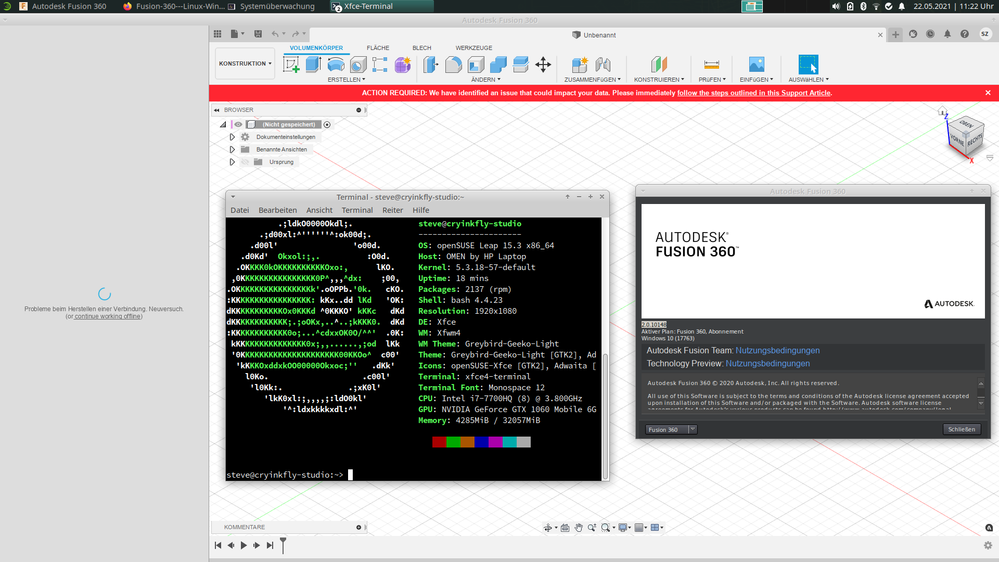
Autodesk Fusion 360 works very well on my systems, but now I can't longer establish a connection to the cloud!


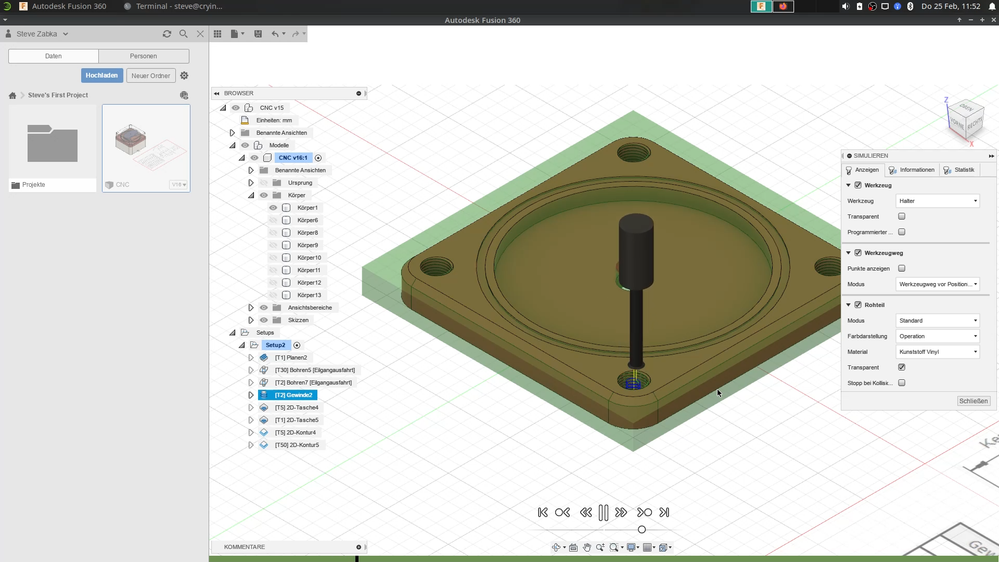
Autodesk Fusion 360 with errorAutodesk Fusion 360 with errorAutodesk Fusion 360 without errorAutodesk Fusion 360 without error


I know, I use this program on Linux, but before this error occurred, Autodesk Fusion 360 worked for me and other people.


On my pictures and on my GitHub-Channel you get more information about my work: https://github.com/cryinkfly/Fusion-360---Linux-Wine-Version-

Message 14 of 52

Anonymous
Not applicable

I see that red banner at the top of the program. Also, my projects' thumbnails are all blank.

0 Likes
Message 15 of 52

brianrepp
Community Manager
Community Manager

Hi all - there are understandably some questions, confusion, and concern over the issue and suggested mitigation steps.  Clarifying details are below:


- The guidance in the AKN article that is referenced in the red in-product banner and Keqing's original post is not to archive/back-up your entire design history.  While you may find this a safety net, it's not necessary for this particular situation.


- Over the last 30-60 days we found a very small percentage of designs where the saves might not have fully reached the cloud, but they still exist on your local machine in the cache.  This is the reason to temporarily extend your cache, to ensure these local files are still accessible as we're working through the issue.


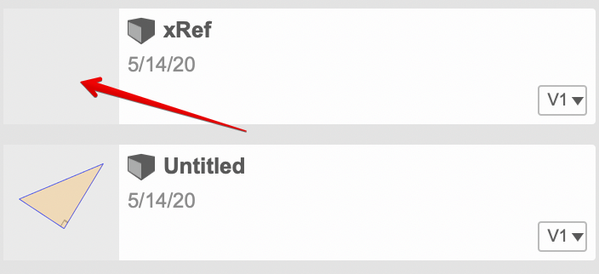
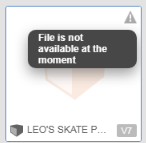
- To easily identify if one of your designs (from the last 60 days) could be impacted, look for missing thumbnails for designs in your data panel (this applies to designs, not projects).  It would look something like the screenshot below.  If you find designs in this state, please follow the guidance HERE, starting with Step 1 in the section titled "To resolve an issue with a particular design that is showing symptoms, use an option below"

brianrepp_0-1621717774387.png


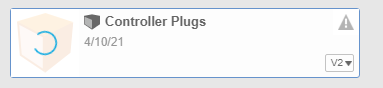
- If one of the above impacted designs was referenced in another assembly or drawing, you might also see a warning triangle on the right-hand side of your data panel on the referenced assmebly (see image below).  If this happens, please also follow the guidance HERE, starting with Step 4 in the section titled "To resolve an issue with a particular design that is showing symptoms, use an option below". 

brianrepp_0-1621719368339.png


If you have seen any of the above symptoms, and you're uncomfortable working through the issue on your own, the AKN Article has steps to contact support & reach our experts.


Message 16 of 52

RajkumarIlanchelian
Autodesk
Autodesk

@Anonymous @At the project level we do not create any thumbnails. Those are for you to customize with images etc. The thumbnails are at the design level inside the projects. 

Rajkumar Ilanchelian
Autodesk Fusion

Join Fusion Insider

0 Likes
Message 17 of 52

cryinkfly
Contributor
Contributor

So I have created video, where you can see a alternative way to use Autodesk Fusion 360.

But unfortunately you can't use everything of this program.

Here you can see my alternative way: https://youtu.be/_s42Zb9fnVU

0 Likes
Message 18 of 52

Anonymous
Not applicable

Hi, the thumbnails do not appear on the projetcs tabs but the drawings seem to be ok.  When I do the steps to resolve the issue, a loading circle continues to roll on the supposed thumbnail

0 Likes
Message 19 of 52

HumbleBazooka
Explorer
Explorer

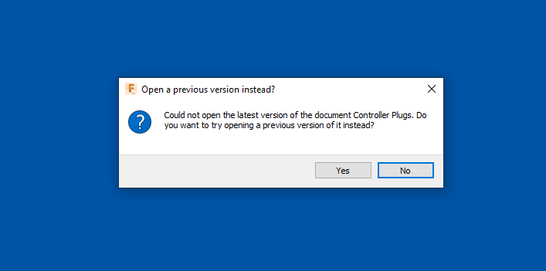
I'm seeing this issue with at least one of my designs and the work arounds aren't helping. I can't actually open the file. Is there a fix for this? There doesn't seem to be an option to contact support directly at my sub level.

f360_corrupt_01.PNGf360_corrupt_02.PNG

0 Likes
Message 20 of 52

brianrepp
Community Manager
Community Manager

Hi @HumbleBazooka - if you aren’t a commercial or educational user, please email [email protected] with a few details about your issue.

0 Likes