
CLOSED - Line Width Control in Drawings

CLOSED - Line Width Control in Drawings

TimeraAutodesk
Community Manager Community Manager
7,599 Views
29 Replies
Message 1 of 30

CLOSED - Line Width Control in Drawings

TimeraAutodesk
Community Manager
Community Manager

We’ve heard from over 300 of you that you need line width support in Fusion Drawings, so we’re tackling the first phase of this new feature. There are 2 parts to this project that we’d like to hear your thoughts on as we start to think about offering support and control over line widths. As with any feature that we release, we will be planning it in phases, so that the first delivery is for basic control, and the second and third build on top of it to add a deeper level of functionality. Let’s have a discussion here about what that first, basic offering could look like. 


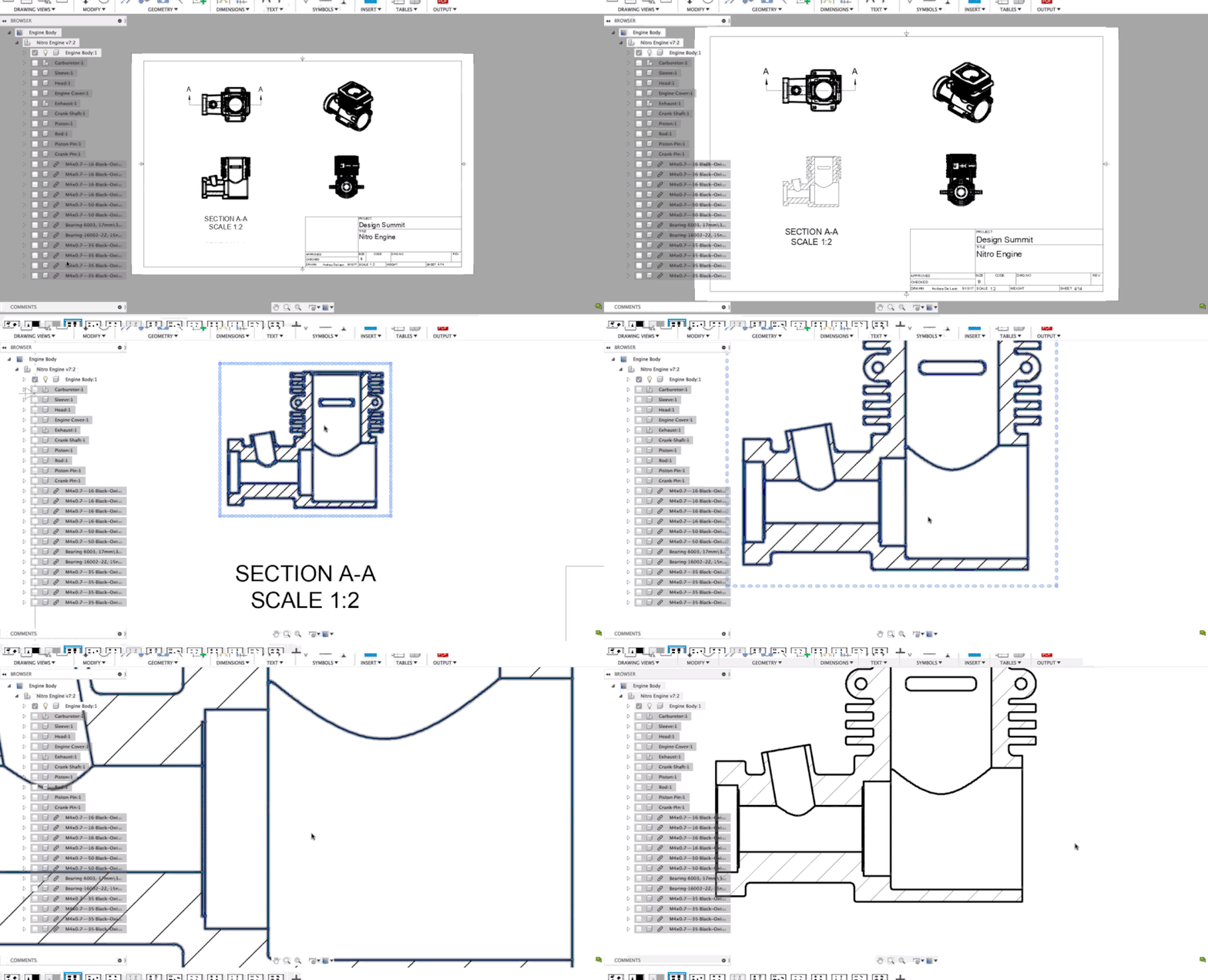
  1. Visualizing lineweights on screen. In the below gif, lineweights are visible as WYSIWYG (i.e. what-you-see-is-what-you-get), and they keep their “real” lineweight width regardless of the zoom. Is this what you expect?

    LW_1_Demo_v2.gif


  2. Controlling line widths across a drawing document. Here’s what we’re thinking... Default line widths continue to follow ASME and ISO recommendations (see standards below).
 

Screen Shot 2019-10-02 at 11.21.34 AM.png


Changing the line width group will update the appropriate objects’ line widths across the entire document (i.e. views, hidden line geometry, dimensions, etc.). You will also be able to assign a thin, medium or thick value to sketches that get natively created on any sheet. Basic Sketching Tools for drawings is well under way and coming in an update early 2020. 


Screen Shot 2019-10-02 at 11.23.12 AM.png


In the future, this system sets us up to be able to add complexity and deeper levels of customization if and when that’s needed. 


What do you think of this line width group control concept for a first release of basic visibility and management across your Drawings? 

Reply
Reply
0 Likes
7,600 Views
29 Replies
Replies (29)
Message 21 of 30

jean-michel_legoff
Collaborator
Collaborator

Hello,


I shall be probably out of the scope of this topic, but if you work on enhanced 2D features, it should also be usefull to manage Layers where the lines are drawned, and the filling of closed contours with pattern (I mean SVG based not only hatching) in order to place repeated patterns precisely in order to be processed by laser cutting or routers.


Thanks


Reply
Reply
0 Likes
Message 22 of 30

Garret_H
Collaborator
Collaborator

I am currently on a project where I am struggling to make clear and concise drawings of a large and complicated assembly. Line width control would be nice here, but it isn't enough in itself.


I need much better control of what I show or hide, and how it appears. This largely falls down to a lack of control of hidden lines. I have two choices: an overly cluttered drawing showing EVERY hidden line or ONLY visible edges. This is problematic when I am trying to show features that are vital to the client and fabricator, but hide ones that aren't important.  For example some motor and gearbox assemblies when viewed with hidden lines are pretty well a black blob. Meanwhile my larger components like structures and pipe shafts show the correct amount of detail. 


I need to be able to show certain components as visible only, while others as hidden only. The section view feature allows a person to control whether or not each component is sliced, which is extremely useful. This selection feature should be added to each view for better control.  This would also help to completely hide certain components when they are not pertinent to a view. For example I have control panels on the back of this machine, I can show these on a projected rear view, but don't need or want to see them as hidden lines on the front view. I do however want to see the structure appear as hidden lines on each view. Again, more control is needed.


Reply
Reply
0 Likes
Message 23 of 30

jean-michel_legoff
Collaborator
Collaborator

Hello,


About this topic, I’m wondering if it could be possible to think about layers, in some case, you may have to rework on the 2D drawing in other tools, and I guess that it could be valuable to have Layers for managing the drawing. 1 layer for the tables, and format border, 1 for external lines, 1 for the rendered views, etc..

it could help selecting entities to affect colors or line weight for further process (engraving, laser cut, pattern filling, etc.


many thanks

Reply
Reply
Message 24 of 30

david_eiler
Explorer
Explorer

Colored lines (e.g. blue) for dimension lines would be helpful to distinguish dimension lines and part drawing lines.

Reply
Reply
0 Likes
Message 25 of 30

Anonymous
Not applicable

I can really see the benefits from simply being able to change the line weight the same as choosing a different font for instance by going into settings. 
I find the current default line weight to be too thick for fine detail like threads and once a pdf is created the threaded object turns into a black mass.
All other suggestions is valid and will be great additions but even just a simple control of the overall line weight will be very useful.

Reply
Reply
0 Likes
Message 26 of 30

macklARP8B
Participant
Participant

annotation 2020-04-29 090018.jpg


I don't know if you've tried the "Line weights" box on the print screen. It reduces the thickness of lines, and I've found that things like thread come out a lot better. 

Reply
Reply
0 Likes
Message 27 of 30

olivia.struckman
Alumni
Alumni

Hey all, thanks for the great feedback and discussion on this thread. We've taken what we've heard from customers like you and implemented improved line weights control in Drawings with yesterday's release. Check it out in the What's New Blog post and reach out to Fusion.Drawings@autodesk.com if you have any questions or feedback.

Reply
Reply
0 Likes
Message 28 of 30

Intuos5
Advisor
Advisor

Sorry to double up on this, I think my earlier post from a while ago requires some additional explanation.

In the long term, view filters to set lineweights, colour & linetypes as well as surface projection and cut pattern (hatch & associated hatch colour) per component/ body would be welcome. This is how it's done in Revit, you can then associate the view filter (it has to be assigned to a template in Revit prior) to applying it to multiple views.

Viewfilters.png


In this example, you'll have to imagine Revit categories (Doors, Floor, Roof, Walls) as components and using the '+ -expand box' for bodies/ subcomponents.

In addition, manual overrides for linestyles of particular llines (by selecting the edges of bodies) could work like this (it's per view).


I could see picking individual surfaces for hatches in similar fashion. These features, along with the proposals on the mural (and the ability to link CAD files and override their lines per layer as shown in the View filters under the 'Imported categories' tab, though this is a stretch for now), would allow me to do my design drawings entirely in Fusion.


Reply
Reply
0 Likes
Message 29 of 30

Anonymous
Not applicable

Recent changes made in Fusion is very useful and have already made a great difference in the printed quality of my pdf drawings.

Thanks Fusion 360 team 👍👍👍

Reply
Reply
Message 30 of 30

olivia.struckman
Alumni
Alumni

Hey All, thanks for the great feedback on this post. It informed us for our delivery of basic line width control introduced in May. We plan to improve upon this feature in the future - if you have thoughts on our first release of this feature and on where we can improve, please comment on the thread HERE. 

Reply
Reply
0 Likes