Why I get an error message when I duplicate objects ?

Why I get an error message when I duplicate objects ?

sara_s2
Not applicable
949 Views
6 Replies
Message 1 of 7

Why I get an error message when I duplicate objects ?

sara_s2
Not applicable

[ FlexSim 19.0.0 ]

Hello,

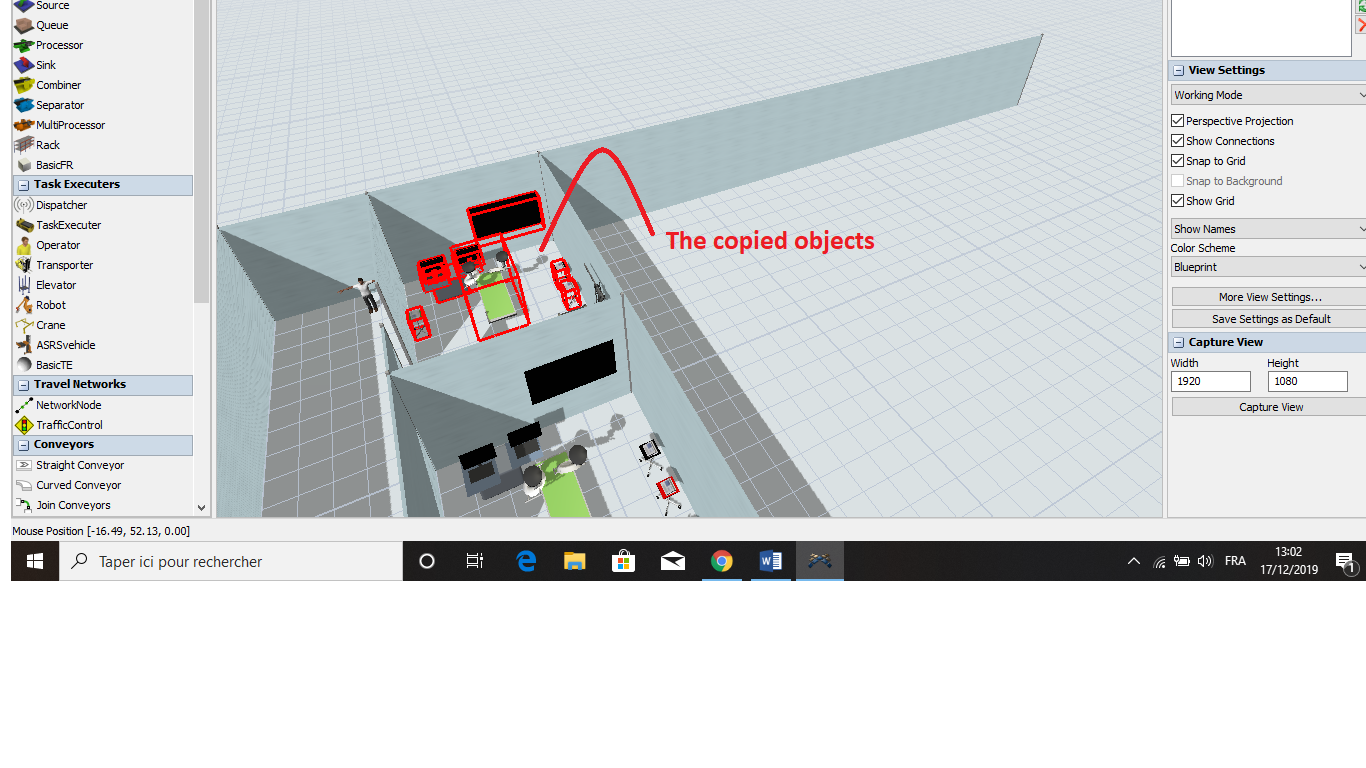
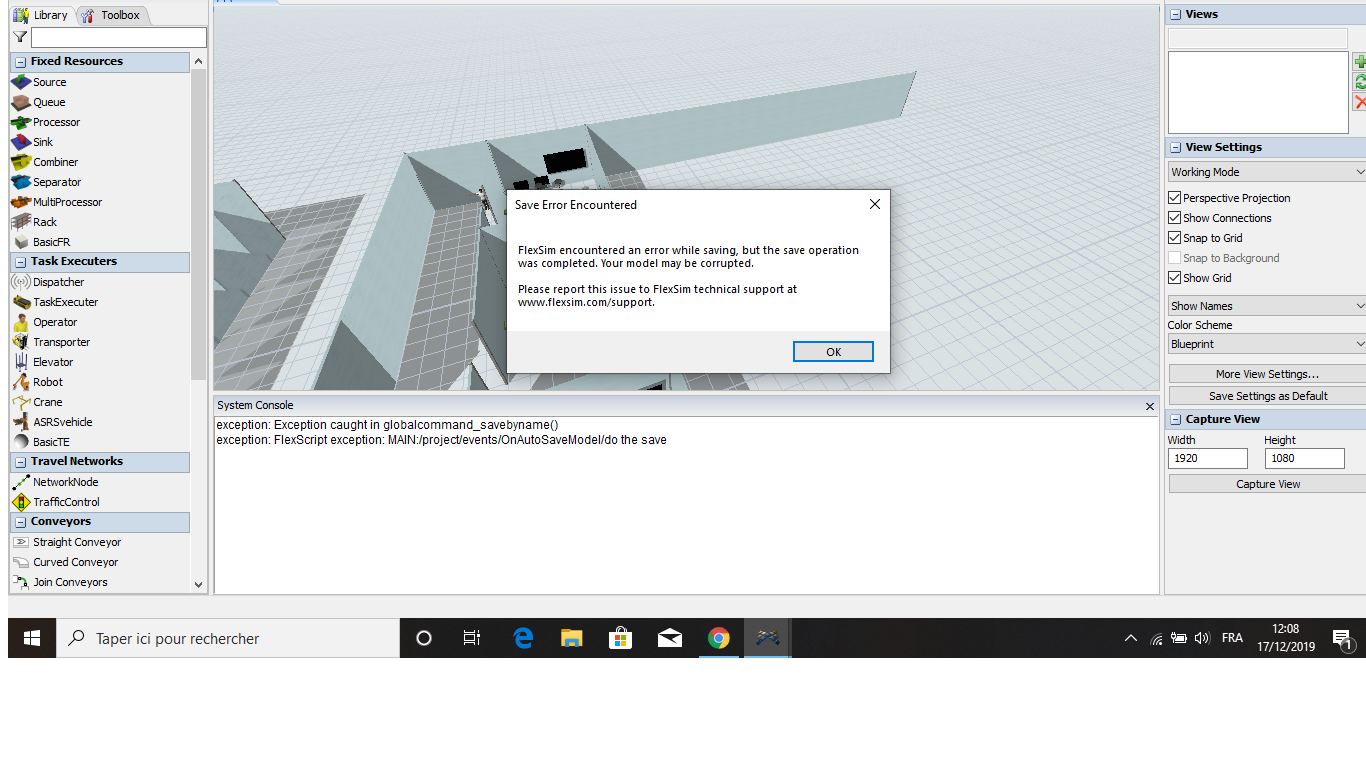
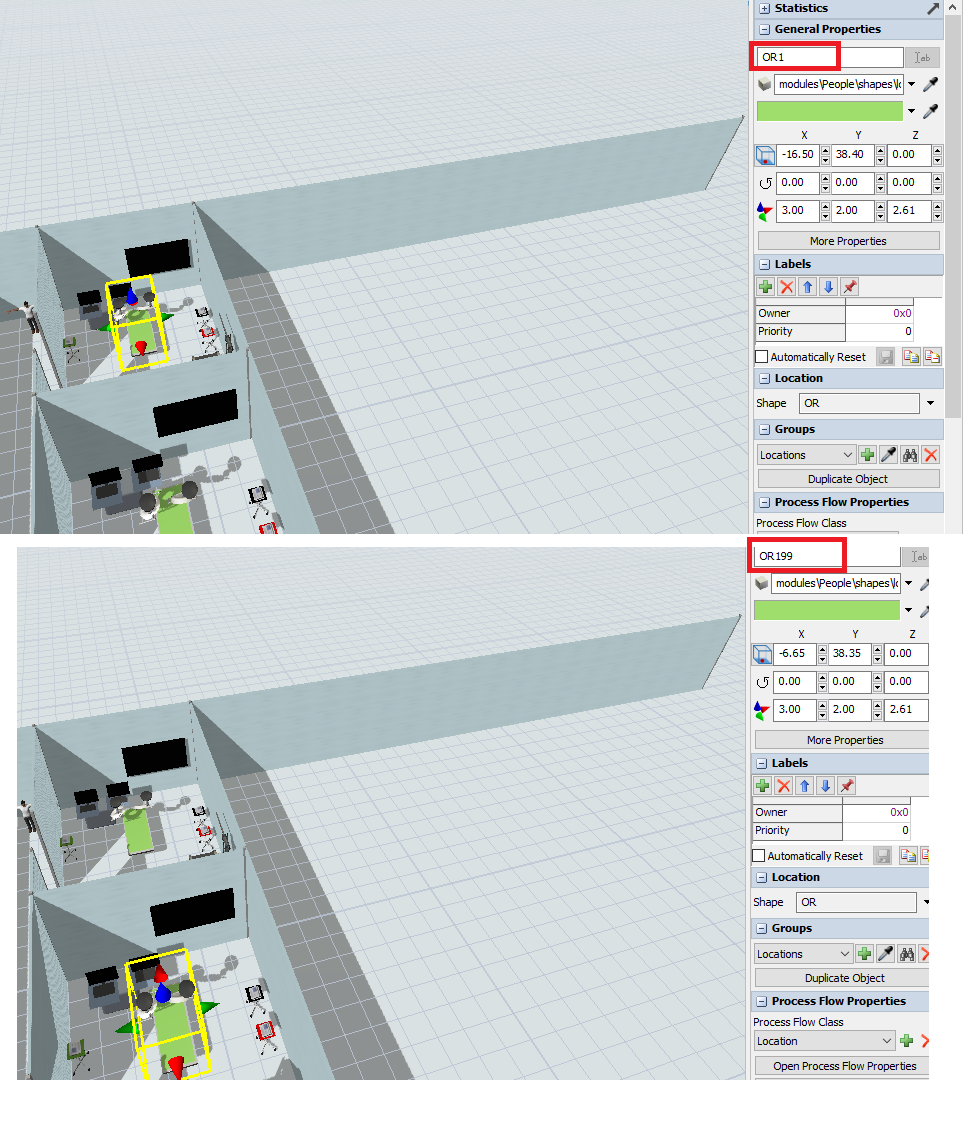
I want to model hospital surgical ward, where there are several rooms having the same objects. I created one room objects and I select this room’s objects (Figue1) and 'copy & paste' them in order to generate the same objects in the other rooms. But, I get some error messages that I overlooked. Then, when I want to save my model, I get this error (Figure2) in saving. Besides, I remark that the copied objects have a very big number in their names than the number of the existing objects (the same object, for example the first OR table is OR1 but the second OR table is OR199 !) (Figue3).

I would be grateful for your help.

figure1.png

figure2.png

figure3.png

0 Likes
Accepted solutions (1)
950 Views
6 Replies
Replies (6)
Message 2 of 7

zac_h_adsk
Autodesk
Autodesk

There might be an error simply with where you saved it or the file name. Try renaming the model and saving it. If that doesn't work, please send your model and we can take a look at it.

When you copy and paste an item in the model, it will look at how many items you have in the Tree and then give it a number associated with what number item it would be in the model. That is why you are getting OR199. You can rename it to be OR2 after pasting it.

0 Likes
Message 3 of 7

Matthew_Gillespie
Autodesk
Autodesk

Can you post the model file before you duplicated anything?


Matthew Gillespie
FlexSim Software Developer

0 Likes
Message 4 of 7

sara_s2
Not applicable

I have just the model before I start duplicating operating room’s objects (the attached model). I notice that in this step (before I start duplicating operating room’s objects) I had no problem despite I duplicate the objects (the exam tables and the BasicFR objects) that are in the surgical ward.

Actually, I want to ensure that duplicating objects is not going to generate any problems when I complete the model and run the simulation.

model2.fsm

0 Likes
Message 5 of 7

sara_s2
Not applicable

Hi @zachary.h, thank you for your reply.

I tried to rename it but no result, so I could not save it -I don't have this model anymore- but I keep a previous version (the att

ached model) of it - before I start duplicating objects of the operating room.

Concerning objects names, I find that is inconsistent to attribute such number ‘199’ to the second OR while I have only two OR in the tree ! So I want to ensure that is not going to make problems when I run the model.

0 Likes
Message 6 of 7

cliff_king
Not applicable
Accepted solution

There's nothing inherently wrong with copy and pasting (Ctrl C - Ctrl V) objects in a model.

The automatically assigned object names are based on total object count, not OR object count, but you can easily rename all your ORs by selecting them all (red bounding box will appear around them), then left-click on one of the ORs in the selected set of objects, and then in the Quick Properties window look for the "ab" icon button to the right of the name field and use it to rename all the selected objects with a sequential number tagged onto the end of the name.

As for your model2.fsm file, I didn't see anything visible in the 3D window until after I used the View > Open Default Workspace menu option. After that I could see the model and successfully copy/paste the OR object without errors.

0 Likes
Message 7 of 7

sara_s2
Not applicable

Okay, thank you @Cliff King.

0 Likes