Query on Process Flow Tutorial using Shared Assets

Query on Process Flow Tutorial using Shared Assets

sudheer_r
Not applicable
480 Views
1 Reply
Message 1 of 2

Query on Process Flow Tutorial using Shared Assets

sudheer_r
Not applicable

[ FlexSim 20.0.0 ]

As shown in the below image in Transport Tasks Flowchart (Left), We have Create Task Sequence and Finish Task Sequence why should we need this two activities, what value it adds to the model.

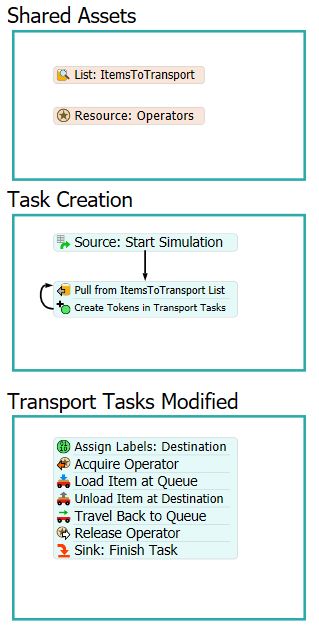
I tried by removing Create Task Sequence and Finish Task Sequence and rebuild the model with minor modifications as shown in right image, it is working same as the previous one. So if the model is working without Create TS and Finish TS why should we need to add the extra activities. What importance does this carry in the tutorial. I am just trying to understand the importance of the Create TS and Finish TS in this tutorial please help me on this.

24653-createts.jpg24654-createtsmodified.jpg

I am attaching the model for your reference.

1.fsm

Accepted solutions (1)
481 Views
1 Reply
Reply (1)
Message 2 of 2

Brandon_Peterson
Autodesk
Autodesk
Accepted solution

@Sudheer R

The "Create Task Sequence" and "Finish Task Sequence" Activities are used to ensure the connectivity of the tasks in between. When you use the Task activities alone (as in your second example) behind the scenes you are actually creating an individual task sequence for each step. This means that it is possible for the resource you are using to get a task sequence from another part of the model and execute that task sequence before completing all of the TS activities defined by your process flow. By using the "Create Task Sequence" activity the following TS activities are treated as a single task sequence instead of a bunch of individual task sequences and keeps the resource from being interrupted so easily.

The "Finish Task Sequence" activity is used at the end of the task sequence to inform the resource that it will not be receiving any new tasks from the process flow and can finish the task sequence and move on to the next task sequence. You do not need to use the "Finish Task Sequence" activity if you have selected the "Do Not Wait for Finish TS" option for the "Wait for Finish State" of the "Create Task Sequence" activity.

The reason that your model did not show any differences between the two approaches is simply that it currently can't get into a situation where an operator could receive a task sequence while it is receiving tasks from the process flow.

I hope this clears things up for you, Brandon

img src="https://damassets.autodesk.net/content/dam/autodesk/logos/autodesk-logo-primary-rgbblack-small_forum.png" >

Brandon Peterson
Principal Technology Consultant
>