Positioning items inside a bay

Positioning items inside a bay

julio_r
Not applicable
622 Views
4 Replies
Message 1 of 5

Positioning items inside a bay

julio_r
Not applicable

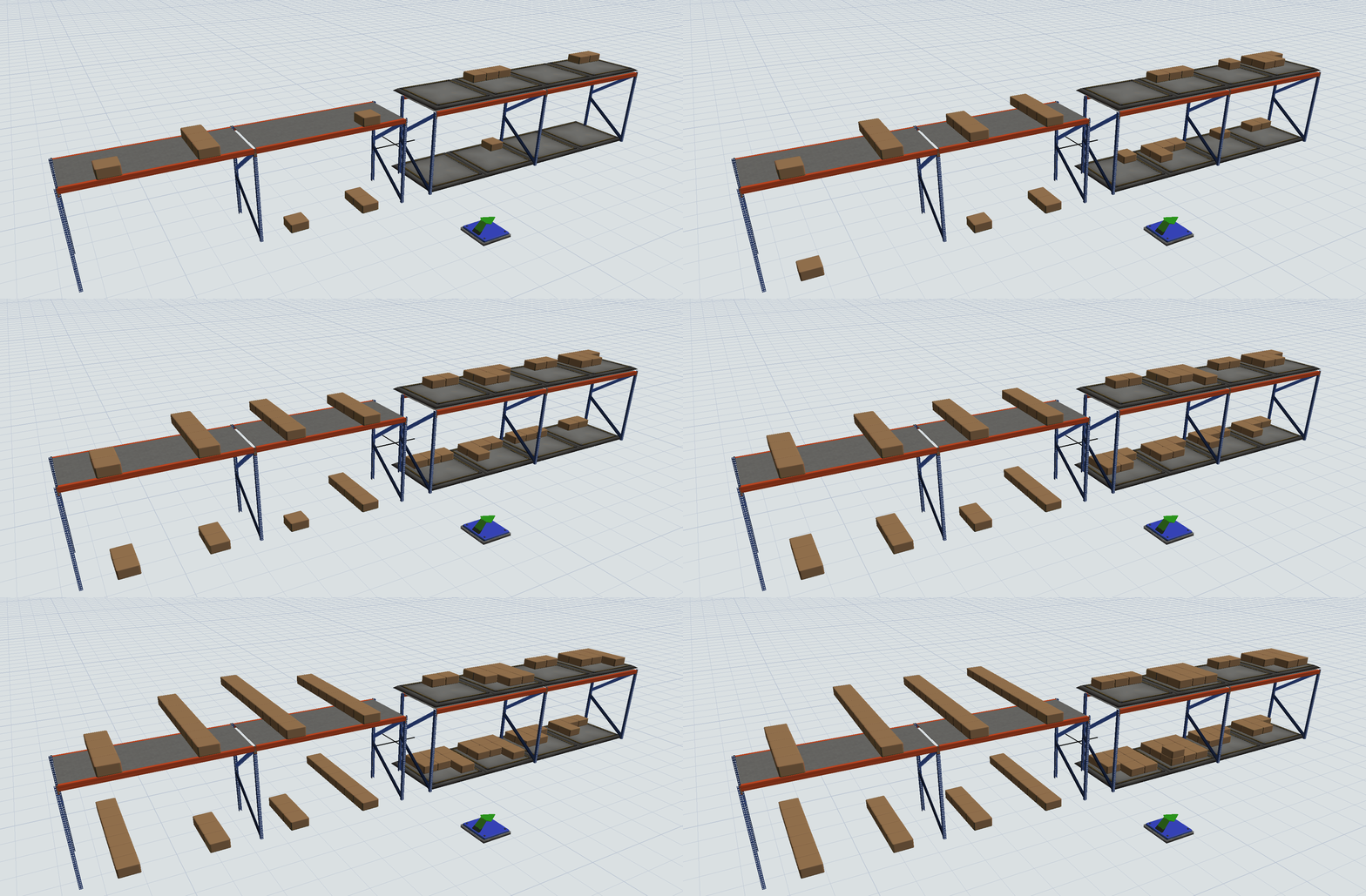
I need to position the items in a rack like in every space there was a queue instead of the default line like way. I have done it by putting a queue in every space of the rack, but I want to do it without the queues.

Accepted solutions (1)
623 Views
4 Replies
Replies (4)
Message 2 of 5

jeff_nordgren
Not applicable

@Julio R

Can you send us your model or a sample model so that we can see exactly what you are trying to accomplish?

Thanks.

0 Likes
Message 3 of 5

julio_r
Not applicable

In the next GIF I show the normal positioning of the boxes in a normal rack next to the positioning I want.

racks.gif

I made it by creating an array of queues on top of a rack (in this case only used for graphic), but I want to do it with a Rack and no Queues. I don´t want to modify the label or bay selected, but the placement of the boxes in every bay.

Thank you,

0 Likes
Message 4 of 5

mischa_spelt
Advisor
Advisor

Yes, a "stacking strategy" like the queue has would make the rack so much more usable!

Message 5 of 5

joerg_vogel_HsH
Mentor
Mentor
Accepted solution

There are some node or event functions that are responsible for the automated stacking. How can we prevent them to get executed when the content changes? Then we can start setting our own stacking strategies for the content in the cells.

The second workaround is the use of one pallet in each cell instead of the queue.

0 Likes