How to export data to a SQL Database on Model Stop

How to export data to a SQL Database on Model Stop

abhishek_k
Not applicable
342 Views
7 Replies
Message 1 of 8

How to export data to a SQL Database on Model Stop

abhishek_k
Not applicable

[ FlexSim 18.1.2 ]

Hello,

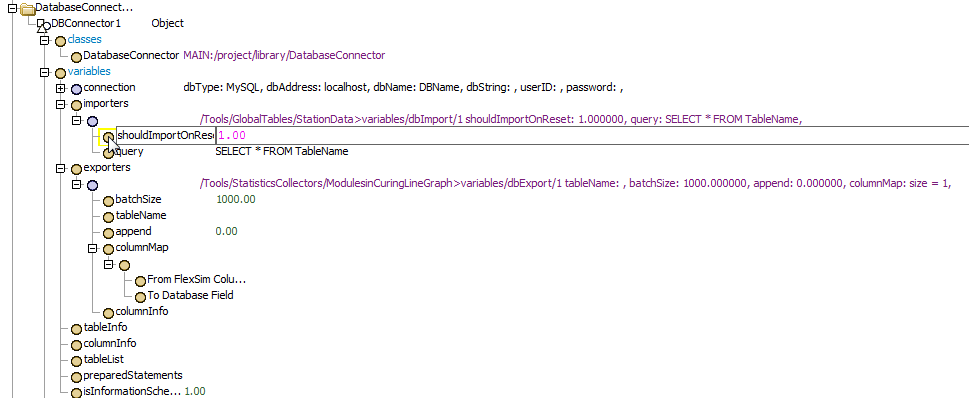
I have built a model in which I want to pull input data from a SQL database using a Database Connector, and then export the output to a table in that same SQL database. I am using Flexsim 18.1.

The question I have is - How to automatically export the data on model stop ?

I will be using windows task scheduler to run the model everyday at a specific time and on model open and reset, I'll refresh the input data. Then, the model will run for a specified time and "on model stop" , I want to write the result to the SQL database.

There is a provision to import data on model reset from the SQL database, but I dont know how to export the data based on the on model stop trigger.

data-export.png

0 Likes
Accepted solutions (1)
343 Views
7 Replies
Replies (7)
Message 2 of 8

SimFlex_support
Collaborator
Collaborator
@Abhishek K

Have you ever used 'On Run Stop' trigger in the "ToolBox>Modeling Logic>Model Trigger>On Run Stop" option menu?

18795-2019-04-27-064437.png

email ID : support@flexsim.co.kr & support@simflex.co.kr
0 Likes
Message 3 of 8

abhishek_k
Not applicable

Thank you for the response, I have used it, but I dont know the scipt that is needed there to export data into a SQL database

0 Likes
Message 4 of 8

abhishek_k
Not applicable

I tried to toggle the export node as flexscript and then used nodefuntion() to execute it but that is not working either

18796-toggle-node.png

0 Likes
Message 5 of 8

benjamin_w2
Not applicable
Accepted solution

Hi @Abhishek K,

The following code should help. make sure to correctly configure your Data Base Connector.

Also note, the "On Model Stop" trigger may not be the best place to use this code, since it will fire every time you hit the stop button. Consider designing a user event in the Toolbox or using Process Flow to export your data at a certain time.

function_s(model().find("Tools/DatabaseConnectors/DBConnector1"), "exportAll");

0 Likes
Message 6 of 8

benjamin_w2
Not applicable

Hey @Abhishek K, was my answer helpful for you? If so, could you accept it? Otherwise, how else can I help?

0 Likes
Message 7 of 8

rafael_o9
Not applicable

What if I only want to export the last row? and not all the rows...?

0 Likes
Message 8 of 8

jason_lightfoot_adsk
Autodesk
Autodesk
You should ask a new question but it sounds like you need need to add a single row to a table - you could use SQL's "INSERT INTO" for that.
0 Likes