Computing Volume issue

Computing Volume issue

hmoobvue
Advocate Advocate
579 Views
4 Replies
Message 1 of 5

Computing Volume issue

hmoobvue
Advocate
Advocate

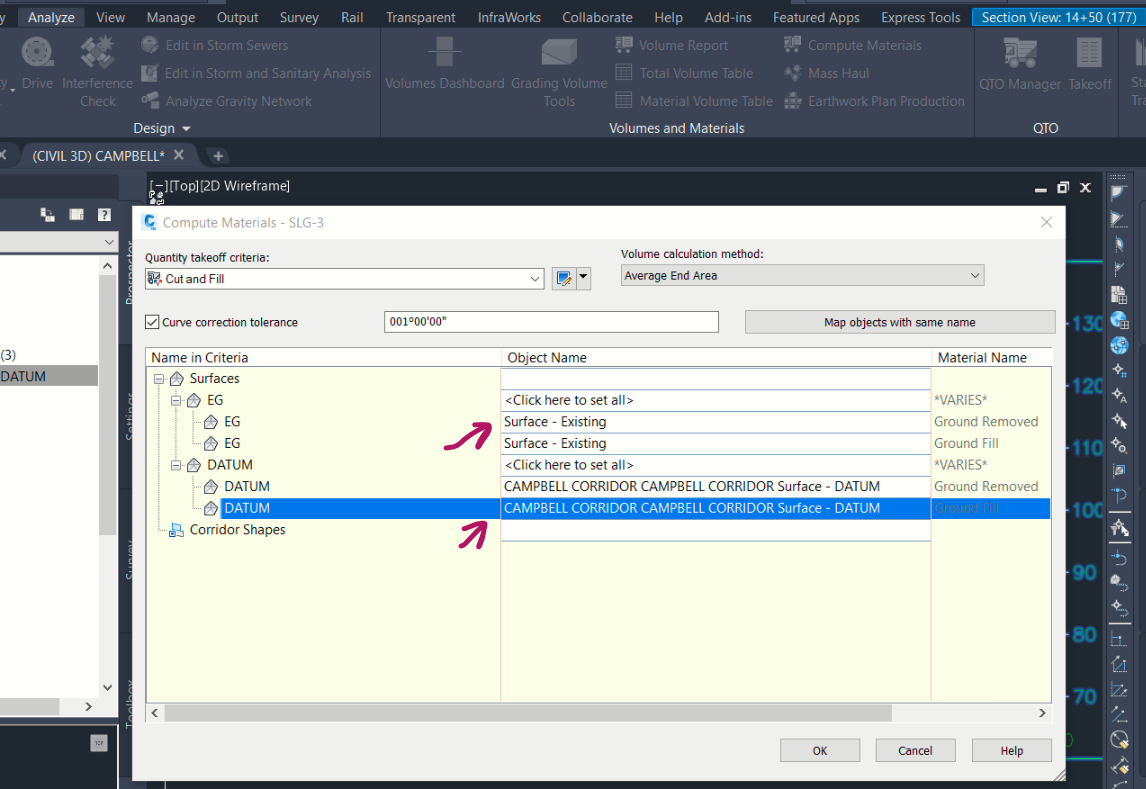
I cant get the cut and fill volume calculator to include the datum surface, it is only giving me option of just the existing surface for the surface drop down and datum drop down. Is there something wrong with my corridor that's why its not catching the datum surface created in the corridor surface tab?


VOLUME.PNG

0 Likes
Accepted solutions (1)
580 Views
4 Replies
Replies (4)
Message 2 of 5

Anonymous
Not applicable

Hi 

can you attach dwg.

0 Likes
Message 3 of 5

hmoobvue
Advocate
Advocate

see attached for dwg

0 Likes
Message 4 of 5

Anonymous
Not applicable

Hi

before you go to compute materials you should add sources to sampled

check photo attached


0 Likes
Message 5 of 5

Anonymous
Not applicable
Accepted solution

yea 

it is the same i assume

see photo attached

0 Likes