Incoherent temperature bulk results

Incoherent temperature bulk results

matthieu.grivelet
Explorer Explorer
1,087 Views
3 Replies
Message 1 of 4

Incoherent temperature bulk results

matthieu.grivelet
Explorer
Explorer

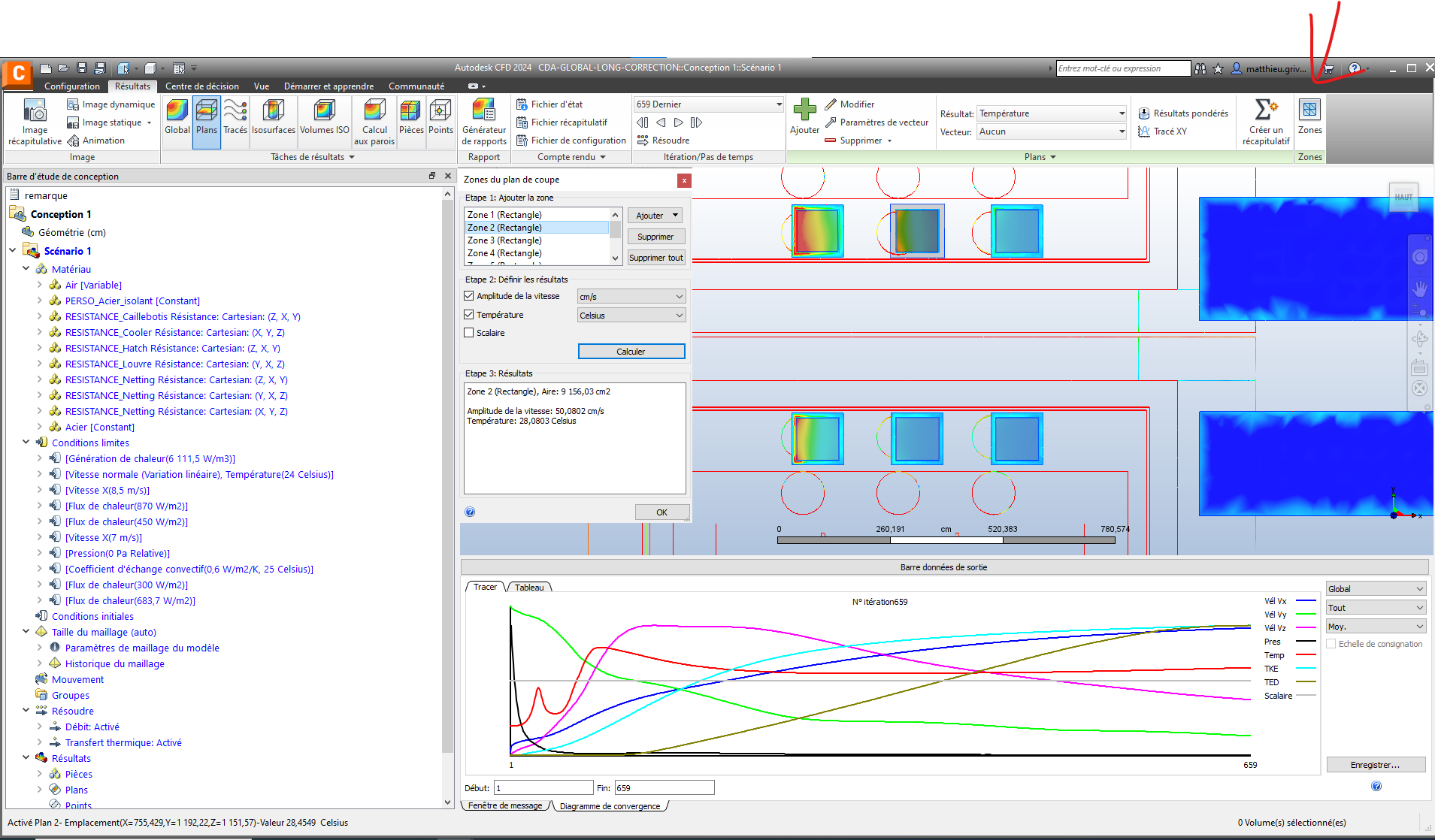
When computing the bulk results for outlets with recirculation, the temperature given is sometime higher or lower than the maximum or minimum temperature on the surface.

In the example given, the max temperature on the plane is around 34.6°C but the bulk temperature calculated is over 36.8°C.

The average temperature is calculated at 28°C with the "zone" tool for comparison.


In other planes, the bulk temperature is lower than the lowest temperature on the whole domain.


Does anyone know how the bulk temperature is salculated and where this error comes from ?

Can the bulk flow be trusted or is it faulty as well ? The zone tool cannot be used for comparison here.



0 Likes
1,088 Views
3 Replies
Replies (3)
Message 2 of 4

chris_smith1
Autodesk
Autodesk

Howdy there!
You can get weid results if there is both in and outflow in the plane

Solution
  • Use the Wall Calculator if possible, or
  • Apply a Grid to the plane and save the table.  Average Temperature can be calculated in Excel.

    Best of luck! 
0 Likes
Message 3 of 4

matthieu.grivelet
Explorer
Explorer

Thank you for your answer.

This is a very costly workaround in terms of time spent to extract data, but we apparently don't have a choice.


Do you happen know if the bulk flow can be trusted ? Extracting it and post treating it would be even more time consuming as we would need to get the normal of each plane to get the velocity projection before computing the flow.


Thank you.

0 Likes
Message 4 of 4

chris_smith1
Autodesk
Autodesk

The bulk calculator can be trusted when it has good data set. Its just tryin to average too many vairables out in your use case which leads to the whacky results. This will largely go to model setup and goals for the study. 

0 Likes