Updates and Add-ins not showing in Autodesk Desktop App

Updates and Add-ins not showing in Autodesk Desktop App

Anonymous
Not applicable
1,156 Views
2 Replies
Message 1 of 3

Updates and Add-ins not showing in Autodesk Desktop App

Anonymous
Not applicable

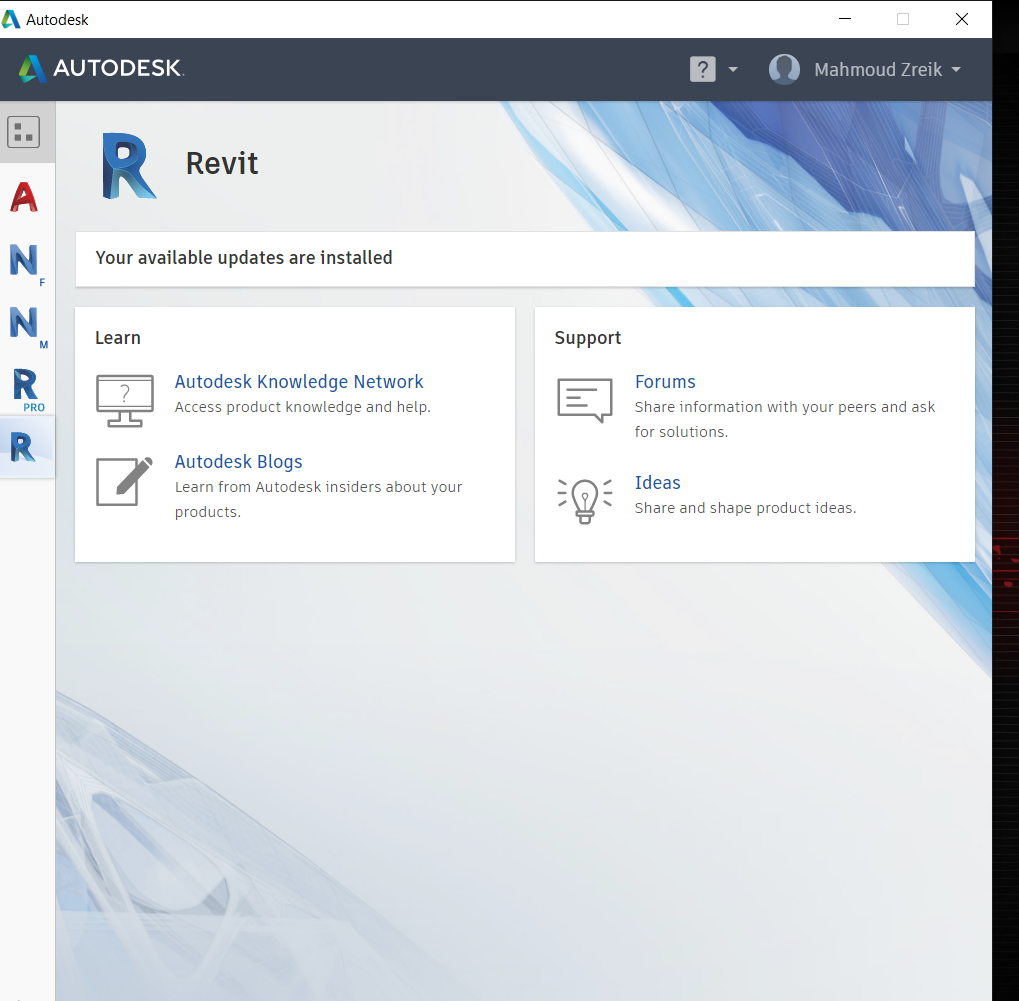
Few days ago I removed all autodesk 2018 products using the uninstall tool and then installed the 2019 products using the "download now" button from the autodesk website. AutoCad had updates and I was able to install them, but Revit 2019 didn't show any updates or add-ins. I tried uninstalling and installing the desktop app and it still didn't work. I can't figure out the problem.

Reply
Reply
0 Likes
1,157 Views
2 Replies
Replies (2)
Message 2 of 3

srinivasarao.potla
Autodesk
Autodesk

Hi@mz.tm,


Thanks for your feedback.

Please don't uninstall Autodesk  desktop app. Uninstalling the Autodesk desktop app is not the solution.

I would like to know more about the issue, installed products and updates. could you please send me the log files?

please find the attachment for log file instructions.


The screenshot looks like you already installed the Revit updates.

Autodesk desktop app has a setting,while installing the product,updates also install. may be you are already enable that setting. could you please check that?

Here is the screenshot.

2019-04-16_1459.png


Hope this helps.


Regards,

Srinivas.

Reply
Reply
0 Likes
Message 3 of 3

Anonymous
Not applicable

I re-installed the Autodesk Desktop App so I still have it.


I have Autodesk AutoCad 2019, Autodesk Naviswork Manage 2019 and Revit 2019. I am sure I don't have the latest update because the latest update has a different main screen for Revit 2019, and there are no add-ins installed. Actually when my friends installed it too, they faced the same thing, it doesn't show the updates or the add-ins.


As for the logs, how can I send them to you?


I attached a screenshot of the same page you were on.

Reply
Reply
0 Likes