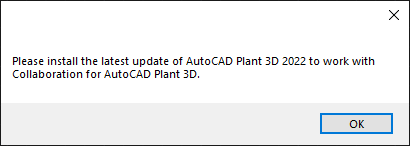
Please install the latest update of AutoCAD Plant 3D 2022 to work with collaboration to AutoCAD Plant 3D

Please install the latest update of AutoCAD Plant 3D 2022 to work with collaboration to AutoCAD Plant 3D

huhtima
Enthusiast Enthusiast
6,255 Views
18 Replies
Message 1 of 19

Please install the latest update of AutoCAD Plant 3D 2022 to work with collaboration to AutoCAD Plant 3D

huhtima
Enthusiast
Enthusiast

Hello! I have problem!


I have made Collaborate project to Autodesk EU-server even project is in America. But I make sure that this does not matter do the Collaborate project locate in EU-server or USA server am I right?


So I make project with Plant 3D 2022 and share it. Then I give access my American collegue who live in Milwaukee, kentucky.


So she tried to open Collaborate project and then she get message "Please install the latest update of AutoCAD Plant 3D 2022 to work with collaboration to AutoCAD Plant 3D"


I have AutoCAD 2022.1 and Plant 3D 2022.1


So my collegua doesn't have updated so I ask him to update his product. Now she have Plant 3D 2022.1 (She does not have basic AutoCAD in his computer but I think she don't need that)


But still same messsage?? Where is the problem? We should start project immediately 😞


0 Likes
Accepted solutions (1)
6,256 Views
18 Replies
Replies (18)
Message 2 of 19

h_eger
Mentor
Mentor

Dear @huhtima ,


Already executed the "PnPLocalDataCachePurger.exe"?


If this does not solve the problem, contact Autodesk Licensing Support.

https://knowledge.autodesk.com/contact-support?startHelpBranch=license-reports~case 

-

If my reply was helpful, please give a "Kudo" or click the "Accept as Solution" button below (or both).

Hartmut Eger
Senior Engineer
Anlagenplanung + Elektotechnik
XING | LinkedIn

EESignature


0 Likes
Message 3 of 19

huhtima
Enthusiast
Enthusiast

Hello!


We try that DataCachePurge today later 🙂 I tell if that works / not work 🙂


Thank you !


Best regards

Matti

0 Likes
Message 4 of 19

huhtima
Enthusiast
Enthusiast

Hello!


DataCachePurge don't work... 😞


So I send mail to Autodesk 😄

0 Likes
Message 5 of 19

allenwatts07
Explorer
Explorer

What was the response from AUTODESK about the issue?

0 Likes
Message 6 of 19

huhtima
Enthusiast
Enthusiast

Hello! Autodesk response:


"Thank you for contacting Autodesk Product Support. My name is [...] and I will be assisting you on this issue.


It is true that doe snot matter where the collaboration project is hosted, it should work or not work in both EU and USA Servers.


However if you have the change to create a project in USA Server would be worth it to try in order to discard the issue is not related to where the project is hosted. 


I believe the issue would be the same as the problem seems to come from your colleague side at first.

In order to resolve the issue, could try the following actions in this order?:

1-Install the the most current update for Desktop Connector. Then Try.

If the issue is not resolved:

2- Uninstall the 2022.1 update and roll AutoCAD Plant 3D back to 2022.0.1, then he is able to open collaboration projects."


We already tried this desktop connector  and id did not work 😞


Next we try that option 2. I will answer here what happen then 😉


@huhtima the post has been adjusted by @Tarek_K and removed private information

0 Likes
Message 7 of 19

bkowalinski
Contributor
Contributor
Accepted solution

Has anyone gotten a solution to this issue?  We are seeing the same thing after the installation of the Plant 3D 2022.1 update.  Rolling it back resolves the issue of cloud collaboration, but of course reintroduces the defects that the update is meant to fix.   

bkowalinski_0-1632255749743.png


0 Likes
Message 8 of 19

huhtima
Enthusiast
Enthusiast
Hello! When we rolling back to 2022.0.1 it did not work for me 😞 So we move to use 2021 version for now.

But of course Autodesk need to fix this issue of course.

But I think this update is reason so I make accept to this solution
0 Likes
Message 9 of 19

jhamilton
Advocate
Advocate

We have done all the above and did an uninstall of the update.  In some cases this caused major problems that we had to completely uninstall the plant 3d software all together and reinstall it again.  In one case I had to even go back and delete a bunch of registry keys so that we could even reinstall plant 3d and AutoCAD again.


0 Likes
Message 10 of 19

huhtima
Enthusiast
Enthusiast

Hello all!


I got message from Autodesk:

"Hello Matti,

Thank you for your quick response.

At the moment the issue is under investigation on the Plant 3D development team, currently there are not updates so I cannot tell if this issue will be addressed by a service pack, by an update or in any other way. 
Once the root cause is identified they will work on a solution , how this solution will be delivered it is unknown at the moment. 

Closing the case as"change request"  does not mean your issue is forgotten while the development team works to investigate a resolution. If development needs more details, they will either contact you directly or they will ask us to reach out again."

0 Likes
Message 11 of 19

ChrisQuirke
Contributor
Contributor

Any Update on this issue?

If this solved your issue please mark this posting "Accept as Solution".
Or if you like something that was said and it was helpful, Likes are appreciated. Thanks!
CQ
Modena Durban
0 Likes
Message 12 of 19

huhtima
Enthusiast
Enthusiast

I think that this issue have been resolved?

0 Likes
Message 13 of 19

huhtima
Enthusiast
Enthusiast

Hello!


I think this issue is still on going! I need to make ticket for Autodesk again!

0 Likes
Message 14 of 19

ChrisQuirke
Contributor
Contributor

I too had this issue, this afternoon infact.

Solution was one of the below:

  1. Uninstall 3rd party (Unity in my case)
  2.  Update the desktop connector (it stated "reconnecting drives" in the system tray)
  3. Reinstall AutoCAD Plant 3D

Chris Quirke

Modena Durban

Platinum reseller in South Africa

If this solved your issue please mark this posting "Accept as Solution".
Or if you like something that was said and it was helpful, Likes are appreciated. Thanks!
CQ
Modena Durban
Message 15 of 19

huhtima
Enthusiast
Enthusiast

But if we don't have desktop connector at all? 😄


BEst regards

Matti

0 Likes
Message 16 of 19

ChrisQuirke
Contributor
Contributor

I would then do 3rd party apps.

The reason I did a full uninstall was because the user had deleted the files from C:\Autodesk


If this solved your issue please mark this posting "Accept as Solution".
Or if you like something that was said and it was helpful, Likes are appreciated. Thanks!
CQ
Modena Durban
0 Likes
Message 17 of 19

ChrisQuirke
Contributor
Contributor

As far as I understand, this issue would only occur if you wee trying to open a collaboration project.


Thats what the original question was, however I'm sure this message could apply elsewhere

If this solved your issue please mark this posting "Accept as Solution".
Or if you like something that was said and it was helpful, Likes are appreciated. Thanks!
CQ
Modena Durban
0 Likes
Message 18 of 19

sajoniaes
Participant
Participant

Hi matti,


Did resolve the issue from Autodesk, because I'm also have that issue still can't access to ACC or BIM360.


Regards,

Eugene

0 Likes
Message 19 of 19

huhtima
Enthusiast
Enthusiast

Hello!


We move to 2023 version. This is fixed in that version already


Best regards

Matti

0 Likes