Plot to PDF not working

Plot to PDF not working

bazalik
Observer Observer
1,365 Views
6 Replies
Message 1 of 7

Plot to PDF not working

bazalik
Observer
Observer

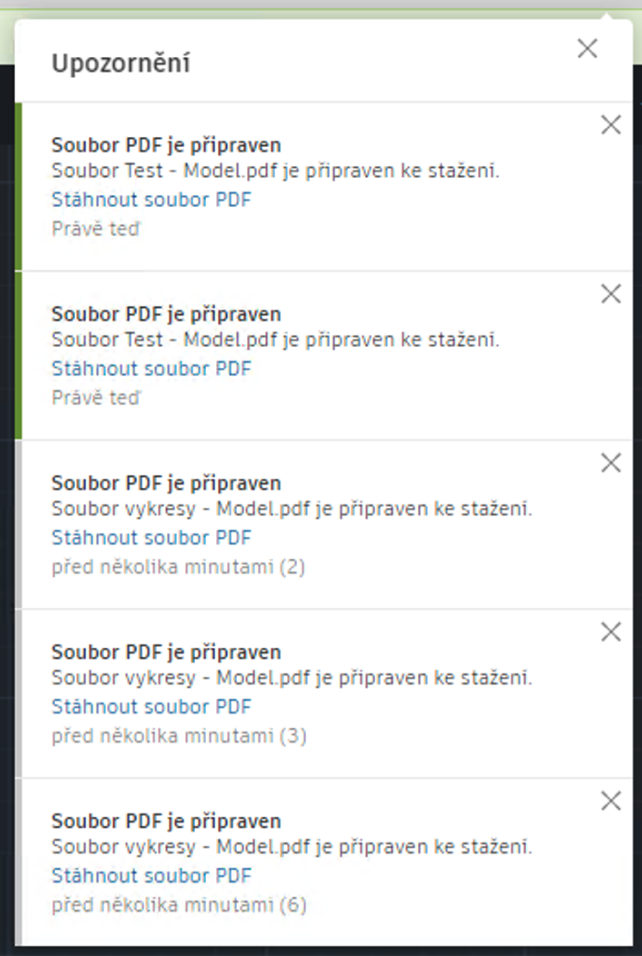
After I choose plot to PDF everything seems to be OK. But after clicking to link Save PDF file, app just opens another tab with drawings. I've tried three browsers in two operation systems. Nothing helps. A month ago the same drawing worked fine.


Thanks for help.

0 Likes
Accepted solutions (1)
1,366 Views
6 Replies
Replies (6)
Message 2 of 7

jkhaberland
Observer
Observer

Having the exact same issue, seems to have started about 7 - 10 days ago (sometime around the last week of June). Anytime I try and print, the plot-to-pdf generated link just opens in another window with the same drawing instead of dl'ing the pdf. I've tried deleting cookies, multiple web browsers and different computers and the result is always the same.


One work around is to download the file (.dwg) to your computer and open and print it with the online Autodesk Viewer however, the printed picture quality is very poor (selecting high resolution is even worse!) compared to being able to directly d/l'ing and printing the plotted file through Autocad Web.

0 Likes
Message 3 of 7

bosekp
Community Visitor
Community Visitor

I have the same issue. Is there a solution ?

0 Likes
Message 4 of 7

jkhaberland
Observer
Observer

I did find an acceptable work around. It adds a step or two but has very acceptable results and, at least for me, is giving me better prints vs the built-in AutoCAD Web App printing method.


1. Google "AutoCAD DWG TrueView", download and install the program (windows only). It is a free Autodesk DWG viewer that is full featured.

2. When you want to print your files, select and download them from AutoCAD and open and print them from the TrueView program. It's actually better than doing it through AutoCAD via plot/PDF conversion as it has more printing options for scale, etc.

0 Likes
Message 5 of 7

BaraaAlkhalaf
Alumni
Alumni
Accepted solution

Hello @bazalik , @jkhaberland @bosekp 


Welcome to Autodesk Web App Forum 🙂


Sorry for this conflict.


This issue is fixed and now working fine as expected. Kindly check on your system.


Did the post helped you and answered your question?

If yes, feel free to click on the button "Mark as Solution". Thus also other users can benefit from the information. In case you still need help please feel free to provide an update here so we as Community know how we can help you best moving forward

Bara'a Alkhalaf
Global Technical Support
Message 6 of 7

jkhaberland
Observer
Observer

Thanks for the fix! I just noticed late last night that it was working again.

0 Likes
Message 7 of 7

BaraaAlkhalaf
Alumni
Alumni
You are welcome 🙂
Bara'a Alkhalaf
Global Technical Support
0 Likes