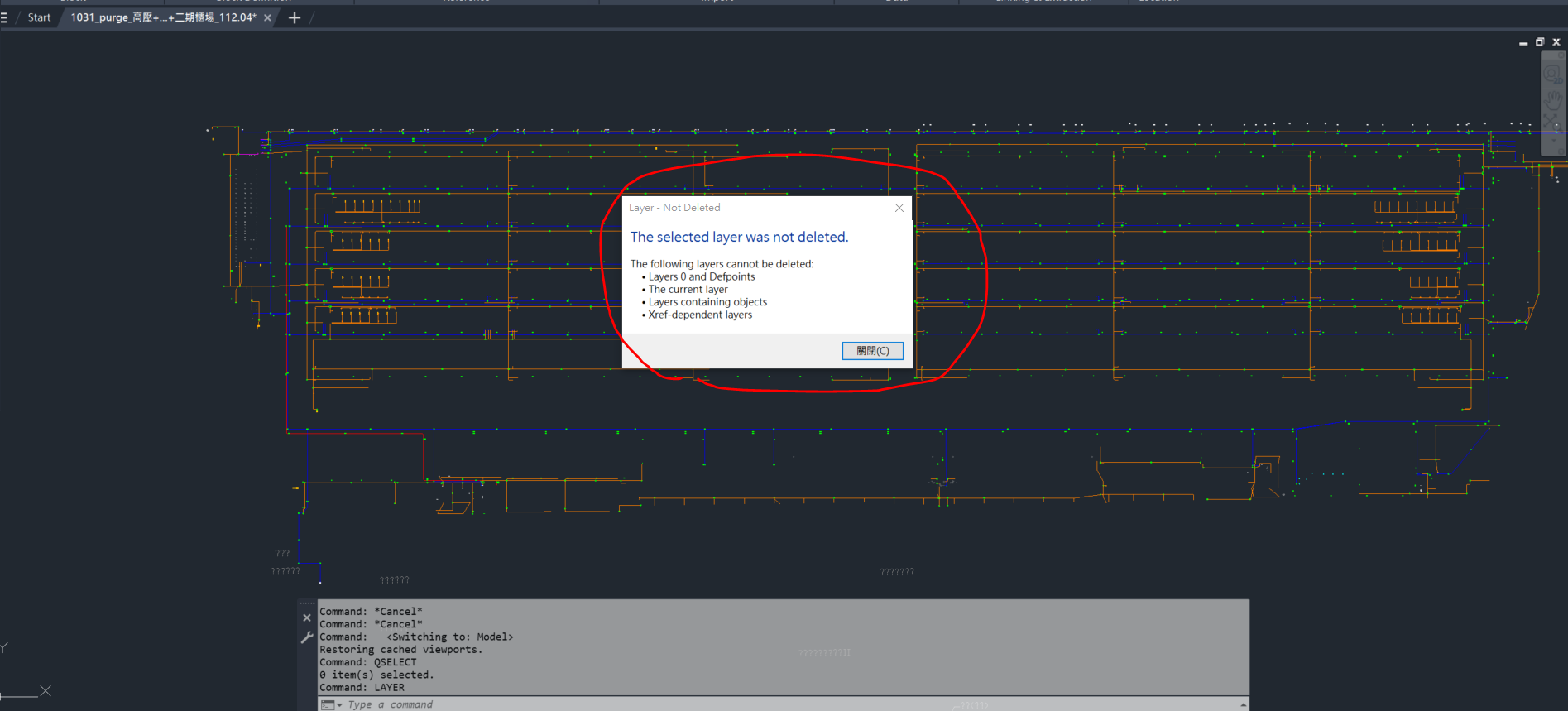
can't delete an empty layer

can't delete an empty layer

nosurvive
Participant Participant
1,819 Views
4 Replies
Message 1 of 5

can't delete an empty layer

nosurvive
Participant
Participant

Hi there,

I cannot delete a unused layer with no objects shown through qselect command with the condition ,ilayer =A-Pipeline-TL-2 .

The given layer is "A-Pipeline-TL-2" and the relevant files and images are attached.

Can anybody help me? Thanks in advance. 🙂

0 Likes
Accepted solutions (1)
1,820 Views
4 Replies
Replies (4)
Message 2 of 5

Patchy
Mentor
Mentor

Try LAYDEL yet?


Message 3 of 5

cadffm
Consultant
Consultant
Accepted solution

Hi,


is really a very problematic tip, instead you should use LAYMRG with Layer0!
(It doesn't make sense to delete things without knowing which things and possibly cause yourself unnecessary problems)


>>"Can anybody help me?"

a) "qselect"

    qselect will select all 1. unnested 2. graphical object in the 3. current space only.

    Three limitations and the reason why qselect is not the answer for all questions.


b) "I cannot delete a unused layer "

   The Layer 'A-Pipeline-TL-2' is used, multiple times!

  If you are running Version2020 or newer: Start PURGE dialog,

  switch to non purgable item option, select your item (layer 'A-Pipeline-TL-2') and read about the references


cadffm_1-1698824464756.png


431 objects inside two blocks are refering to this layer!


Both blocks are purgeable,

so the solution in this case is: Purge the blocks first and you are able to purge the layer then.


In a(nother) case you can't purge the blocks (because you still using them),

use BEDIT to edit the blocks and change the layer of theses 431 objects.


Sebastian

Message 4 of 5

pendean
Community Legend
Community Legend

@nosurvive 

pendean_0-1698852938218.png


Purge command after that got rid of your unwanted layer and everything else not in use

Blocks.................... | Purged : 15
Registry Applications..... | Purged : 26
Layers.................... | Purged : 14
Dimensions................ | Purged : 3
Groups.................... | Purged : 189


Message 5 of 5

nosurvive
Participant
Participant

It works when I try, Thank you. But I wonder what happened to the affected blocks and layers in them.

0 Likes