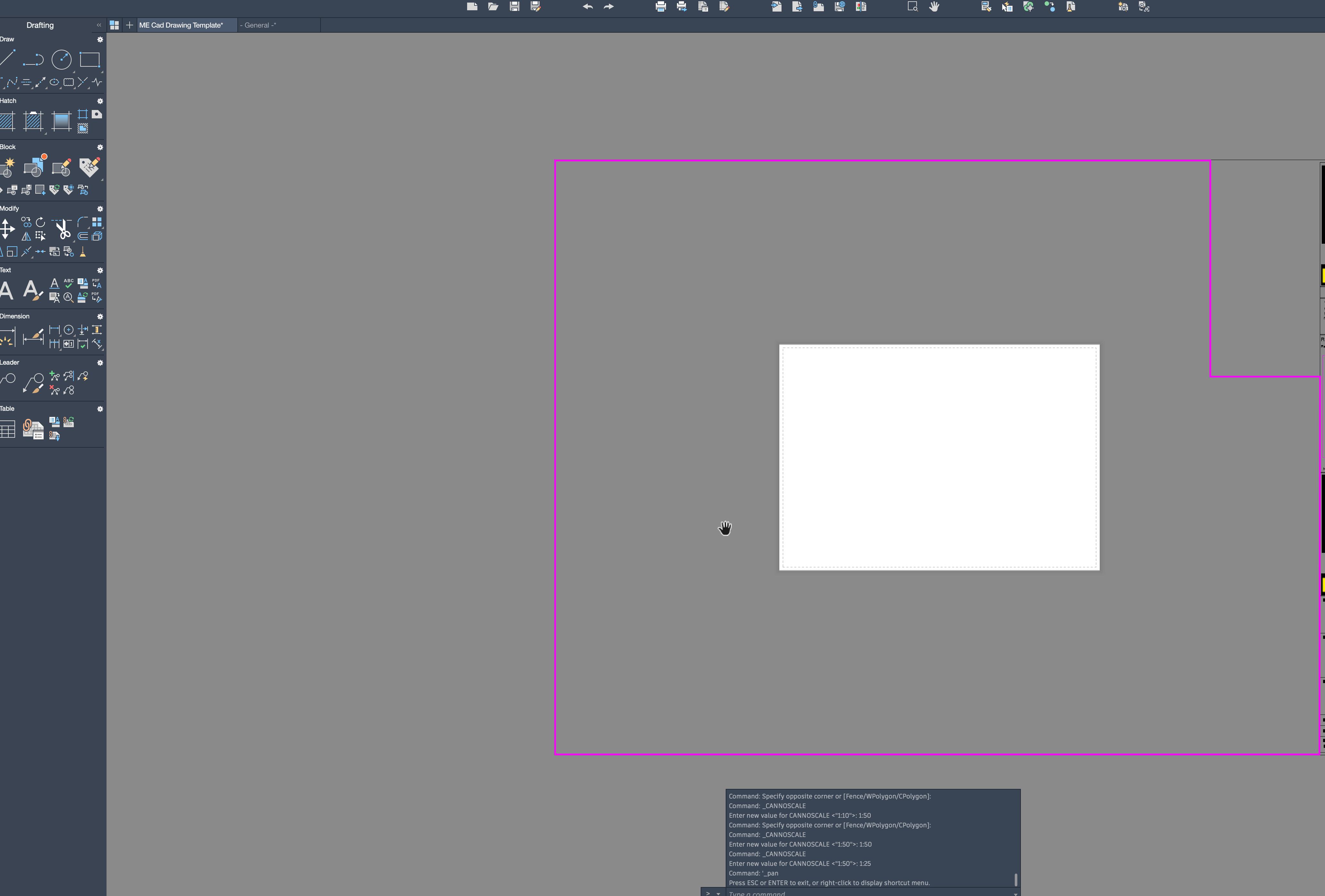
Shows a piece of paper in viewport

Shows a piece of paper in viewport

Anonymous
Not applicable
877 Views
2 Replies
Message 1 of 3

Shows a piece of paper in viewport

Anonymous
Not applicable

Hi I have recently had some templates set up on AUTOCAD lite for Mac.


On my A0 template the viewport shows the white piece of paper fine but on all the others it shows it in all different positions, everything prints fine but i would prefer it all white so i can see what i have in there a little easier.


Screenshot attached.

0 Likes
878 Views
2 Replies
Replies (2)
Message 2 of 3

h_s_walker
Mentor
Mentor

Not too sure where it is in LT for MAC, but in Windows at the command line if you type in OPTIONS and then click on COLORS in the DISPLAY tab you can change the background colour.

See the image below

Capture.JPG

Howard Walker
Did you find this post helpful? Feel free to Like this post.
Did your question get successfully answered? Then click on the ACCEPT SOLUTION button.

EESignature


Left Handed and Proud

0 Likes
Message 3 of 3

maxim_k
Consultant
Consultant

Hi @Anonymous 


If you are using AutoCAD 2021 for Mac you can change Paperspace background in AutoCAD Preferences - Look & Feel tab):

http://help.autodesk.com/view/ACDMAC/2021/ENU/?guid=GUID-B7D331D4-C973-4DB3-9345-65E928196885


Do you find the posts helpful? "LIKE" these posts!
Have your question been answered successfully? Click 'ACCEPT SOLUTION' button.


Maxim Kanaev
Architect
MARSS

MacACAD | Linkedin

Etiquette and Ground Rules of Autodesk Community
0 Likes