


Message 1 of 4
Problems with round tool

Not applicable
12-30-2016
04:34 AM
- Mark as New
- Bookmark
- Subscribe
- Mute
- Subscribe to RSS Feed
- Permalink
- Report
Hello,
at first I want to apolgize for my english grammar - I'm not native speaker.
I have issue with the round tool while trying to create a grid in Alias. I need to round the corners a little bit, however I can't do that.
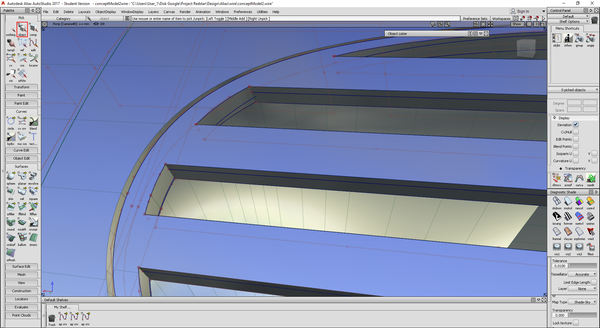

As you can see in the pictures - the round tool creates the surface not only along the edge, but it continues further and broke the trimmed surface. I tried to modify the trimmed surface by not trimming from the main surface (the big one in top left corner), but by creating separate square around grill and trimming that square, however that doesn't work either. So my question is how can I create the round only along the edge? And if this description is not enough, I can provide you with original file.
Thanks.

