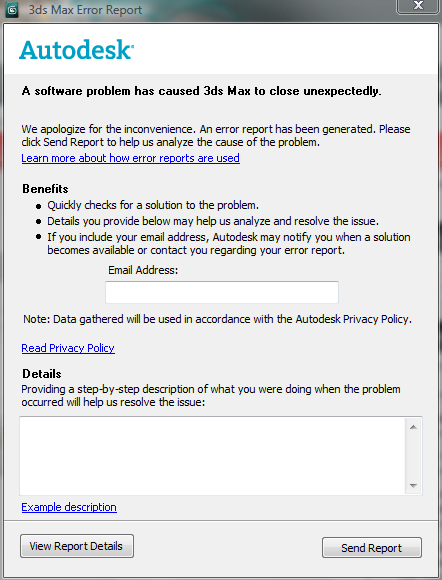
A software problem has caused 3D's Max to close unexpectedly in 3DS Max 2018

A software problem has caused 3D's Max to close unexpectedly in 3DS Max 2018

Anonymous
Not applicable
8,663 Views
2 Replies
Message 1 of 3

A software problem has caused 3D's Max to close unexpectedly in 3DS Max 2018

Anonymous
Not applicable

Hi!

I was having this same problem and found the solution on another topic.

I just deleted a file "ProSound.dlc", that was in the "stdplugs" folder.


Original Topic:

https://forums.autodesk.com/t5/installation-licensing/3ds-max-2018-crashes-on-launch/m-p/7035745#M17...


Your post has been turned into a thread by @hagen.deloss: the original thread can be found here

Accepted solutions (1)
8,664 Views
2 Replies
Replies (2)
Message 2 of 3

AmirAbangah
Community Visitor
Community Visitor

I had this problem, after so much research I found the cause of it,

simply you should change the "Display Drivers"  in 3d.s. Max in here:

customize>preferences>viewports>display drivers

you should choose another one and select the one that work in right way


@Anonymous wrote:

Whenever I try and open my 3D's Max it just gets this error eatch time I try and open it, it was working fine a coupel of weeks ago but I don't know what happened to it.


Message 3 of 3

hagen.deloss
Autodesk
Autodesk
Accepted solution

Hello @Anonymous and @AmirAbangah


I wanted to note that I moved this into its own thread, as the previous one was specific to 3DS Max 2010, and the solutions posted here seem to be in regards to 3DS Max 2018.


I'm so happy you found solutions to why your copies of Max weren't starting up! As @AmirAbangah mentioned, if someones graphic card is having trouble starting 3DS Max, you can try switching the graphics mode Max starts in. 


Here is the associated article explaining how to do that


As @Anonymous has found, it could also be due to residual plugins from previous installs, here are some other reasons the software wouldn't start up. For a full explanation of how to  perform a clean uninstall, check out this article here


This all being said, to best understand why your copy of 3DS Max isn't loading, or why your scene isn't opening is to post here on the forums/contact support with screenshots of the warning/pop up/ or error that displays. Describe the exact environment you are encountering the issue in (computer hardware specs, what version of the software, most recent driver updates etc).


I hope this information helps!


Hagen Deloss
Community Manager | Media & Entertainment
Installation & Licensing forums | Contact product support | Autodesk AREA


0 Likes