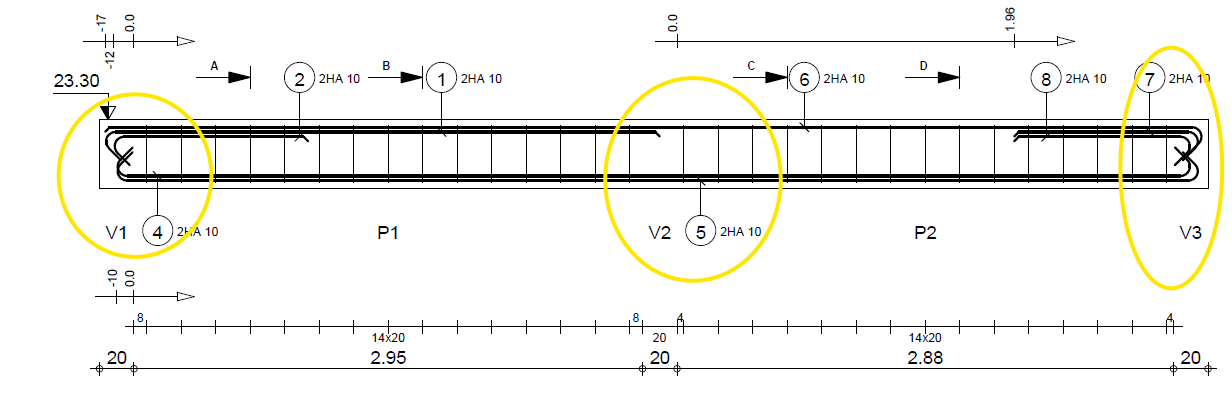
Missing supporting beam representation in Robot Structural Analysis 2026 drawings

- Mark as New
- Bookmark
- Subscribe
- Mute
- Subscribe to RSS Feed
- Permalink
- Report
Hello everyone,
I would like to get your input on a specific behavior in Robot Structural Analysis regarding reinforced concrete beam reinforcement drawings.
When a beam is supported by other beams, the graphical representation of these supporting beams does not appear on the generated drawing only the support labels (e.g., V1, V2) are shown. Conversely, when the supports are columns or structural walls, their geometry is properly rendered.
In earlier versions (such as 2014, 2019, and 2020), supporting beams were fully represented on the drawings. However, I am observing this missing geometry in both the 2025 and 2026 releases.
Have you encountered this behavior? Is this a design feature update, a known issue, or simply a drawing setting/parameter that needs to be enabled?
Thank you in advance for your help!