Material Properties (API)

Material Properties (API)

Anonymous
Not applicable
4,417 Views
30 Replies
Message 1 of 31

Material Properties (API)

Anonymous
Not applicable

Hi,


Is there any way to get tabulated data for all of the materials in the Robot database?  I searched in the program files / Robot 2013 but can't find it easily.  


Thanks,

Tony

0 Likes
Accepted solutions (1)
4,418 Views
30 Replies
Replies (30)
Message 2 of 31

Rafal.Gaweda
Autodesk Support
Autodesk Support

Only as additional columns in Bars, Panels ro Quantity Survey tables


qs.jpg


Rafal Gaweda
Message 3 of 31

Rafal.Gaweda
Autodesk Support
Autodesk Support

Or something for you 🙂 -> small API in Excell geting materials \ material data in the way you want.


Rafal Gaweda
Message 4 of 31

Anonymous
Not applicable

hahah ok thanks 🙂


So, without API, if a colleague wants to print a list of material properties for example - all concrete types - then he would have to draw many bars, then assign each one a material?  Then use the table you describe?


not a atext file somewhere here:

C:\Program Files\Autodesk\Autodesk Robot Structural Analysis Professional 2013


tony

0 Likes
Message 5 of 31

Rafal.Gaweda
Autodesk Support
Autodesk Support

@Anonymous_Adsk wrote:

Or something for you 🙂 -> small API in Excell geting materials \ material data in the way you want.


Example attached (materials used in model)


Rafal Gaweda
0 Likes
Message 6 of 31

Rafal.Gaweda
Autodesk Support
Autodesk Support
 

not a atext file somewhere here:

C:\Program Files\Autodesk\Autodesk Robot Structural Analysis Professional 2013


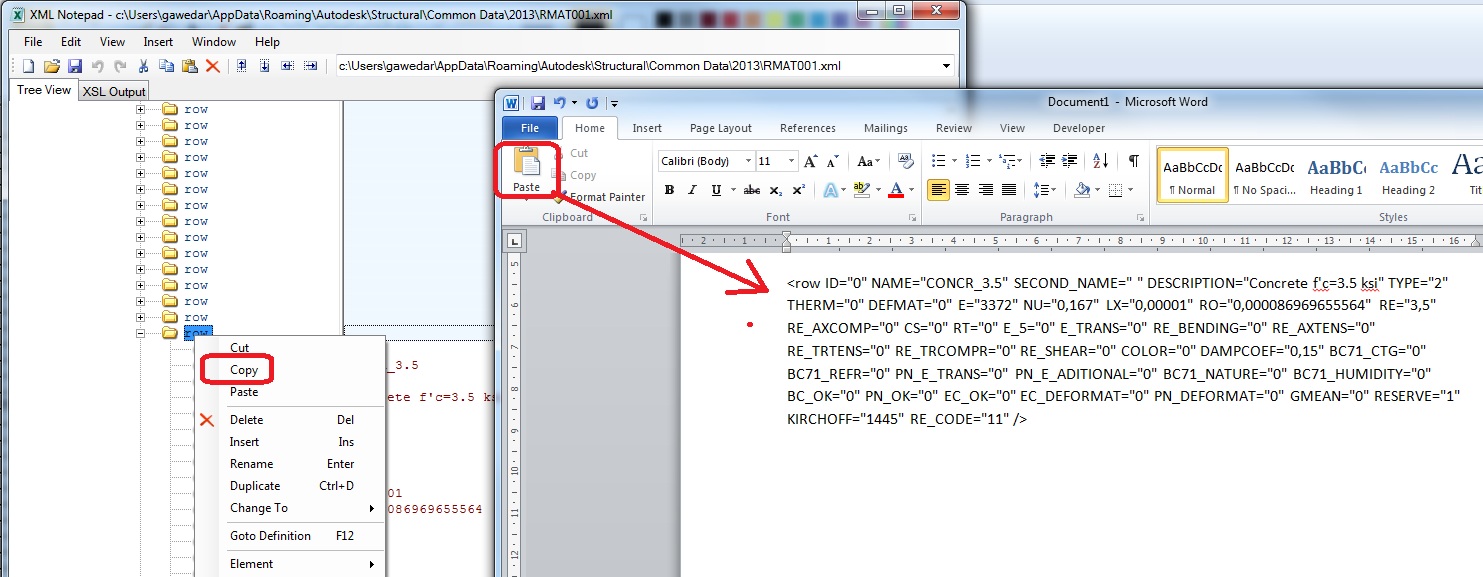
XML file = kind of text file, material databases names  : rmat*.xml


"c:\ProgramData\Autodesk\Structural\Common Data\2013\Data\Mate" 

--------------------------------

user section databases, material databases, etc.


Win 7 32- or 64-bit RSAPro:
C:\Users\username\AppData\Roaming\Autodesk\Structural\Common Data\2013\


Rafal Gaweda
0 Likes
Message 7 of 31

Rafal.Gaweda
Autodesk Support
Autodesk Support

Hint below


xml.jpg


Rafal Gaweda
0 Likes
Message 8 of 31

Rafal.Gaweda
Autodesk Support
Autodesk Support
Accepted solution

API, API, API...

Gift for You attached - whole database to Excel.


If you want only concrete materials  :


replace


Set RNA = RobApp.Project.Preferences.Materials.GetAll

by


Set RNA = RobApp.Project.Preferences.Materials.Get(I_MT_CONCRETE)


Rafal Gaweda
Message 9 of 31

Anonymous
Not applicable

Rafal,

You are THE man.


Cheers,

Tony

0 Likes
Message 10 of 31

Anonymous
Not applicable

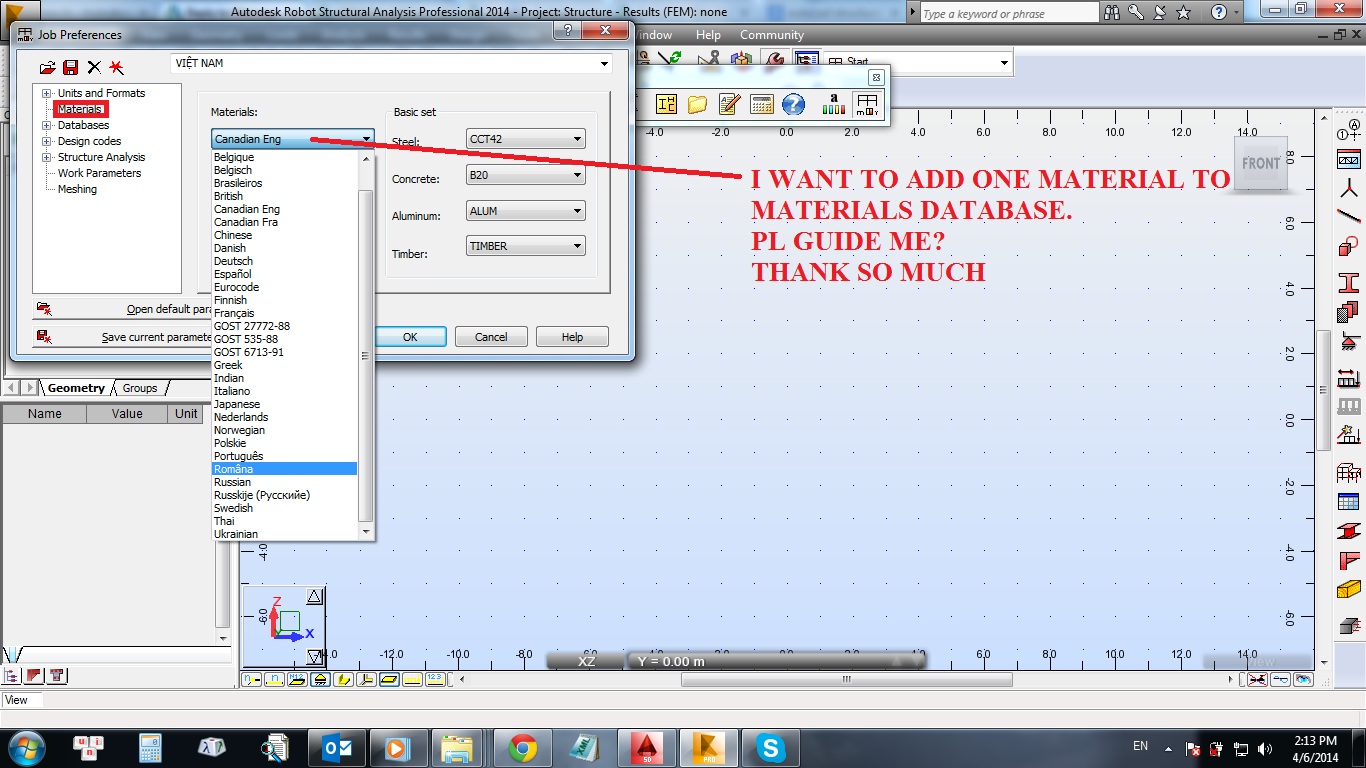
dear all pro

i want to add one material to materials database

pl see image below for more detai

 RSA Mat.jpg


THANK ALL

0 Likes
Message 11 of 31

dimogrec
Advocate
Advocate
0 Likes
Message 12 of 31

Anonymous
Not applicable

Thank pro 

But I want to add one more country to material database

can you help me?

Thank so much

0 Likes
Message 13 of 31

dimogrec
Advocate
Advocate

Fisrtly select Materials->"country database from which you want to copy material"->modification, then copy the values of material properties (into a paper or doc)

Then open your country database (the one you want to add the material) -> modification, select the type of material (concrete,steel..ecc) and then write a new name for your material, paste the values of material properties and then click add and ok

I don't know a faster way to do this

0 Likes
Message 14 of 31

Rafal.Gaweda
Autodesk Support
Autodesk Support
I think he wants to create completely new material database and attach it to Robot.


Rafal Gaweda
0 Likes
Message 15 of 31

Rafal.Gaweda
Autodesk Support
Autodesk Support
Example movie: http://screencast.com/t/9shu2LnMq0j


Rafal Gaweda
Message 16 of 31

Anonymous
Not applicable

YES , THANK PRO SO MUCH. 

It's just what I had in mind

You are very pro RSAP.


0 Likes
Message 17 of 31

ledinhchinh0409
Advocate
Advocate

hi. @Rafal.Gaweda @Anonymous 

Hi. I also have the same theme. I have added the definition of B22.5, Resistance: 13 MPa.

Capture1.PNG

But when designing the Material properties there is Rb = 11.5 MPa. Can you help me. Thank you!
Capture.PNG

0 Likes
Message 18 of 31

ledinhchinh0409
Advocate
Advocate

hi. @Artur.Kosakowski

I think in this case, RSA is wrong, is not it?

0 Likes
Message 19 of 31

Artur.Kosakowski
Autodesk Support
Autodesk Support

Hi @ledinhchinh0409


The Russian SINP code is a specific one as instead of providing formulas to describe the relationship between E and resistance it uses the tabulated values instead and gives no indication what to do when the concrete grade is not the one explicitly stated in the code itself. This is the reason adding new (different than specified in) concrete grades for SNIP may result in having unexpected results as program tries to interpolate among the values given in these tables. 


If I managed to answer your question(s) press the Accept as Solution button please. This will help other users to find solution(s) much faster. Thank you.


Artur Kosakowski
Message 20 of 31

ledinhchinh0409
Advocate
Advocate

hi. @Artur.Kosakowski

Thanks you verymuch. 

So the definition of caculation options is not acceptable?

Capture.PNG