Concrete Column Base connection

Concrete Column Base connection

bartolome1819
Enthusiast Enthusiast
4,125 Views
9 Replies
Message 3 of 10

Concrete Column Base connection

bartolome1819
Enthusiast
Enthusiast

Hello, about this connection, when I run a steel structure and I select one joint (fixed) the program ask me if I want to create a footing (single foundation) for that element (a steel column IPE), after I accept the program calculate the foundation, I open the module "steel conection verification" in order to create a concrete column base. I see on my structure the steel column and the foundation But, the button "concrete column base" is disable. My question is, how I can get this button enable to make this connection (steel column -> concrete column base to one foundation). Thank You. 

0 Likes
4,126 Views
9 Replies
Replies (9)
Message 1 of 10

bartolome1819
Enthusiast
Enthusiast

Hello, about this connection, when I run a steel structure and I select one joint (fixed) the program ask me if I want to create a footing (single foundation) for that element (a steel column IPE), after I accept the program calculate the foundation, I open the module "steel conection verification" in order to create a concrete column base. I see on my structure the steel column and the foundation But, the button "concrete column base" is disable. My question is, how I can get this button enable to make this connection (steel column -> concrete column base to one foundation). Thank You. 

0 Likes
Message 2 of 10

bartolome1819
Enthusiast
Enthusiast

Hello, about this connection, when I run a steel structure and I select one joint (fixed) the program ask me if I want to create a footing (single foundation) for that element (a steel column IPE), after I accept the program calculate the foundation, I open the module "steel conection verification" in order to create a concrete column base. I see on my structure the steel column and the foundation But, the button "concrete column base" is disable. My question is, how I can get this button enable to make this connection (steel column -> concrete column base to one foundation). Thank you

0 Likes
Message 4 of 10

Artur.Kosakowski
Autodesk Support
Autodesk Support
Accepted solution

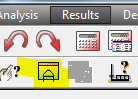
Select he column and its bottom (supported) node and press the indicated button


steel connection from model.PNG


If you find your post answered press the Accept as Solution button please. This will help other users to find solutions much faster. Thank you.


Artur Kosakowski
Message 5 of 10

bartolome1819
Enthusiast
Enthusiast

Thank you for your time, I know that with this button I can design a base, but my question is, why if I have concrete and a steel column, the button "concrete column base" is disabled.??

Thank you

0 Likes
Message 6 of 10

Artur.Kosakowski
Autodesk Support
Autodesk Support
Accepted solution

This connection type is available for French CM66  code only but I assume this is not the type you want to use for your frame Smiley Happy


If you find your post answered press the Accept as Solution button please. This will help other users to find solutions much faster. Thank you.


Artur Kosakowski
Message 7 of 10

bartolome1819
Enthusiast
Enthusiast

ahhh ok!!! thank you!!

saludos desde Caracas - Venezuela

0 Likes
Message 8 of 10

bartolome1819
Enthusiast
Enthusiast
Accepted solution

Last question 1) for this topic, on the same picture I posted here, how can I see the reinforcement bars on the foundation in the main window?
I'm using 3d frame design, I don't know if I need to open a building design project to see the reinforcement bars.
2) In others autocad programs, I can select one element (a beam, a column, a line) and hide the rest of the structure (ideal for edit) and I can draw references lines, references planes and points. The question is, How can I select one element and hide all the rest of the structure? And, How can I draw reference lines points and planes?

Thank you!!

0 Likes
Message 9 of 10

Artur.Kosakowski
Autodesk Support
Autodesk Support
Accepted solution

1) for this topic, on the same picture I posted here, how can I see the reinforcement bars on the foundation in the main window?


You can't. You can see them only in the RC Design modules.


2)  The question is, How can I select one element and hide all the rest of the structure?


You select the part of the model you want top see and open it in a new window


open in a new window.PNG


And, How can I draw reference lines


line.PNG

points


node.PNG


and planes?


planes.PNG


If you find your post answered press the Accept as Solution button please. This will help other users to find solutions much faster. Thank you.


Artur Kosakowski
Message 10 of 10

bartolome1819
Enthusiast
Enthusiast
Accepted solution

Thanks a lot  Smiley Happy

0 Likes