3D FE analysis of bespoke steel connection

3D FE analysis of bespoke steel connection

O.Maille
Advocate Advocate
2,768 Views
5 Replies
Message 1 of 6

3D FE analysis of bespoke steel connection

O.Maille
Advocate
Advocate

I need to design a bolted flange to flange connection for a railway beam.

I can model the beams and bolts in Acad, 3ds max, blender etc....

I have the infrastructural and building design suites.


Can I import 3D solids into robot?

if not I can created surfaces and mesh solids...what is the best way?

0 Likes
Accepted solutions (1)
2,769 Views
5 Replies
Replies (5)
Message 2 of 6

Rafal.Gaweda
Autodesk Support
Autodesk Support
Accepted solution

I can model the beams and bolts in Acad, 3ds max, blender etc....


Yes , as Solids. IN case of your file just convert surfaces to solids.


Can I import 3D solids into robot?


Yes, this way:

- save solids from ACAD,..., as ACIS solids -> *.sat file

- start Robot with Volumetric structure type

- enable ACIS (see below)

- set proper unit (in case of this file mm)

- open sat file


aciss.jpg


if not I can created surfaces and mesh solids...what is the best way?

Two other approaches:

1. Model it from scratch in Robot as solids

2. Simplify model (as shell) creating each beam from 3 panels (web + 2 flanges), bolts as ordinary bars


Rafal Gaweda
Message 3 of 6

Anonymous
Not applicable

Hi,


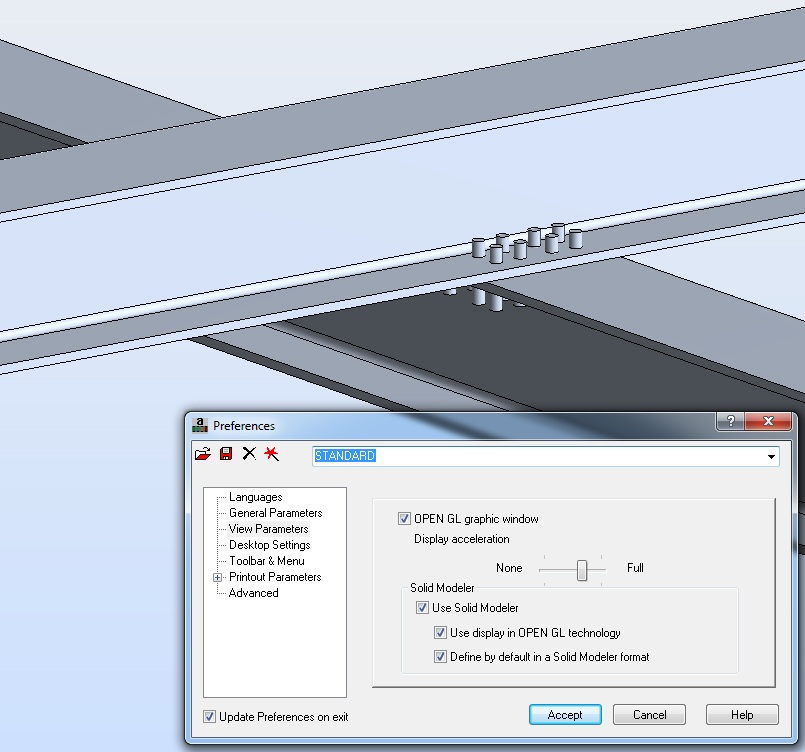
I'm trying to import a .sat file (see below), doesn't work, the Solid Modeler options are not available.


thanks


sat file : https://dl.dropbox.com/u/79282449/passerelle.zip


Benoît

0 Likes
Message 4 of 6

Rafal.Gaweda
Autodesk Support
Autodesk Support


TraitCarré wrote:

Hi,


I'm trying to import a .sat file (see below), doesn't work, the Solid Modeler options are not available.


I am unable to open this file neither in Robot nor in Revit  nor in ACAD.


acadsat.jpg


Rafal Gaweda
0 Likes
Message 5 of 6

Anonymous
Not applicable

the .sat file was created under Cadwork.

Please have a look on the pdf, maybe I have to choose another ACIS version (21.0, 20.2, ...)?


thanks


Benoît

0 Likes
Message 6 of 6

Rafal.Gaweda
Autodesk Support
Autodesk Support

It is not possible to select ACIS version in ACAD, RST, Robot.

Try to save sat file in ACIS 13 or 14 or....  format them try to open in our soft.


Rafal Gaweda
0 Likes