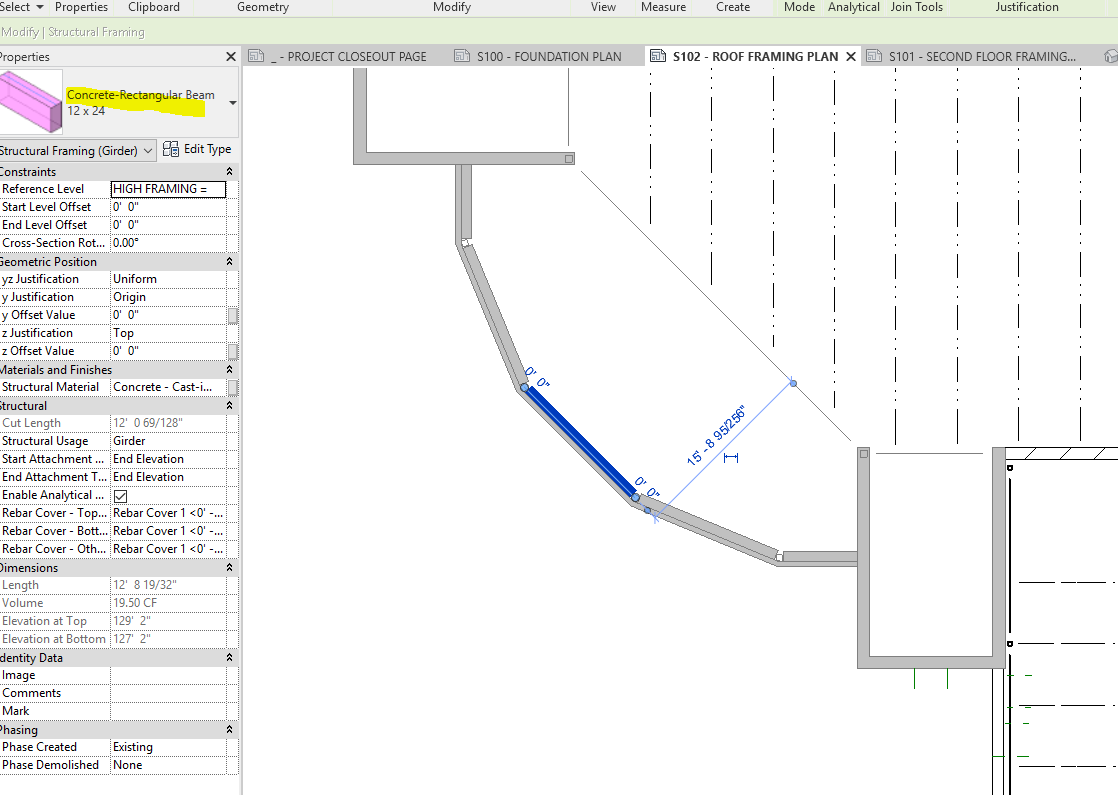
Concrete-Rectangular Beam (line representation in plan view)

Concrete-Rectangular Beam (line representation in plan view)

Anonymous
Not applicable
1,059 Views
1 Reply
Message 1 of 2

Concrete-Rectangular Beam (line representation in plan view)

Anonymous
Not applicable

How do I set my project to graphically show my concrete beams as a solid line opposed to the actual shape/dimensions.  I'm in course view and would like to see all beams as lines... not shapes.


See attachment.

0 Likes
Accepted solutions (1)
1,060 Views
1 Reply
Reply (1)
Message 2 of 2

catalin_lang
Autodesk
Autodesk
Accepted solution

You need to define a coarse representation of the concrete beam. By default a beam concrete families has one representation for all 3 detail levels.


here is a link to an Autodesk University class that walks you through https://www.autodesk.com/autodesk-university/class/Concrete-Modeling-Using-AutodeskR-RevitR-Structur...


catalin.lang


0 Likes