Trying to make a lighting schedule with room names or numbers

Trying to make a lighting schedule with room names or numbers

ben_yusman
Participant Participant
4,066 Views
20 Replies
Message 1 of 21

Trying to make a lighting schedule with room names or numbers

ben_yusman
Participant
Participant

Hi,


     I am working on a project that has varying mounting heights for the same fixtures throughout many rooms, so I figured I would make a schedule to show the type mark, the elevation, and then either the room number or name that the light is placed in. I have the first two, but I am having trouble finding a way to get the room information as well from the linked architecture model. This schedule is just going to be reference material to help me along with finding the lights that need sheet note references quicker, so not a big deal if this is not possible. Any help would be greatly appreciated.


0 Likes
4,067 Views
20 Replies
Replies (20)
Message 2 of 21

iainsavage
Mentor
Mentor

It seems that light fixtures don't know what room they are in, there's no parameter for that?

So it would probably need to be a Dynamo solution to check for coordinates of each light versus coordinates of each room.

I'm sure this has been asked before so there's probably an existing script out there which would do this for you.

0 Likes
Message 3 of 21

iainsavage
Mentor
Mentor

Actually I did a bit of research (I don't do electrical) and it seems that it should be possible to schedule the room that the light is in but there are posts in which the behaviour doesn't work and I can't get it to work in the Autodesk MEP sample file which I have opened. 

Maybe someone electrical can contribute to this post.

0 Likes
Message 4 of 21

RobDraw
Mentor
Mentor

I can't remember exactly what it's called but there's something like a room point that can be added to families. 


Rob

Drafting is a breeze and Revit doesn't always work the way you think it should.
0 Likes
Message 5 of 21

sragan
Collaborator
Collaborator

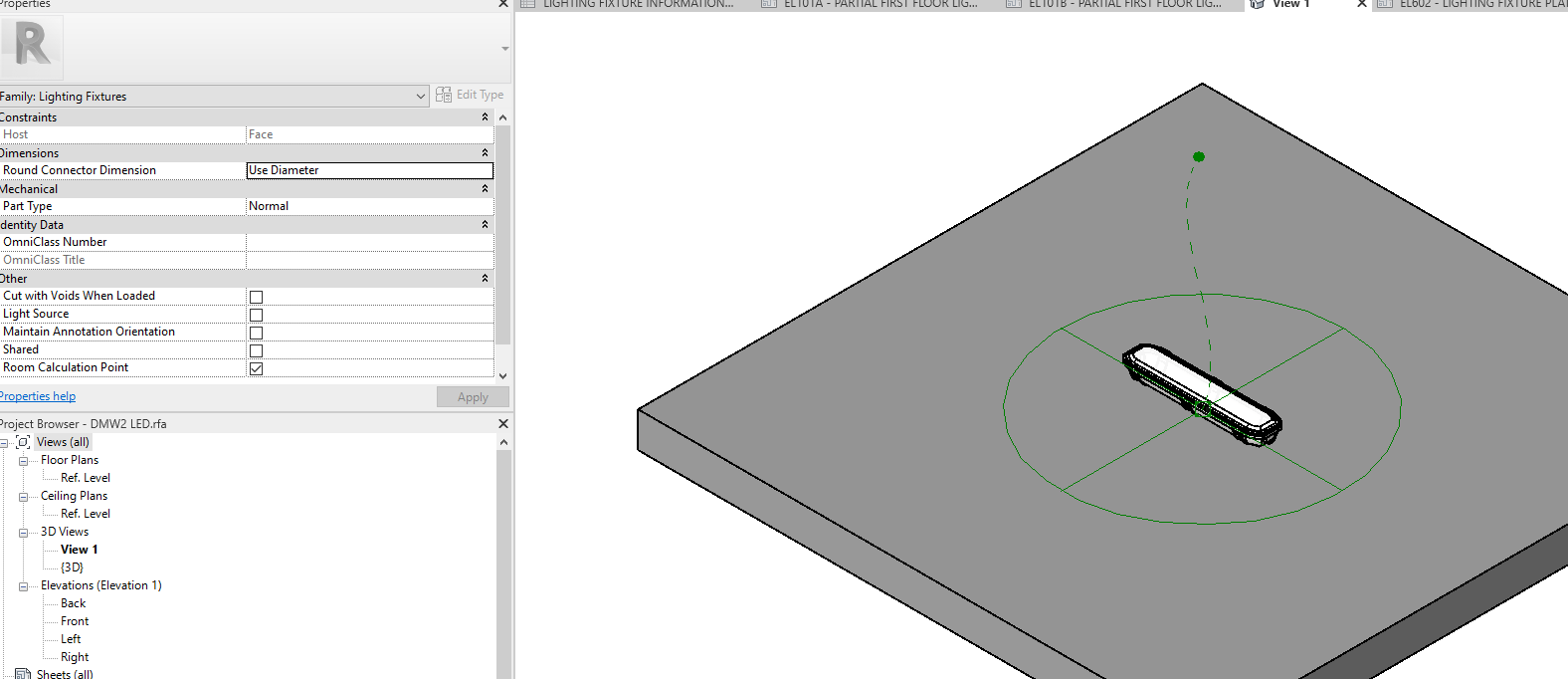
yes, there is a room point you can move if you edit the family.


I think you may also have more luck using spaces.   They can be automatically populated from the rooms in the linked file.


Also, make sure your link is set to "Room Bounding"

Message 6 of 21

iainsavage
Mentor
Mentor

To help the OP I tried this in the Autodesk RMEbasic sample project and there was no option to include rooms or spaces in the lighting schedule, with or without the Room Calculation Point enabled. The rooms and spaces are in the project, not in a link. There is no "Room" or "Space" parameter available in the list of schedule fields and there is no Room or Space parameter listed in the light fixture properties.

iainsavage_0-1686218784851.png


iainsavage_1-1686218867172.png


I found this post on Revitforum:

https://www.revitforum.org/node/38954


0 Likes
Message 7 of 21

sragan
Collaborator
Collaborator

Did you try using the Drop Down at the top of the Properties window and picking Space or Rooms?


Of course, then you also have to sort by Space or Room Name or Number.


sragan_1-1686230045413.png


0 Likes
Message 8 of 21

ben_yusman
Participant
Participant

I did try that, but no luck.

0 Likes
Message 9 of 21

sragan
Collaborator
Collaborator

So you have the fields in the schedule, and it looks like you have "every instance itemized", which is good.


it looks like the lights just aren't in the room.  I think the spaces default to an 8' height, and your fixtures are higher.  So you either need to make sure the rooms and spaces are maybe 13' or 14' tall, or you need to edit the light fixture family, and select the "Room Calculation Point", and drag it about 5' lower than the light.  (This can be tricky sometimes because sometimes the lights get inverted so they are inserted upside down, so make sure you drag the point the right direction.

0 Likes
Message 10 of 21

ben_yusman
Participant
Participant

I tried each mentioned step, but neither ended up working and I also cannot find the linked room boundary that you showed in the second image.

0 Likes
Message 11 of 21

ben_yusman
Participant
Participant

I do have the room calculation point turned on and I even dragged it way down as you suggested, but still no change in the schedule.

0 Likes
Message 12 of 21

sragan
Collaborator
Collaborator

If your rooms are from a linked file, to get the linked room boundary, go to any view and select the link so its highlighted, and then go to the properties window.   Hit the "Edit Type" button in the properties window, and its the first item listed.


If it still doesn't work, maybe try to make a new project with just a couple of rooms in that project, and see if you can get it to work.  Then try linking a file and see if that will work.  

0 Likes
Message 13 of 21

ben_yusman
Participant
Participant

I was able to find the room boundary check box, but still no change to the schedule.

0 Likes
Message 14 of 21

sragan
Collaborator
Collaborator

I do know it is possible:  Try scheduling the spaces and see what you have.

Lighting Fixture Schedule with Spaces.png

0 Likes
Message 15 of 21

ben_yusman
Participant
Participant

I have tried that already with no results, unfortunately.

0 Likes
Message 16 of 21

ToanDN
Consultant
Consultant

You cannot reference Rooms in the linked model in your lighting schedule.  Make the link Room Bounding and create Spaces in your own model to match the linked Rooms then you can show Spaces in the schedule.  


0 Likes
Message 17 of 21

HVAC-Novice
Advisor
Advisor

Works for me with space names and numbers (my current project doesn't have rooms, so I didn't try rooms).


I'm on R2024, but don't think that matters here. 

Revit Version: R2026.4
Hardware: i9 14900K, 64GB, Nvidia RTX 2000 Ada 16GB
Add-ins: ElumTools; Ripple-HVAC; ElectroBIM; Qbitec
0 Likes
Message 18 of 21

iainsavage
Mentor
Mentor

@sragan  schrieb:

Did you try using the Drop Down at the top of the Properties window and picking Space or Rooms?


Of course, then you also have to sort by Space or Room Name or Number.


sragan_1-1686230045413.png


That worked for me now, as I said I'm not electrical so don't usually use lighting schedules:

iainsavage_0-1686246010668.png


Message 19 of 21

motaz_moshed
Community Visitor
Community Visitor

Thanks ❤️

0 Likes
Message 20 of 21

tkbim
Enthusiast
Enthusiast

The rooms may not be placed with the top height to fill the space.

I see this all the time with our architects.

I usually have to fix the limits on the rooms.


Check and see if you can tag the rooms in the links.

If the link has Room Bounding checked, you can create spaces in your model and fix the limits.