Revit Architecture Forum
Welcome to Autodesk’s Revit Architecture Forums. Share your knowledge, ask questions, and explore popular Revit Architecture topics.
abbrechen
Suchergebnisse werden angezeigt für 
Anzeigen  nur  | Stattdessen suchen nach 
Meintest du: 

Splitting Interior Elevations Makes Wall Sweep Disappear

12 ANTWORTEN 12
GELÖST
Antworten
Nachricht 1 von 13
AlexLibengood
1592 Aufrufe, 12 Antworten

Splitting Interior Elevations Makes Wall Sweep Disappear

I'm using the Elevation tool to create interior elevations of all walls in a room. There is crown molding in this room that is created using the Wall Sweep tool.


The crop region boundaries for the interior elevation are locked to the wall finish on the left and right of the elevation, the floor below, and the ceiling above.


The crown molding shows just fine if the elevation is not split.  But as soon as I split the elevation, the crown molding disappears.  The only way to make it reappear again is to edit the elevation's crop region boundary so that it overlaps the walls on the left and the right.  I don't want to see the section of those walls.


Why do the rules that dictate what Revit sees in elevation seem to change when the elevation gets split?  Even if the crop region only showed a portion of the elevation, it should still show the wall sweep on the wall!


Thanks.

12 ANTWORTEN 12
Nachricht 2 von 13
Judy_S
als Antwort auf: AlexLibengood

Hi, Alex,


I'm Judy, a Revit specialist. I see your crown moulding is disappearing when you split your elevation view and then you have to make the crop boundaries a little larger than you want in order for the moulding to reappear. Would you be able to post a sample model with a few walls, the crown moulding, and the elevation? I'll be happy to take a look and see what's going on. It would be great if you could make a Screencast video to show me the exact steps you're taking, but if you can't do that, the sample model will be a help. By the way, which version of Revit are you using?


Looking forward to hearing from you!


Cheers,

Judy Staicer


Judy.S

Product Support Specialist, AEC

Link Name | Link Name | Link Name | Link Name
Nachricht 3 von 13
Judy_S
als Antwort auf: AlexLibengood

Hi, Alex,

I haven't heard from you so I wanted to follow up and see if you still needed help with this issue. Please let me know. I'd be happy to look at your model and/or a video to see if I can help figure out what's causing the moulding to disappear. Looking forward to hearing from you soon!


Cheers,

Judy Staicer


Judy.S

Product Support Specialist, AEC

Link Name | Link Name | Link Name | Link Name
Nachricht 4 von 13
AlexLibengood
als Antwort auf: Judy_S

Judy,


Thank you for your reply.


I have attached a sample model with my crown molding that is exhibiting the same behavior that my main model is showing.  The crown molding disappears every time I split the interior elevation.


I also created a screencast I did of my main model showing the steps I am taking that creates this behavior, but it's still in the process of being published to the autodesk site.  I will post again with the link once it's done.


Thanks for your help!

Nachricht 5 von 13
ToanDN
als Antwort auf: AlexLibengood

I can split an elevation view just fine?


Capture.PNG

Nachricht 6 von 13
Anonymous
als Antwort auf: AlexLibengood

It totally looks like the Split Segment tool breaks the Wall Sweep in the elevation. It disappears on mine too as soon as I split segment the elevation. It looks like a bug to me so I'd say submit it as one and get them to fix it up for us.

 
Nachricht 7 von 13
Anonymous
als Antwort auf: ToanDN

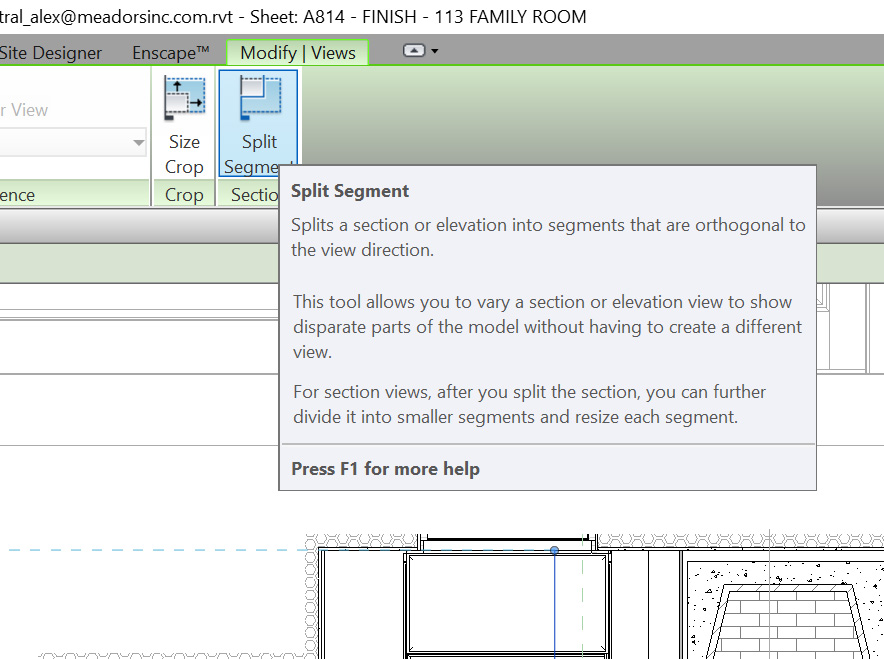
He's talking about something different than dividing the view in the elevation (also called "Splitting" as silly as that is). If you grab the view in plan and use the Split Segment button and then use that it seems to break the sweeps visibility. Revit 2017 (SP2)


snip.PNG

Nachricht 8 von 13
AlexLibengood
als Antwort auf: ToanDN

ToanDN, it's not an issue with splitting the elevation view in elevation.  The issue is with using the "Split Segment" tool that splits the view depth of the elevation in plan (see attached).

Nachricht 9 von 13
ToanDN
als Antwort auf: Anonymous

Got it.
Nachricht 10 von 13
Anonymous
als Antwort auf: ToanDN

Strangely enough if I delete the wall that elevation is looking at it actually makes the profile edges of the sweep visible again but that won't fix the problem.

Nachricht 11 von 13
Anonymous
als Antwort auf: AlexLibengood

Okay, i think there is a fix. As said above in the first reply if you bring out the edges of the elevations crop box so the whole wall and floor and maybe the roof show up the sweep will show back up. From that point you can back the view back tighter towards the inner walls. Just don't take it all the way in. You can't seem to take it all the way to the interior wall face but at least it somewhat shows how you'd expect it to.


So perhaps this isn't a glitch per se but Revit just being a spaz.


snip2.PNG

Nachricht 12 von 13
AlexLibengood
als Antwort auf: Judy_S

Judy,


Have you had any progress on finding a resolution for this?


My Screencast seems to be stuck in the "publishing" phase.  Maybe this will work:


Crown Molding & Split Elevation Issue
https://knowledge.autodesk.com/community/screencast/839f7666-843d-4e2d-bd7a-58d3620ef6c9


Thanks.

Nachricht 13 von 13
Anonymous
als Antwort auf: AlexLibengood

I just gave this a try again with the 2017.1 update and it still happens so it looks like that's a negative. It's easy to fix though as shown in the video you linked. Just walk the crop box a little bit out from the wall face.

Sie finden nicht, was Sie suchen? Fragen Sie die Community oder teilen Sie Ihr Wissen mit anderen.

In Foren veröffentlichen  

Autodesk Design & Make Report