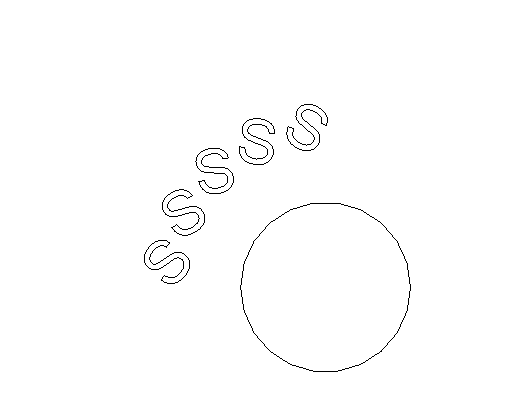
I wanna create curved model text on a wall (like signage). I want it curved upwards (see screenshot). I'd appreciate anyone who can help me out with this. Thank you!
Gelöst! Gehe zur Lösung
Gelöst von syman2000. Gehe zur Lösung
You should check out this video by @Anonymous Medina
https://www.youtube.com/watch?v=rh50vzNSHuM&t=0s
Thanks @syman2000, I already watched this video but it basically only covers curved model text as in on a curved wall. I'm talking about curved signage like the screenshot attached in the first post.
Thanks @amarkonathala, but I don't really get what you mean by 'updated each letter according to sentence framing'... Can you clarify please?
Thank you
When I create the polar array, it doesn't rotate according to the 'reference' [center] point. Am I missing something? @amarkonathala
I was using the video I mentioned and do my own spin. In the Family, you define number of alphabet including space to determine your signage text.
Then, remove the repeater
For each alphabet, you define the value. If it is space, you simply delete it to create a space.
The family has a built in arc height and width to get the text arc which you can adjust. Sadly if you want width to be 2m and arc to be 1m, it will break. So you have to set width as 2m while arc to be 1001mm or 999mm to overcome the constraint.
@syman2000 The Family is Great!
But We have to create new family For every type of names
Thanks so much @syman2000 for the family!! It's perfect-I simply had to change some of the parameters and I was able to use it in my project! Thank you ![]()
Sie finden nicht, was Sie suchen? Fragen Sie die Community oder teilen Sie Ihr Wissen mit anderen.