Can't cut walls with Voids

Can't cut walls with Voids

Anonymous
Not applicable
29,673 Views
12 Replies
Message 1 of 13

Can't cut walls with Voids

Anonymous
Not applicable

I'm at my wits end trying to cut a wall with a void.  I want to chamfer the corners of a wall, but I can't get even a basic void to cut from a wall.  I get the error : "This Mass has no solid geometry for its Void Forms to cut. They must be deleted, or solid geometry added and cut."

They clearly intersect, what am I doing wrong?

Accepted solutions (1)
29,674 Views
12 Replies
Replies (12)
Message 2 of 13

scott_d_davis
Autodesk
Autodesk
Accepted solution

You are using a Mass object to cut a wall.  Mass voids cut Mass solids, not wall solids.  


Create an in-place family using the wall category, then draw the void shape. Use the Cut Geomety tool to pick the wall, then the void to cut it.


Scott D Davis
Sr AEC Technical Specialist
Message 3 of 13

Anonymous
Not applicable
My first born to you.
Message 4 of 13

Anonymous
Not applicable
What if the wall is at an angle. Everything I try wants to cut perpendicular. I want the cut to be straight thru, not perpendicular to the wall being cut. Thank you, Laura
0 Likes
Message 5 of 13

constantin.stroescu
Mentor
Mentor

Maybe I miss something , but cutting with Component -Model In Place-Voids can be done also for angled cuts...Wall Opening is always perpendicular..

Image 2.png

Constantin Stroescu

EESignature

Message 6 of 13

Anonymous
Not applicable

Apparently this procedure does not work for sweeps hosted to walls. Am I missing something? What do you have to do to trim sweeps if not with in-place voids?

0 Likes
Message 7 of 13

ToanDN
Consultant
Consultant

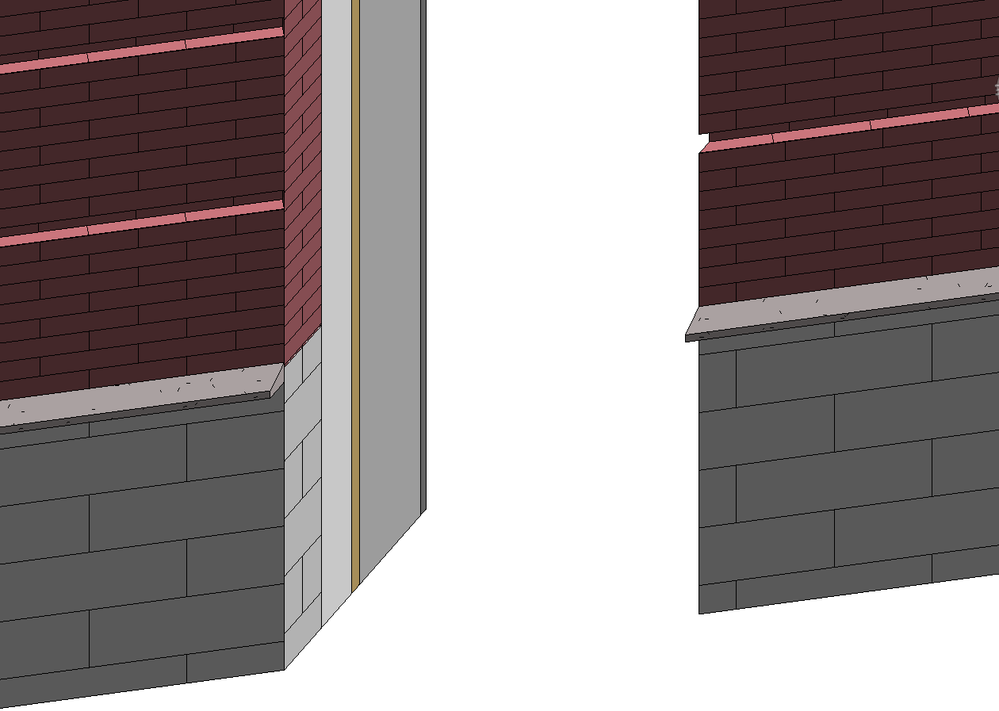
Do you want the sweeps to be cut at an angle too, like below?


Capture.PNG  


P/S:  Since there is a solution marked (and your issue is not exactly the same as the original), I would open a new topic so people don't assume everything is solved at a glance.  

0 Likes
Message 8 of 13

Anonymous
Not applicable

Yes. How did you accomplish this? Voids cannot cut sweeps that are added as a profile to the wall on my end. I have to use in-place families in order to accomplish this. Please advise. Thanks!

0 Likes
Message 9 of 13

ToanDN
Consultant
Consultant

You can do it by:


  • Extend the wall sweep a bit
  • Create parts
  • Divide a part using a named reference plane matching the angle\
  • Hide the unwanted piece.


0 Likes
Message 10 of 13

Anonymous
Not applicable

Thanks for posting the video of your method. I think this highlights the missing functionality from sweeps as they are hosted by walls. That is an interesting method for dividing the parts, but having to hide these in associated views is far from ideal. Perhaps for unique conditions such as these, inplace sweeps should be used instead of those applied directly to the wall. This way one void does all the cutting. I've posted a suggestion to the idea portion of this forum to include the ability to make sweeps cuttable by voids. Please vote this up! Cheers!

Message 11 of 13

Anonymous
Not applicable

thanks mate

0 Likes
Message 12 of 13

Anonymous
Not applicable

my first AND second born to you!!!!!


@scott_d_davis wrote:

You are using a Mass object to cut a wall.  Mass voids cut Mass solids, not wall solids.  


Create an in-place family using the wall category, then draw the void shape. Use the Cut Geomety tool to pick the wall, then the void to cut it.


0 Likes
Message 13 of 13

thomasH93F9
Explorer
Explorer

This doesn't work when the wall consists of parts where one part is demolished

0 Likes