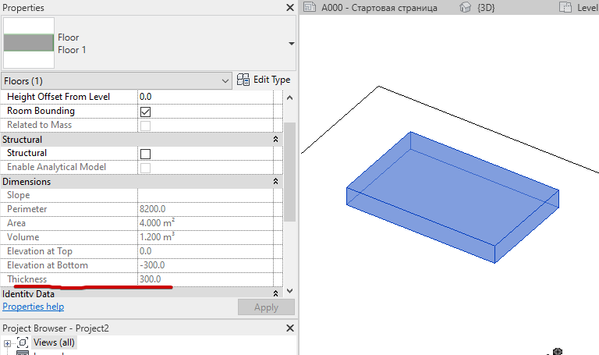
Including non-schedulable system families instance parameters into schedules

- Mark as New
- Bookmark
- Subscribe
- Mute
- Subscribe to RSS Feed
- Permalink
- Report
Hello,
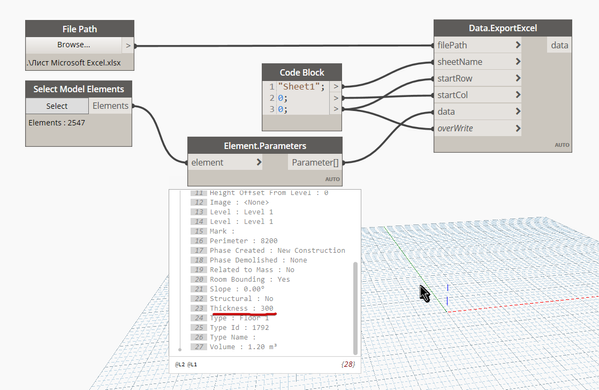
To come around the issue of not been able to include some system families element’s instance parameters into a schedule (like floors “Thickness”) I need to create a Macro that “goes through” all the model’s floors one by one, getting the desired instance parameter value and copping it into an auxiliary project or shared parameter (includable in a schedule) that I created (like "Floor_Thickness_Sch" or something similar...). Please take note that I don’t want to use this for tagging, what I really need is a way of showing the floor’s thickness in a schedule.
Since I’m new to Revit programming I would like to request the experts help for writing this piece of code.
Assuming the auxiliary instance parameter is already created and available in the floors (instance) properties, I think the structure of the macro should look something like this:
1 – Find the “first” floor’s ID
2 – Read and store the value of the desired instance parameter (in this case the “Thickness” instance parameter) for the floor identified in the step 1 or 4 (depending on if this is or not the first cycle’s run);
3 – Paste the value into the auxiliary instance parameter ("Floor_Thickness_Sch") of the current floor;
4 – Move on identifying the “next” floor’s ID and perform tasks 2 to 4 until there are no more floors left in the project
I know a little about VB programming (and almost nothing of the other languages available for Revit API), so, ideas in VB would be very helpful.
Thanks a lot!





 Developer Advocacy and Support +