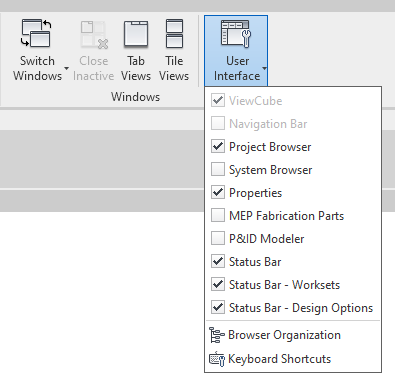
I am not aware of any possibility to add further panels to this list.
I am pretty sure the Revit API does not currently provide this functionality.
I would recommend searching for a corresponding wish list for this in the Revit Idea Station and adding your vote and comments there, or creating a new entry, if there is none already present yet for the suggested functionality:
https://forums.autodesk.com/t5/revit-ideas/idb-p/302
Tag it as an API wish:
https://forums.autodesk.com/t5/revit-ideas/idb-p/302/tab/most-recent/label-name/api
Ensure it gets as many votes as possible to underline its importance to you and the rest of the developer community.
The Revit Idea Station is currently one of the main driving input forces for Revit API enhancements.
The Revit development team look there. Your comment here in the discussion forum might be overlooked.
Thank you!