Generate greyscale heightmap from Remake captured 3d model

Generate greyscale heightmap from Remake captured 3d model

Anonymous
Not applicable
1,707 Views
3 Replies
Message 1 of 4

Generate greyscale heightmap from Remake captured 3d model

Anonymous
Not applicable

Hi


I am new to 3d modelling but can see the power of Remake's capability. Is it possible to capture a 3d model of say a house and then output a view of that model as a high resolution greyscale bitmap image with 256 levels of grey representing the heights. I could then use this in my laser engraver to engrave a 2.5d plaque of the building.


Here is an example of the type of output required. 
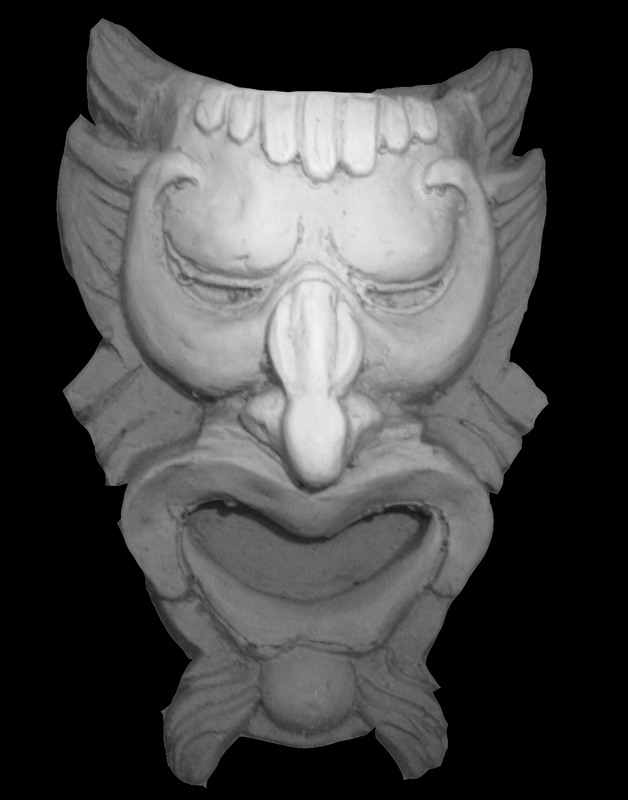
 

is this possible and how? or would I need to import the 3d model into some other software (what software would you recommend?) to output the greyscale heightmap image?


Thanks in anticipation 


Paul

Reply
Reply

0 Likes
1,708 Views
3 Replies
Replies (3)
Message 2 of 4

gerald_chin
Autodesk
Autodesk

Hi Paul,


A suggestion is at the editor workbench with your 3D Model, click on the "Export" icon


Export.PNG


From the Export, click on "Export Image"


ExportImage.PNG


From there, you will be able to export the 3D object as an Image. With the exported image, use a Image editing software and save it as a greyscale image,  this output will give the grey scale based on the colours and shades of the 3D Model and it would not be a very accurate heightmap. However with the output in greyscale, you would get a pretty good raster from the laser engraver.


Do let me know if the solution helped!


Cheers

Gerald Chin

Cheers,
Gerald Chin
Senior User Experience Designer,
Autodesk Vault
Reply
Reply
0 Likes
Message 3 of 4

Anonymous
Not applicable
Hi Gerald,

This is a pre-sale query. I have not purchased your software. To save me wasting time and money, please could you try creating a greyscale file for me as you describe so I can test engraving it. Ideally use an elevation of a building or something comparable.

Thanks in anticipation
Regards
Paul
Reply
Reply
0 Likes
Message 4 of 4

gerald_chin
Autodesk
Autodesk

Hi Paul,


You may download and try the trial version of ReMake at: http://remake.autodesk.com/try-remake, this will give you a better experience with the software and the workflow suggested.


Cheers

Gerald Chin

Cheers,
Gerald Chin
Senior User Experience Designer,
Autodesk Vault
Reply
Reply
0 Likes