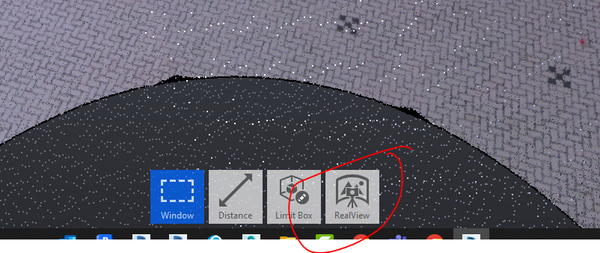
virtual tour with ReCap Pro - RealViews?

virtual tour with ReCap Pro - RealViews?

peter
Explorer Explorer
3,799 Views
8 Replies
Message 1 of 9

virtual tour with ReCap Pro - RealViews?

peter
Explorer
Explorer

Is there anyway to create a walkthrough of a project in RECAP Pro using the RealView imagery?  We have a Matterport and people really like the web based virtual tour.  Is there a way that I can export the RealView images to some sort of virtual tour software?  Or even just an video file that would link all the globes / scanner locations together?  I am not interested in a tour through the point cloud.  Any advice is greatly appreciated.  Thank you.


Regards Peter.


Accepted solutions (1)
3,800 Views
8 Replies
Replies (8)
Message 2 of 9

pcasaday
Enthusiast
Enthusiast

I would like this also. There doesn't seem to be a way at the moment other than using Matterport. I'd think Autodesk should have their own way to replicate the function. There are so many potential capabilities with the combo of recap and scanners such as the BLK360 that I use. It seems Autodesk is just dropping the ball with not taking advantage.


0 Likes
Message 3 of 9

anil_mistry
Autodesk Support
Autodesk Support

Hi @peter,


Thank you for participating in our Community! Have you tried exporting image tool from ReCap Pro. If not then I would suggest to review this help documentation and let me know if this helps what you are trying to achieve. 


Thank you and have a great day!


Please select the Accept as Solution button if my post solves your issue or answers your question.


Anil Mistry
Technical Support Specialist
0 Likes
Message 4 of 9

anil_mistry
Autodesk Support
Autodesk Support

Hi @peter,


I'm just checking in again to see if you need more help with this. Did the suggestion I provided yesterday work for you?

If so, please click Accept as Solution on the posts that helped you so others in the community can find them easily.


Thank you and have a great day!


Anil Mistry
Technical Support Specialist
0 Likes
Message 5 of 9

pcasaday
Enthusiast
Enthusiast

The goal is to create a 3D viewing experience for 3rd party individuals to take advantage of. Do not want to simply be limited to exporting 2D jpgs or png files.


https://matterport.com/3d-scanning-construction-engineering/ 

https://matterport.com/3d-space/mep-room/


It would seem Autodesk could use this same function or offer these features rather than having to go to a separate provider.

0 Likes
Message 6 of 9

PflugerSoftware
Contributor
Contributor

I too would also like this as a feature. Particularly from two perspectives: 

1) A tour where you can load renderings and have an image of a floor plan with image points that someone can click and be taken to a pano of the area (like what kuula does).

2) Capture images in field and have it create a 3D view for you and a schematic design (like what Matterport does)

0 Likes
Message 7 of 9

david4Y59N
Explorer
Explorer

Has anything happened in the meantime ? I would also like to do a virtual reality tour like Matterport without point cloud.
There must be possibilities now after 3 years also by means of the Autodesk Construction Cloud.


It doesn't have to be about Recap either. It is only important to me which format I would need then possibly a third party program can export a reality tour and then provide this in the ACC.

Message 8 of 9

RyanCameron
Advocate
Advocate
Accepted solution

I thought there was a way to do this in Recap Pro. (which I don't have anymore so I'll have to go from memory)


Open your project, go to the RealView tab and select the area for the walkthrough.

ryan_0-1678296381910.png

Setup the view the way you want it.

Click the create snapshot button. (I forgot where this button is). Repeat as many times for as many views as needed.

Go to animations tab, click new animation. drag and drop the snapshots in the order you want.

Adjust the duration. Add transitions. click preview.

Its either export or publish, but to get that button you need the Pro version.


As for exporting the RealView images to virtual tour software, to the best of my knowledge.... Autodesk Recap Pro does not have that functionality built-in. However, you can export the RealView images as individual files and then import them into a virtual tour software that supports image-based tours, such as Pano2VR or Kolor Panotour. Once you have imported the images, you can link them together to create a virtual tour.


Hopefully that helps!

RB Cameron, AIA, LEED AP, EDAC
Digital Practice Leader

0 Likes
Message 9 of 9

klarinda.gunadi.widjanarko
Autodesk
Autodesk

Thanks Ryan for answering.

The menu is called View States.
Please refer to following help doc for more details: https://help.autodesk.com/view/RECAP/ENU/?guid=Reality_Capture_View_and_Navigate_View_States_html


Klarinda Gunadi Widjanarko
Senior Software Engineer
0 Likes