Hi,
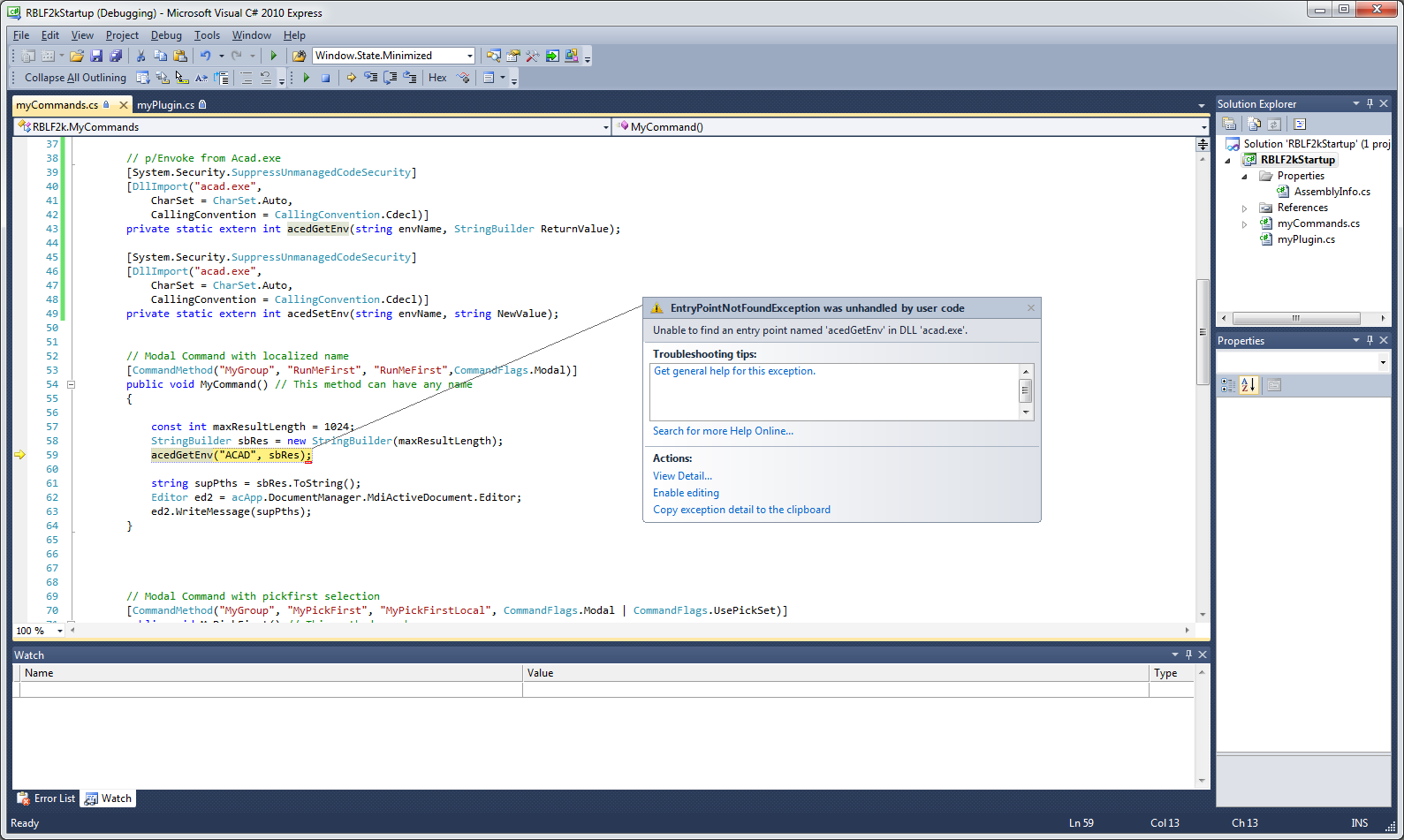
As Alfred said, since AutoCAD 2013, the acad.exe file have been splited into acad.exe and accore.dll.
Try replacing acad.exe with accore.dll in the DllImport arguments.
Anyway, to get and/or set support paths, you can use COM to access to AutoCAD preferences.
This needs to reference the COM librairies or use the Dynamic type. The inconvenients of the first route are the advantages of the second one and vice versa.
Referencing COM libraries means using static typing with type checking at compile time which is a great help during edition time (intellisense), but COM librairies are verion and processor architecture dependant which may be an inconvenient.
Using COM libraries
using Autodesk.AutoCAD.ApplicationServices;
using Autodesk.AutoCAD.EditorInput;
using Autodesk.AutoCAD.Interop;
using Autodesk.AutoCAD.Runtime;

namespace AcadPreferencesStaticTyping
{
    public class CommandMethods
    {
        [CommandMethod("Test")]
        public void Test()
        {
            Editor ed = Application.DocumentManager.MdiActiveDocument.Editor;
            AcadPreferences prefs = (AcadPreferences)Application.Preferences;
            string[] supportPaths = prefs.Files.SupportPath.Split(';');
            foreach (string str in supportPaths)
            {
                ed.WriteMessage("\n{0}", str);
            }
        }
    }
}
Using Dynamic type
using Autodesk.AutoCAD.ApplicationServices;
using Autodesk.AutoCAD.EditorInput;
using Autodesk.AutoCAD.Runtime;

namespace AcadPreferencesDynamicTyping
{
    public class CommandMethods
    {
        [CommandMethod("Test")]
        public void Test()
        {
            Editor ed = Application.DocumentManager.MdiActiveDocument.Editor;
            dynamic prefs = Application.Preferences;
            string[] supportPaths = prefs.Files.SupportPath.Split(';');
            foreach (string str in supportPaths)
            {
                ed.WriteMessage("\n{0}", str);
            }
        }
    }
}
As the codes are very similar, it's quite easy to reference the COM libraries while writing an debugging and, when all works as expected, remove these references and replace the COM types with the 'dynamic' keyword.