Issue with normal map extraction and seams in Mudbox 2017

Issue with normal map extraction and seams in Mudbox 2017

Anonymous
Not applicable
2,097 Views
3 Replies
Message 1 of 4

Issue with normal map extraction and seams in Mudbox 2017

Anonymous
Not applicable

I have seen a lot of posts regarding this problem or similar, but still haven't been able to find a solution.


The problem regards the way Mudbox is creating normal maps from high poly sculpts. I start by bringing in a low poly mesh from Maya which is then subdivided and sculpted, but when it comes to extracting the map the final result leaves seams and shading anomalies when applied to the low poly mesh in Maya.


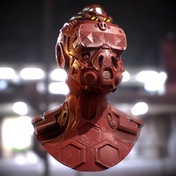
Here is a test sculpt I have created to illustrate the problem.MudboxSculpt.png

ExtractionSettings.png

I extract the normal Map for the mesh out using these settings, though when I apply the map onto the low poly it gives me visible UV seams in the shading. I Thought it was to do with the UV's but after checking through the UVs it seems to do with the way Mudbox has extracted the map itself.


MayaWNormalMap.png 

NormalMap.png

Normal Map applied as colourNormal Map applied as colour


When the Normal Map is applied as a colour, the RGB values do not match up along these seams. It appears Mudbox has generated the Normal map as if it was a plane and so it causes visual errors when it is wrapped around a 3D mesh.


Does anyone know why this is occurring and how to fix it? It doesn't seem right that this is the way Mudbox exports Normal Maps but I cant find any solution that corrects it.


Thanks for the help

 

0 Likes
2,098 Views
3 Replies
Replies (3)
Message 2 of 4

imre.major
Alumni
Alumni

When you apply the normal map as color to the mesh, it is expected to see the seams with tangent space.  Different UV shells generate different tangents, so the tangent space representation of the normal will be different. You don't need to worry about that.


One possible problem might be that the low resolution mesh in mudbox (which you use during the extraction) might be different than the low resolution mesh in maya (which you apply the map to). When you apply any sculpting to a higher subdivision level, mudbox will not only change that level, but it will also change lower levels as well. Did you bring the modified low resolution mesh back to maya? I would recommend you to have the low resolution mesh in mudbox in two instances. Subdivide one of them, apply the high frequency sculpting to that one, while leave the other one intact. When you extract the normal map, use the untouched low resolution mesh as the target instead of the base level of the sculpted one.

0 Likes
Message 3 of 4

sergimen2001
Collaborator
Collaborator

I never had problems with the Nomal Map Extraction in Mud, specially from the Hi Poly Target to the Low poly,(lowest subdiv level of the model), used like target.

My recomendation for you, if you are extracting to the same 3D model,(The highest subdiv level is the Source, and anyone of the inferior subdiv levels of the model are the target) is that you change to this parameters that in the 99% of the cases never failed to me:


Mud-Normal-Extract-Params-1.jpgMud-Normal-Extract-Params-2.jpg


If you pay attention, I normaly extract Normals in compatibilty with 3DSMAX. For this reason, after you extracted you normals, if you like to visualize your Normals maps correctly you need to do Rigth Click on the model and Select Edit Material:

Mud-Normal-Extract-EditMat.jpg

And there, in the Material Parameters, go to Normal Map, and change the compatibilty to 3DSMAX,(and Tangent). Due the Maya/Softimage is the default for all the materials in Mud:


Mud-Normal-Extract-Comp-Mode.jpg


The Compatibility Roll out Selector will be accesible when you have an Normal Map Applied in the Normal map Channel of your material for the 3D model.


The Rayscasting extraction Method is intended to be used when you are extracting normals for 2 models with diferent topologies, take more computation time, and could produce more artifacts in the normal map,(the most times that is due the source and target models are very diferent in form, or have some miss alignement issue).

Hope I was helpfull.

Regards:
Sergio Mengual
3D Artist-3D Generalist-3D Character Artist

https://www.artstation.com/artist/sergiomengual

https://www.facebook.com/Sergio3D2D/

https://www.youtube.com/user/sergiomengual


0 Likes
Message 4 of 4

Anonymous
Not applicable

I am having the same issue with this and it did not work. I just updated to Maya 2022. I tried automatic UV mapping. I tried manually UV mapping the entire object. Deleting the object history. Re-importing into Mudbox. I tried extracting the normal map in Mudbox 2020 and 2018. I completely deleted the object and re-built it, redid the UV's again, re-sculpted it for like the 100th time and when I extract the normal map I have seams and edges all over the object. I recently updated my graphics card driver and that is the only thing I can think of that is doing it. I have been building objects and using automatic mapping and sculpting and then extracting the normal maps completely fine. I did not do anything different with this object. I have been stuck on this for a few days. Still has weird seams and edges on it.

0 Likes